How to Create AI Animated Stories with Seedance 2.0
Learn how to create narrative-driven animated stories using AI video generation. Covers storyboarding, character consistency, scene transitions, and assembling multi-shot sequences with Seedance 2.0.
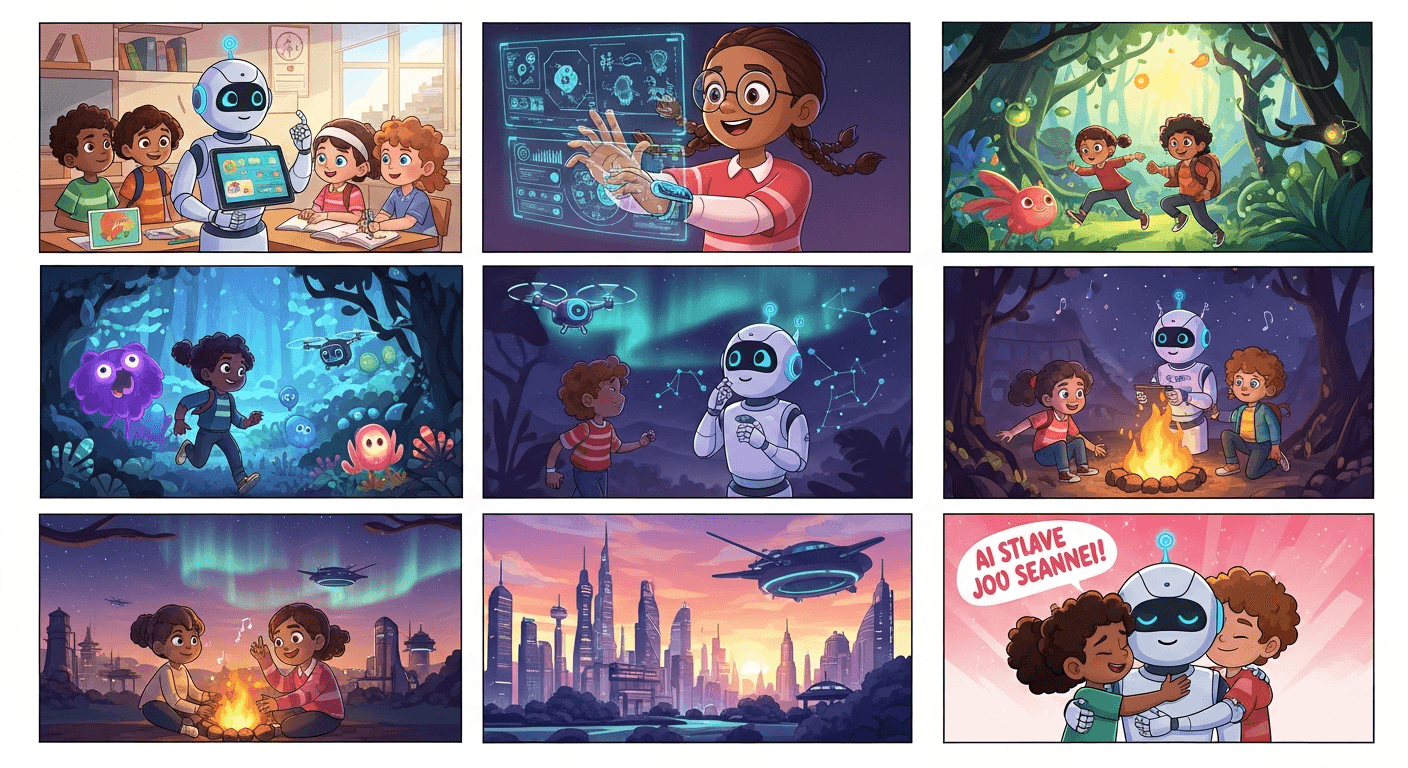
Tell a story in 60 seconds — no animator required. Six shots, one hour of planning, and roughly $20 in Seedance 2.0 credits is all it takes to produce a complete animated short with a beginning, middle, and end.
The era when storytelling required a studio, a team, and a six-figure budget is ending. What remains is the part that always mattered: having a story worth telling.
TL;DR
- Start small: a 60-second micro-story with 6 shots is the ideal first project
- Storyboard with Seedream at 6-8 credits per image before committing to video
- Character consistency is the hardest problem — solve it with detailed descriptions or reference images
- Use a fixed visual style string in every prompt to keep scenes cohesive
- Budget: a 2-minute short runs about $50 in total credits
Think Like a Director, Not an Animator
Creating stories with AI video is not traditional animation. It is closer to directing. You are planning shots, writing descriptions for your AI "crew" to execute, and assembling the best takes in the editing room. The AI is your camera, your set, your lighting team, and your cast. You provide the vision and the editorial judgment.
This mindset shift matters because it changes what you spend time on. You are not animating frames. You are writing shot descriptions, generating takes, and cutting the best ones together.
Direct your first AI short today
50 free credits covers your storyboard plus your first Seedance 2.0 shot. Your story is one click away.
Try Seedance 2.0 FreeThe Storyboarding Workflow
Every great AI short starts the same way: write the story, break it into shots, then storyboard with cheap still images before spending real credits on video.
Step 1: Write Your Story
Keep it short. AI storytelling works best in compressed formats:
- Micro-story (30-60 seconds): a single scene with a twist or emotional beat. 3-6 shots.
- Short story (2-3 minutes): complete narrative arc. 12-20 shots.
- Episode (5-8 minutes): serialized content. 30-50 shots.
For your first project, commit to a micro-story. You can expand later. Get one finished short done before you chase anything longer.
Step 2: Break the Story Into Shots
A "shot" is a single continuous visual moment that conveys one story beat. Each shot should answer one question:
- What does the audience see?
- What information does this shot convey?
- What emotion does this shot evoke?
If a shot answers more than one question, split it.
Step 3: Define the Visual World
Before generating anything, lock down:
- Color palette: 3-5 colors that define your story's visual identity
- Art style: watercolor, anime, photorealistic, storybook, noir
- Lighting mood: bright and warm, dark and moody, diffused and dreamy
- Time period and setting: when and where
Write all of this into a single paragraph — your "visual bible" — and paste it into every prompt.
Step 4: Storyboard With Seedream First
Before touching Seedance, generate a still frame for every shot using Seedream at 6-8 credits per image. This is the most cost-effective way to plan your visual narrative:
- Iterate on composition cheaply
- Identify character consistency problems before they cost real money
- Validate visual flow across the full story
- Reuse the Seedream outputs as inputs for Seedance image-to-video generation
A full storyboard for a 12-shot short costs under $1. A single bad Seedance generation costs $3. The math is obvious.
Want to turn a storyboard into a film like this? You're 30 seconds away from your first shot. Try Seedance 2.0 free →
Solving Character Consistency (The Hard Problem)
Maintaining consistent character appearance across multiple AI-generated shots is the single biggest technical challenge in AI storytelling. Five strategies, ranked by reliability.
Strategy 1: Reference Image Pipeline (Most Reliable)
Generate a definitive character portrait with Seedream. Use that exact image as the reference for every shot featuring the character via Seedance image-to-video. Describe only motion and scene changes in your prompt, not the character's appearance.
This is how professional AI short filmmakers actually do it.
Strategy 2: Hyper-Detailed Character Descriptions
If you have to use text-to-video, write an extremely specific character description and paste it verbatim into every prompt:
A tall woman in her 30s with shoulder-length auburn hair, green
eyes, and a distinctive scar on her left cheek. She wears a
weathered brown leather jacket over a dark blue shirt and carries
a worn canvas messenger bag.
Copy that string into every prompt. Do not paraphrase. Do not shorten.
Strategy 3: Distinctive Clothing and Props as Anchors
Unique clothing and accessories help the model maintain identity even when facial features drift. Instead of "a man in a suit", write "a man in a deep purple corduroy suit with a yellow pocket square". Give characters distinctive hats, glasses, jewelry, or color associations.
Strategy 4: Stylized Visual Approach
In heavily stylized styles — anime, pixel art, watercolor — slight facial variations are much less noticeable. If character consistency is your top priority, lean into stylization rather than fighting for photorealism.
Strategy 5: Hide the Face
Design shots that avoid the consistency problem entirely:
- Silhouettes and shadows
- Back-of-head and over-the-shoulder angles
- Wide shots where faces are small
- Close-ups of hands, feet, or objects
- Hoods, masks, helmets
Many professional AI shorts use this extensively. It can actually create a more cinematic and mysterious storytelling style.
Scene-by-Scene Generation
For each shot in your story, follow this loop.
The Generation Loop
- Write the prompt combining scene, character, motion, camera, and style string
- Upload reference image if using image-to-video
- Set duration (add 1-2 seconds for trimming headroom)
- Generate 2-3 variations
- Select the best take based on motion, consistency, and emotional impact
Prompt Structure for Story Shots
[Character description] [action] in [setting]. [Camera angle and
movement]. [Emotional tone]. [Visual style string].
Opening shot example:
A weathered lighthouse stands alone on a rocky cliff at dawn. The
ocean crashes against the rocks below. Camera slowly pushes toward
the lighthouse. Fog drifts across the scene. Contemplative and
isolated. Watercolor animation style, muted blue and gray palette,
soft edges, visible brush strokes.
Character introduction example:
A tall woman in her 30s with shoulder-length auburn hair and a
brown leather jacket stands at the base of the lighthouse, looking
up at it. Wind blows her hair. Camera slowly orbits around her.
Determined expression. Watercolor animation style, muted blue and
gray palette, soft edges.
Emotional beat example:
Close-up of the woman's face as she holds an old photograph. A
tear catches the light on her cheek. Camera holds steady, slight
focus pull. Vulnerable and emotional. Watercolor animation style,
warm tones emerging in the muted palette.
A Full Example: 3-Act Story in 6 Clips
Here is a complete production plan for a 60-second micro-story using a classic three-act structure.
The Story: "The Cartographer's Last Map"
An old cartographer finishes her final map, then opens the window to release a paper bird that carries it into the sky.
Shot List
| # | Act | Duration | Description | Mode | |---|---|---|---|---| | 1 | Setup | 10s | Wide shot: candlelit study filled with maps | Text-to-video | | 2 | Setup | 8s | Close-up: wrinkled hands drawing delicate lines | Text-to-video | | 3 | Conflict | 10s | Medium shot: she pauses, looks at a faded photograph | Image-to-video | | 4 | Conflict | 8s | Close-up: she folds the finished map into a paper bird | Text-to-video | | 5 | Resolution | 12s | She opens the window, the bird takes flight | Image-to-video | | 6 | Resolution | 12s | Wide shot: the paper bird soars over a golden landscape | Text-to-video |
Total runtime: 60 seconds. Total shots: 6.
Visual Style String
Watercolor animation, muted earth tones — ochre, sepia, dusty
blue — soft diffused candlelight, nostalgic and painterly, visible
brush texture
Budget
- 6 Seedream storyboard frames: ~48 credits
- 6 Seedance 2.0 generations: ~1,800 credits
- 3 additional takes (50% retake rate): ~900 credits
- Total: ~2,750 credits (~$23)
A complete animated short for the cost of a dinner out.
Your 60-second short starts here
Six shots. One afternoon. About $20 in credits. Start with the 50 free credits we give every new account.
Generate My First ShotVisual Styles That Work Well
Different styles have different strengths. Pick one and commit.
Watercolor animation: emotional stories, children's content, literary adaptations. Hides character inconsistency behind painterly softness.
Anime / Studio Ghibli inspired: action, fantasy, coming-of-age, adventure. Well-understood by the model, consistent output.
Noir / high contrast: mystery, thriller, detective stories. Heavy shadows and silhouettes dodge character consistency problems.
Storybook illustration: fairy tales, bedtime stories, educational content. Stylized characters are forgiving.
Photorealistic cinematic: drama, sci-fi, historical fiction. Highest visual impact but hardest to maintain consistency.
Dialogue Without Lip-Sync
AI video does not generate reliable spoken dialogue. Four ways to work around this.
Narration: the simplest approach. A narrator tells the story over visuals. Record voiceover and sync in post. Most forgiving format — no lip-sync required.
Text on screen: display dialogue as subtitles or comic-book speech bubbles. Pairs well with stylized visual styles.
Cut away during speech: use AI voiceover tools, but cut to reaction shots, environmental details, or over-the-shoulder angles during dialogue. The audience does not need to see lips move.
No dialogue at all: many of the best short films tell powerful stories through action, expression, and environment alone. This plays directly to AI video's strengths.
Editing: Where Clips Become Story
Individual AI clips do not make a story. The edit does.
Establish rhythm. Opening: slow cuts, atmospheric. Building: gradually faster. Climax: fastest cuts, highest energy. Resolution: slower again, emotional release.
Pacing guidelines:
- Atmospheric / establishing shots: 6-12 seconds
- Dialogue / narration scenes: 4-8 seconds
- Emotional beats: 5-10 seconds
- Action scenes: 2-4 seconds
Transition types:
- Hard cut for most transitions
- Dissolve for time passage or dreamlike moments
- Fade to black for major beats or endings
- Match cut between similar compositions in different scenes (very cinematic when it works)
Sound design transforms everything. Layer music, sound effects, ambient room tone. Seedance 2.0's native audio sync gives you a foundation to build on. Music is the single most powerful emotional tool you have.
Start With One Story Today
The tools are accessible. The costs are manageable. The only thing missing is a story worth telling. Start with a simple one — a single character, a single emotion, a beginning, middle, and end in 60 seconds. Write six shot descriptions. Generate six clips. Cut them together, add music, and share it.
Then tell another story. And another. The more you produce, the more fluent you become in this new visual language.
Your 50 free signup credits are enough for a storyboard plus your first Seedance 2.0 shot. Start there.
Ready to tell your story? Start creating free →