AI Avatar Videos for Corporate Training & Presentations
Learn how to create professional AI avatar training videos using OmniHuman. Reduce video production costs by 80%+, scale to multiple languages, and update content instantly without reshooting.
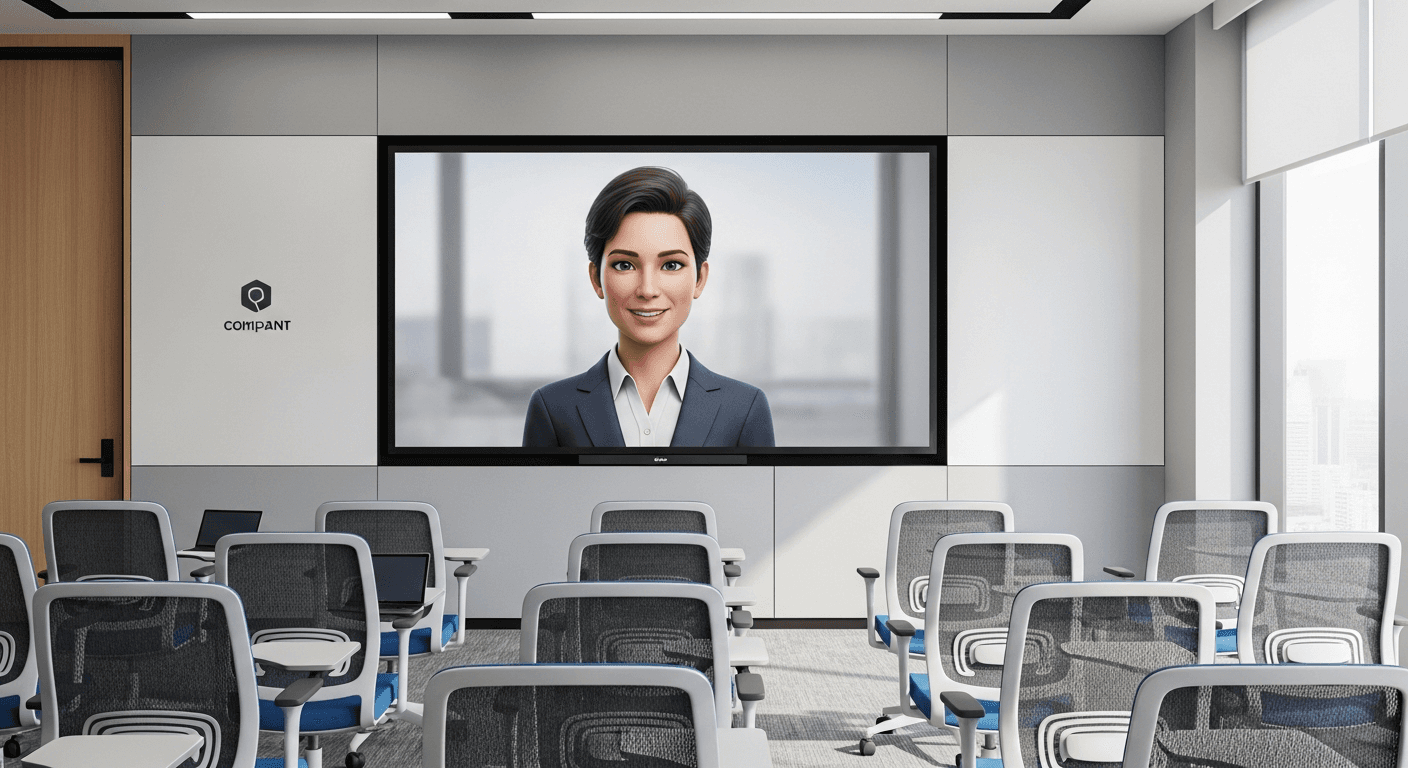
$50,000 corporate training video becomes $500 with AI. That is not a hypothetical — that is the actual budget comparison L&D teams are running today. One reference photo, one recorded script, one AI avatar generation, and the video that used to require a studio day and a six-figure production line is done by lunch.
TL;DR
- Traditional training video: $5,000-$15,000 per finished minute
- OmniHuman AI avatars: ~$9.60 per generation, paired with Seedance 2.0 for b-roll at $3.04
- Multilingual advantage: One avatar, 10 languages, ~$600 total instead of $100,000+
- Update speed: Regulation changes become new videos in hours, not weeks
- Zero studio, zero crew, zero scheduling conflicts
Why Corporate Training Needs a Reboot
Global L&D spend crossed $380 billion in 2026. Most of that budget produces content employees skip through — dull slide decks with voiceover, recycled compliance modules, and expensive live training sessions that are impossible to scale.
The economics are the root cause. Professional training video production runs $5,000-$15,000 per finished minute. A 20-minute onboarding module costs $100,000-$300,000. That math forces most organizations into two bad choices:
- Produce video for the 5% most critical modules, live with text documents for the rest
- Produce cheap video in-house that looks amateurish and kills engagement
Neither works. Research consistently shows video-based training improves retention 25-60% over text, and employees prefer video 3-to-1. But the budget has never allowed video at scale — until now.
Run your first AI training pilot
50 free credits gets you Seedance 2.0 b-roll for your first module. Combine with OmniHuman for a full avatar pipeline.
Try Seedance 2.0 FreeHow OmniHuman + Seedance Changes the Math
OmniHuman v1.5 is ByteDance's AI talking-head avatar model. It generates realistic talking-head video from three simple inputs:
- A single reference photo of the presenter (professional headshot or well-lit casual photo)
- An audio file of the script (recorded voice or text-to-speech)
- A text prompt for style, background, and delivery
The output: a video of that person speaking the audio with realistic lip sync, natural head movement, and appropriate facial expressions. Each generation costs 960 credits (~$9.60).
Pair it with Seedance 2.0 ($3.04/gen) for b-roll, and you have a complete training video production pipeline that fits on a laptop.
The Complete Training Video Workflow
Here is the step-by-step production pipeline that L&D teams are running today:
Step 1: Write the script (2-4 hours)
Script for the ear, not the eye. AI avatars work best with conversational, short-sentence, direct-address language.
Rules for good AI avatar scripts:
- 130-150 words per minute of finished video
- 2-3 sentence paragraphs maximum
- Second-person voice ("You will learn...")
- Clear section breaks for chapter navigation
- Action items at the end of each section
Step 2: Record or generate audio (30-60 minutes)
Two options:
Real voiceover — have the actual presenter (or a voice actor) record the script. Most authentic result, preserves the real person's voice.
Text-to-speech — modern TTS engines (ElevenLabs, Play.ht, etc.) produce natural-sounding speech that works seamlessly with OmniHuman. Best for rapid iteration and multilingual content.
Step 3: Prepare the reference photo (10 minutes)
The photo requirements:
- Well-lit, evenly exposed face
- Neutral or professional background
- Front-facing with slight natural angle
- Professional attire appropriate to your organization
- Minimum 512x512px (higher is better)
A smartphone photo taken near a window with a neutral wall behind works fine. You do not need a studio headshot.
Step 4: Generate the avatar video with OmniHuman (15-30 min)
For a 10-minute training module, expect to generate 5-10 segments at natural script breakpoints. Each generation: 960 credits (~$9.60). Total for the module: $48-$96.
Step 5: Generate supporting b-roll with Seedance 2.0 (20-40 min)
This is the step most teams skip — and it is why their AI avatar videos feel flat. Cut away from the presenter to illustrative b-roll every 15-30 seconds. Generate b-roll clips with Seedance 2.0 at $3.04 per clip.
For a 10-minute module, budget 8-15 b-roll clips: $24-$46.
Step 6: Assemble in your video editor (1-2 hours)
Import all segments into Premiere, DaVinci Resolve, or even CapCut for Business:
- Intercut presenter segments with b-roll
- Add title cards and section headers
- Layer screen recordings for software training
- Add background music at low volume (-20dB)
- Apply brand overlays and lower-thirds
- Export in your LMS format
Total production time: 1-2 days from script to final module.

Want training b-roll like this? You're 30 seconds away from your first generation. Try Seedance 2.0 free →
Per-Module Cost Breakdown
Here is the actual cost comparison for a 10-minute training module:
| Line item | Traditional | OmniHuman + Seedance | |---|---|---| | Script writing | $500-$1,500 | $500-$1,500 (same) | | Presenter/talent | $1,000-$5,000/day | $0 (photo reference) | | Studio rental | $500-$2,000/day | $0 | | Camera crew | $1,500-$4,000/day | $0 | | Lighting and audio | $500-$1,500/day | $0 | | OmniHuman generation (5-10 segments) | $0 | $48-$96 | | Seedance 2.0 b-roll (10 clips) | $0 | ~$30 | | Editing and post | $1,000-$3,000 | $200-$500 | | Total per 10-min module | $5,000-$17,000 | $778-$2,126 |
Annual Savings for L&D Teams
Take an organization producing 20 training modules per year:
| Metric | Traditional | AI avatar | Savings | |---|---|---|---| | Annual production cost | $100,000-$340,000 | $15,560-$42,520 | 84-88% | | Production time per module | 2-4 weeks | 2-5 days | 75-85% | | Revision cost per update | $2,000-$8,000 | $50-$200 | 97-99% | | Multilingual adaptation | $3,000-$10,000/lang | $50-$100/lang | 98-99% |
The biggest wins come from revisions and multilingual content, where the savings approach 99%. This fundamentally changes how L&D teams think about content maintenance: updates stop being budget events and become routine operations.
Multilingual Training at Scale
For global organizations, multilingual content has always been the most expensive and logistically painful L&D challenge. Traditional options:
- Separate native-speaker shoots per language — prohibitively expensive
- Dubbing with voice actors — $2,000-$5,000 per language, awkward lip sync
- Subtitles only — cheapest but lowest engagement and retention
The AI multilingual workflow
- Write the master script in your primary language
- Translate to each target language (professional translation or AI with human review)
- Generate audio per language with multilingual TTS
- Generate avatar videos per language with OmniHuman using the same reference photo
The result: a native-feeling training video in every language. The presenter appears to actually speak each language fluently — lip sync matches the spoken language because OmniHuman regenerates from the audio.
Cost per language
| Method | Cost per 10-min module per language | |---|---| | Separate production | $5,000-$15,000 | | Professional dubbing | $2,000-$5,000 | | OmniHuman + TTS | ~$60-$120 | | Subtitles only | $200-$500 |
For 10 languages: the AI approach costs $600-$1,200 total. Traditional separate production: $50,000-$150,000. This is the difference between "we cannot afford multilingual training" and "every module ships in 10 languages by default."
Use Cases That Deliver Immediate ROI
Employee onboarding
Onboarding is the highest-ROI application. New hire retention improves by 20-40% with strong onboarding programs, and video is dramatically more effective than text. Build a comprehensive onboarding series featuring your actual leadership team — without asking any of them for studio time.
Compliance training
Compliance is the second-highest ROI because of update frequency. Regulations change; your training has to follow. With traditional video, every update is a reshoot. With AI avatars, every update is a 2-hour script-to-publish cycle.
Software and process training
Combine OmniHuman presenter segments with screen recordings for step-by-step software training. The presenter contextualizes, the screen recording demonstrates. Professional quality at a fraction of e-learning production costs.
Sales enablement
Sales teams need constant updates on new products, features, and competitive positioning. AI avatars make weekly sales training economically viable — something no traditional production budget can sustain.
Safety training
Manufacturing, construction, and healthcare require regular safety training with standardized delivery. One avatar video, deployed to every location, every shift, in every language your workforce speaks.
Ship your first module this quarter
50 free credits covers your b-roll test pass. Prove the 80%+ savings before requesting procurement approval.
Start My PilotInternal Communications and Presentations
Beyond formal training, AI avatars deliver fast-turnaround value for internal comms:
Executive updates
The CEO needs to address all-hands about a major announcement. Scheduling a recording session takes days. With OmniHuman, the CEO records audio on their phone in 10 minutes, and a polished video is in every employee's inbox by end of day.
Team updates
Department heads can produce regular video updates without setting up cameras or finding good lighting. Consistency of communication builds team cohesion, especially in distributed organizations.
Async meeting replacements
A 5-minute AI avatar video replaces a 30-minute meeting. Recipients watch on their own schedule. The message is delivered consistently without the attendance tax.
Conference and event content
Booth loops, internal event videos, all-hands recap reels — any content that needs polished presenter video without the presenter's live time commitment.
Compliance and Governance
Deploying AI avatar technology in a corporate environment requires real governance. Do not skip this.
Consent and likeness rights
Get written consent from every individual whose photo is used to generate AI avatar videos. The consent should specify:
- Purposes of use
- Duration of consent
- Languages and markets for deployment
- Right to revoke
Treat this as a legal requirement, not a nice-to-have. Likeness rights litigation around AI is active and expanding.
Disclosure
Best practice: disclose when training content features AI-generated presenters. A brief note at the start of the module or in the course description is sufficient. Transparency builds trust and stays ahead of evolving regulations.
Content review
Your subject matter expert review, legal review, and management approval workflows should remain unchanged. AI generation does not replace content review — it just changes what you are reviewing.
Data handling
Review the platform's data retention and privacy policies. Make sure they meet your organization's requirements, especially for compliance-heavy industries.
Best Practices for AI Avatar Training
Open with a hook. The first 10 seconds decide whether learners engage. Start with a provocative question, a surprising stat, or a direct stakes statement — not "welcome to this training."
Chunk into 2-3 minute segments. This matches cognitive load research and aligns with natural OmniHuman generation breakpoints.
Cut to b-roll every 15-30 seconds. Never leave the avatar on screen for more than 30 seconds without a cut. This is where Seedance 2.0 b-roll earns its keep.
Use multiple presenters. Your training library should feature diverse presenters who represent your organization. This is easy with AI avatars — just different reference photos.
Always include captions. You have the script already. Export captions automatically.
End with action. Every module should close with clear, actionable takeaways.
Pilot Project: Your First AI Training Module
- Pick one module that needs updating. Ideally compliance training or onboarding — high-value, low-risk.
- Claim 50 free credits to test the platform with Seedream and Seedance 1.0 Lite (OmniHuman requires 960 credits per generation, so plan for a small credit purchase for the pilot).
- Purchase the $50 credit tier for 5,750 credits — enough for approximately 5 OmniHuman generations (one full module).
- Run the full workflow from script to finished video in 2-3 days.
- Measure: compare production cost, timeline, and learner feedback against your existing process.
If the pilot delivers even 50% of the promised savings, the ROI case for rolling AI avatars across your training library is overwhelming.
The Bigger Picture
The shift to AI-generated training video is not about replacing human trainers. It is about extending their reach. A subject matter expert who can train 30 people in a live session can now reach 30,000 through AI avatar video — with the same presence, the same consistency, and a cost structure that finally makes comprehensive video training viable for organizations of any size.
Your L&D team is about to become dramatically more effective. The only question is whether you run the pilot this month or next quarter.
Ready to transform your corporate training program? Start creating free with Seedance 2.0 →