How to Create AI News Anchors with OmniHuman v1.5
A practical tutorial on creating realistic AI news anchor and presenter videos using OmniHuman v1.5. Learn prompt engineering, audio preparation, and production techniques for broadcast-style AI avatar content.

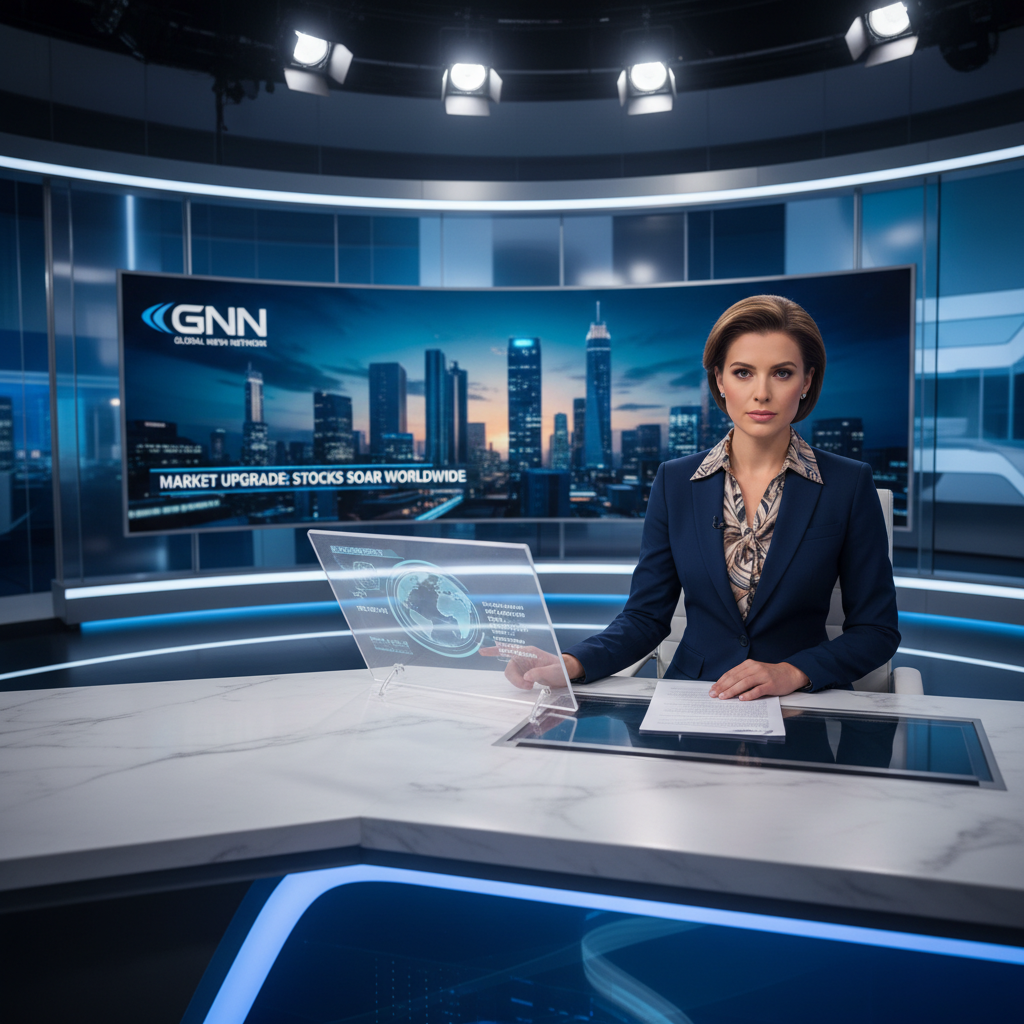
Broadcast news set, key light at 45 degrees, professional presenter, 30 seconds of clean copy — traditionally a multi-thousand-dollar production. With OmniHuman v1.5 you can generate a convincing AI news anchor segment for $9.60, and you can iterate on delivery, outfit, or script in minutes rather than days.
TL;DR
- AI news anchor videos for $9.60 per segment via OmniHuman v1.5
- Ideal for daily news recaps, financial updates, sports briefs, niche industry bulletins
- Requires one portrait photo, one audio file, one broadcast-style scene prompt
- 30-60 second segments are the sweet spot (1080p caps at 30s, 720p caps at 60s)
- Pay-per-use model lets small publishers produce daily content without subscription overhead
Why AI News Anchors Make Sense Right Now
The economics of traditional broadcast are brutal for anyone who is not a legacy network. Small publishers, niche media brands, and independent journalists cannot justify studio rent, hair and makeup, and on-camera talent for content that will be watched 20,000 times on YouTube.
AI news anchors solve this for two specific content types:
- High-frequency, short-form segments — daily market recaps, morning news briefs, weather updates, niche industry roundups
- Multi-language news distribution — same story in English, Spanish, Mandarin, Portuguese, etc., using identical visual branding
The bar for "looks professional enough" is lower than it was two years ago. Audiences are increasingly comfortable with AI-generated presenters, and OmniHuman v1.5's lip sync quality holds up under the scrutiny of viewers watching with sound on.
Create your AI presenter now
Turn one photo + audio into a lifelike talking video. $9.60 per video, no subscription.
Try OmniHuman FreeContent Formats That Work Best
Not every news format benefits equally from AI anchors. Focus on these:
Daily market recaps. 30-60 seconds covering headline moves. Generate one at end of trading, post to YouTube Shorts, LinkedIn, TikTok.
Niche industry bulletins. Crypto news, gaming news, AI news, sports scores — audiences value the signal more than the theatrical presentation.
Morning news briefs. Five-to-seven story rundown delivered in a single 60-second clip, updated daily.
Weather and forecast. Short, structured, repetitive-format content that plays perfectly to AI's strengths.
Multi-language editions. Reshoot-free translations of the same story.
Formats that do not work well: long-form investigative pieces, interviews, live breaking news, human-interest segments that depend on emotional nuance. Keep OmniHuman for the structured, high-frequency end of your editorial workflow.
Step 1: Build Your Anchor's Identity
The single most important decision is picking your reference photo. Once you pick it, you want to use it consistently across every episode so viewers recognize "your" anchor.
Options for Sourcing an Anchor Photo
Real presenter with permission. A journalist, host, or contractor who agrees to their likeness being used as an AI anchor. Get written permission. Use a professional headshot.
Generated persona via Seedream. Use Seedream to create a photorealistic headshot of a spokesperson who does not exist. Prompt for "professional news anchor headshot, [age range], [outfit], neutral background, studio lighting, direct eye contact with camera."
Licensed stock portrait. Stock photography sites offer model-released headshots cleared for commercial use.
What the Photo Should Look Like
- Head and shoulders framing
- Direct eye contact or slight three-quarter angle toward camera
- Professional attire (suit, blouse, blazer)
- Clean neutral background or subtle studio backdrop
- Even, flattering lighting — soft key light, subtle fill
- Neutral or faintly pleasant expression
- High resolution: 1024x1024 or larger
Step 2: Prepare Broadcast-Quality Audio
News delivery has a specific cadence — slightly faster than conversational, with crisp consonants and natural pauses at the end of sentences. Your audio should match this.
Recording Tips
- Use a quality microphone in a quiet room
- Speak at a pace of roughly 150-170 words per minute
- Land every sentence with a clear end-of-phrase inflection
- Avoid "umm" and filler words
- Record a few takes and pick the cleanest
Using Text-to-Speech
Modern TTS engines produce convincing news-anchor delivery. Look for voices specifically marketed as "news" or "broadcast" styles. ElevenLabs, Play.ht, OpenAI, Google Cloud TTS, and Amazon Polly all offer suitable voices. Pick a voice and stick with it for brand consistency.
Length Targets
For 1080p output, cap your audio at 30 seconds. For 720p, you have up to 60 seconds. A typical 60-second news brief fits 150-170 words. Write tight.
Step 3: Write a Broadcast-Style Scene Prompt
The scene prompt tells OmniHuman what the set should look like. Broadcast news has visual conventions — big desk, studio lighting, professional backdrop — and your prompt should invoke them.
Prompt Templates That Work
Traditional news desk:
Professional news studio with anchor desk in foreground, blue and orange studio lighting, subtle LED news backdrop, medium close-up framing head and shoulders, broadcast television style.
Minimalist studio:
Modern minimalist news studio, clean gray backdrop with subtle brand gradient, soft key lighting from the left, medium shot, contemporary broadcast look.
Financial news style:
Financial news studio with data visualizations softly blurred in background, professional key lighting, medium close-up, polished CNBC-style aesthetic.
Outdoor field reporter:
Urban street background with soft bokeh, warm golden hour lighting, medium close-up, realistic field reporter style.
Avoid contradicting your reference photo. If your anchor is wearing a navy suit, do not describe "red outfit" in the prompt.
Step 4: Generate and Review
Open OmniHuman v1.5, upload photo and audio, paste your scene prompt, pick 1080p for hero segments (or 720p for longer briefs), and generate.
Quality Checks
Before publishing, review:
- Lip sync accuracy on fast delivery
- Identity stability across the full clip
- Professional framing — no awkward crop or drift
- Background consistency — does the set stay convincing throughout?
If something feels off, the fix is usually in the inputs, not a re-render. Clean the audio, pick a better photo angle, or tighten the prompt.
Ready to try OmniHuman v1.5? Start creating free →
Want a presenter like this? Try OmniHuman free →
Production Workflow for Daily Content
Producing daily news segments requires a repeatable pipeline. Here is what works.
Morning Routine (15-30 minutes)
- Write the script — top 3-5 stories, tight copy, 150 words total
- Generate TTS audio with your chosen broadcast voice
- Upload to OmniHuman v1.5 with your standard photo and prompt
- Generate in turbo mode for speed
- Review, download, upload to YouTube, LinkedIn, Shorts, TikTok
- Repeat tomorrow
Time from story idea to published video: under 30 minutes. Cost per episode: $9.60.
Weekly Cost Math
A daily news show published five days a week costs:
- 5 episodes x $9.60 = $48/week
- 20 episodes x $9.60 = $192/month
- 260 episodes x $9.60 = $2,496/year
Compared to a HeyGen subscription capped at a few minutes per month, or a Synthesia plan with fewer daily minutes than you need, pay-per-use wins for this volume pattern.
Multi-Language News Distribution
One of OmniHuman's best features for news is multilingual delivery. You can distribute the same story across four to ten languages with no re-shoot.
Workflow:
- Write the story in English
- Translate to target languages (DeepL, professional translator, or LLM-assisted)
- Generate TTS audio in each language with matching broadcast voices
- Run OmniHuman generation for each language, using the same photo and prompt
- Publish to regional channels
Each language version costs $9.60. A four-language distribution costs $38.40 per story. See the multilingual guide for language-specific tips.
Ship daily news without a studio
No HeyGen or Synthesia subscription. Pay $9.60 per segment — only on days you actually publish.
Build Your Anchor ShowTips for Polish and Realism
Match Delivery Energy to Visual Style
A calm, measured delivery pairs with a traditional anchor desk. An energetic, fast-paced delivery fits a financial news studio. Match tone to setting.
Lock Your Branding Elements
Outside OmniHuman, use a video editor to add your logo, lower-third chyrons, and b-roll inserts. The AI-generated segment becomes the anchor cut in a larger edited piece.
Cut Between Multiple Anchors
Generate videos of two or three different anchors, then intercut them in your edit. This adds variety and mimics real newsroom teams.
Add B-Roll
Combine OmniHuman anchor footage with licensed b-roll or stock video. The anchor handles the delivery; the b-roll illustrates the story.
Use 1080p for Flagship, 720p for Scale
Flagship daily episodes go in 1080p (30s). Longer explainer segments or archive content use 720p (up to 60s). Both cost the same $9.60.
Legal and Ethical Considerations
Three things worth thinking about:
-
Disclose that the presenter is AI. Audiences tolerate AI anchors when you are upfront about it. Put a "AI-generated presenter" note in your channel description or video descriptions.
-
Get rights to your reference photo. If the photo is of a real person, have written permission for AI avatar use. Seedance's terms of service require you to hold rights to any likeness you upload.
-
Maintain editorial standards. AI lets you ship fast. That does not mean skipping fact-checking. Your editorial rigor matters more than your production speed.
Getting Started
- Sign up for Seedance and claim your 50 free credits
- Purchase a $25 Popular tier pack (2,750 credits, roughly 2-3 segments)
- Pick or generate your anchor photo
- Choose a broadcast TTS voice
- Write your first 150-word news script
- Generate via OmniHuman v1.5
- Publish and iterate
For related workflows, see the talking head tutorial, the complete OmniHuman guide, and the multilingual guide.
Ready to try OmniHuman v1.5? Start creating free →