How to Create AI Cinemagraphs with Seedance 1.0 Lite
Master the art of AI cinemagraphs — photos with subtle, isolated motion — using Seedance 1.0 Lite. Techniques, prompts, and use cases for stunning living photos.
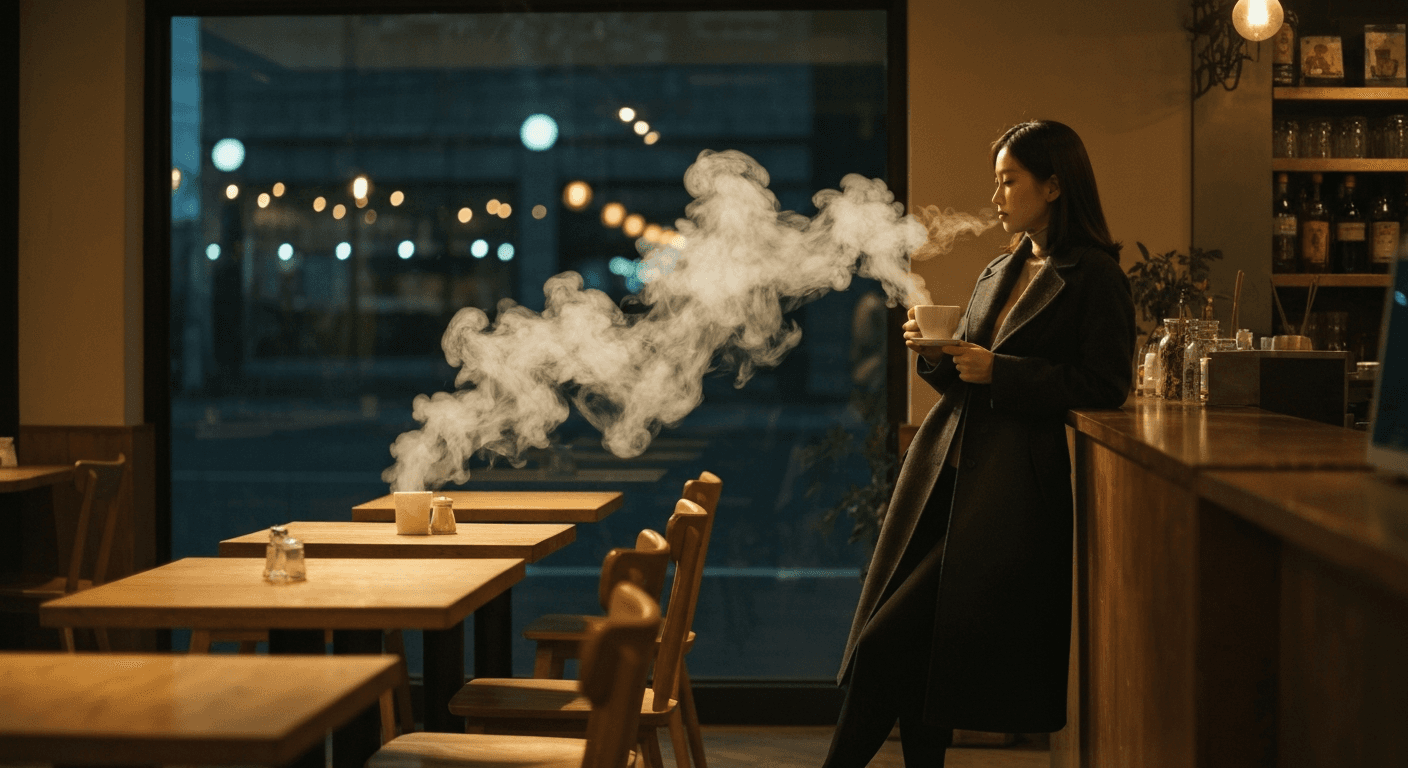
A cinemagraph is a still photograph with one element in motion — steam rising, hair blowing, water flowing — while everything else stays perfectly frozen. It's the most under-used format in marketing because creating one manually takes an hour of masking and rotoscoping. Seedance 1.0 Lite produces the same effect in 30-40 seconds for 14-21 cents.
TL;DR
- Create cinemagraphs (photos with isolated motion) for $0.14-$0.21 in 30-40 seconds
- The camera lock feature is what makes cinemagraphs possible at this quality level
- Best duration: 2-3 seconds, designed to loop seamlessly
- Perfect for websites, social, email marketing, and digital signage
- 50 free credits on signup — enough to create 3+ test cinemagraphs
What a Cinemagraph Actually Is
A cinemagraph occupies the sweet spot between a photo and a video. Most of the frame is frozen — like a photograph — but one or two specific elements continue to animate. The effect is subtle, hypnotic, and impossible to ignore in a feed.
Historically, cinemagraphs required:
- Shooting video footage of the subject
- Extracting a still frame as the base
- Masking the area you wanted to animate
- Rotoscoping to isolate motion
- Compositing in After Effects or Photoshop
Total time per cinemagraph: 30-90 minutes. Total skill required: intermediate video editing plus compositing.
Seedance 1.0 Lite collapses all of that into one step: upload a still image, write a motion prompt describing what should move (and implicitly what stays still), and get a 1080p cinemagraph-style clip in under a minute.
Create your first cinemagraph for 14 cents
2-second loopable clips in 30-40 seconds. Camera lock makes the whole effect possible. 50 free credits on signup, no card required.
Try Seedance 1.0 Lite FreeWhy Cinemagraphs Work So Well in Marketing
Research from ad platforms consistently shows cinemagraphs outperform both static images and full videos in feed placements. The reasoning:
- Scroll-stopping — the brain notices isolated motion instantly
- Low visual fatigue — unlike full video, cinemagraphs don't demand attention
- Brand-premium feel — they signal production quality without being ostentatious
- Fast load — short clips keep page weight down
- Evergreen — they don't feel dated as quickly as trend-driven video
The historical barrier was production cost. Seedance 1.0 Lite removes that barrier entirely.
The Cinemagraph-Perfect Settings
| Setting | Value | Why | |---|---|---| | Duration | 2-3 seconds | Short enough to loop cleanly | | Camera lock | ON (critical) | Freezes everything except described motion | | Resolution | 1080p | Full quality for web and print use | | Aspect ratio | Match destination | 9:16, 1:1, or 16:9 |
Camera lock is the single most important setting. Without it, the model may introduce subtle camera drift that breaks the "frozen except for one element" effect entirely.
Writing Cinemagraph-Specific Prompts
The trick with cinemagraph prompts: describe both what moves and what stays still, explicitly. The model needs to understand the isolation.
The cinemagraph prompt template
[Specific element] continuously [motion verb], everything else remains perfectly still, camera completely locked
Working examples
Steam on a coffee cup:
Steam continuously rises from the coffee cup in a
thin curling column, cup and table remain perfectly
still, camera completely locked
Hair in a portrait:
Hair blows gently to the left in a soft continuous
breeze, face and background remain perfectly still,
camera completely locked
Water in a landscape:
Water in the stream flows continuously downstream,
rocks, trees, and sky remain perfectly still,
camera completely locked
Candle flicker:
Candle flame flickers continuously with gentle
movement, surrounding objects and background remain
perfectly still, camera completely locked
Clouds in architecture:
Clouds drift slowly across the sky, building
and foreground remain perfectly still, camera
completely locked
Pro tip: The phrase "everything else remains perfectly still" is the key instruction. Without it, the model may animate secondary elements you didn't want moving.
Source Image Selection
Not every image makes a good cinemagraph. Here's what works best:
Excellent source material:
- Clear single motion element (steam, water, hair, fabric, flame, clouds)
- Strong contrast between the motion area and static background
- Sharp focus throughout
- Good composition with clear subject hierarchy
Difficult source material:
- Busy scenes with multiple potential motion elements
- Very flat lighting with no depth
- Low resolution
- Heavy existing motion blur
Pro sources: Stock photography, your own product shots, portrait sessions, landscape photography, and AI-generated images from Seedream work beautifully.

Want to make this yourself? Try Seedance 1.0 Lite free →
Ready to try Seedance 1.0 Lite? Start creating free →
Real Use Cases for AI Cinemagraphs
Website hero sections
Static hero images feel dated. Full-video hero sections feel aggressive. Cinemagraph heros strike the balance — subtle motion that holds attention without overwhelming.
Email marketing
Animated email headers lift CTR significantly. Cinemagraphs in the hero position give your email a premium feel without the file-size penalty of full video.
Social media feeds
Cinemagraph posts stop the scroll while feeling less "ad-like" than full video. Works especially well for lifestyle and luxury brands.
Digital signage
Retail displays, event monitors, and trade show signage all benefit from subtle motion. Cinemagraphs loop cleanly for hours without viewer fatigue.
Product detail pages
Instead of (or alongside) a full product video, add a cinemagraph showing one subtle motion — a highlight catching the surface, steam rising, fabric moving. See the product demos guide for the broader playbook.
Presentation slides
A single cinemagraph on a keynote slide carries more weight than any static image. Use sparingly for maximum impact.
Converting MP4 Output to Loop-Ready Format
Seedance 1.0 Lite outputs MP4. For web use as a cinemagraph:
Option 1: MP4 (best quality) Keep as MP4 with autoplay and loop attributes in your HTML:
<video autoplay loop muted playsinline>
  <source src="cinemagraph.mp4" type="video/mp4">
</video>
Option 2: GIF (widest compatibility) Convert with ezgif.com or ffmpeg for use in email and Slack.
Option 3: WebM (smallest file) Convert to WebM for web use — smaller file size than MP4 with identical quality.
30 cinemagraphs for the price of one designer hour
2-second loops at 14 cents each. Fast enough to iterate, cheap enough to produce on demand.
Start Creating FreeCommon Mistakes and Fixes
Mistake: Motion leaks into other elements Fix: Add "everything else remains perfectly still" to your prompt explicitly.
Mistake: Loop feels jumpy Fix: Use "continuous" and "continuously" in your prompt. Test at 2 seconds — short loops are naturally smoother.
Mistake: Camera drift despite camera lock Fix: Add "camera completely locked" to your prompt text even though it's also a setting. Redundancy helps.
Mistake: Motion is too subtle Fix: Strengthen the motion verb. "Flickers" instead of "moves." "Billows" instead of "shifts."
Mistake: Motion is too dramatic Fix: Add "gently" or "subtly" to soften. Cinemagraphs work best at the subtle end of the spectrum.
Cost Scenarios
Website cinemagraph (one hero)
- 1 × 14 credits = $0.14
Full email campaign (5 emails with hero cinemagraphs)
- 5 × 14 credits = $0.70
Product catalog cinemagraph set (30 products)
- 30 × 14 credits = $4.20
Social content for the month (20 cinemagraph posts)
- 20 × 14 credits = $2.80
At these numbers, cinemagraphs stop being a premium creative flourish and become a routine production output.
When to Upgrade Beyond Lite
For cinemagraphs specifically, Lite is almost always the right choice. The only exception: if you need end-frame control to guarantee the loop cycles to a precise target frame, use Seedance 1.0 Pro. For 99% of cinemagraph work, Lite wins on speed and cost.
Create Your First Cinemagraph Today
Sign up, claim your 50 free credits, upload a photo with a clear motion opportunity (steam, water, hair, flame, fabric, clouds), and generate a 2-second cinemagraph. You'll spend less than a quarter and end up with something you would've paid a designer $50-200 to create six months ago.
Start creating cinemagraphs free → — 30-40 second generation, $0.14 per cinemagraph, no subscription required.