How to Create TikTok Videos with Seedance 1.0 Lite
Step-by-step guide to creating viral TikTok content with Seedance 1.0 Lite — vertical video tips, trending formats, prompt strategies, and workflow optimization.
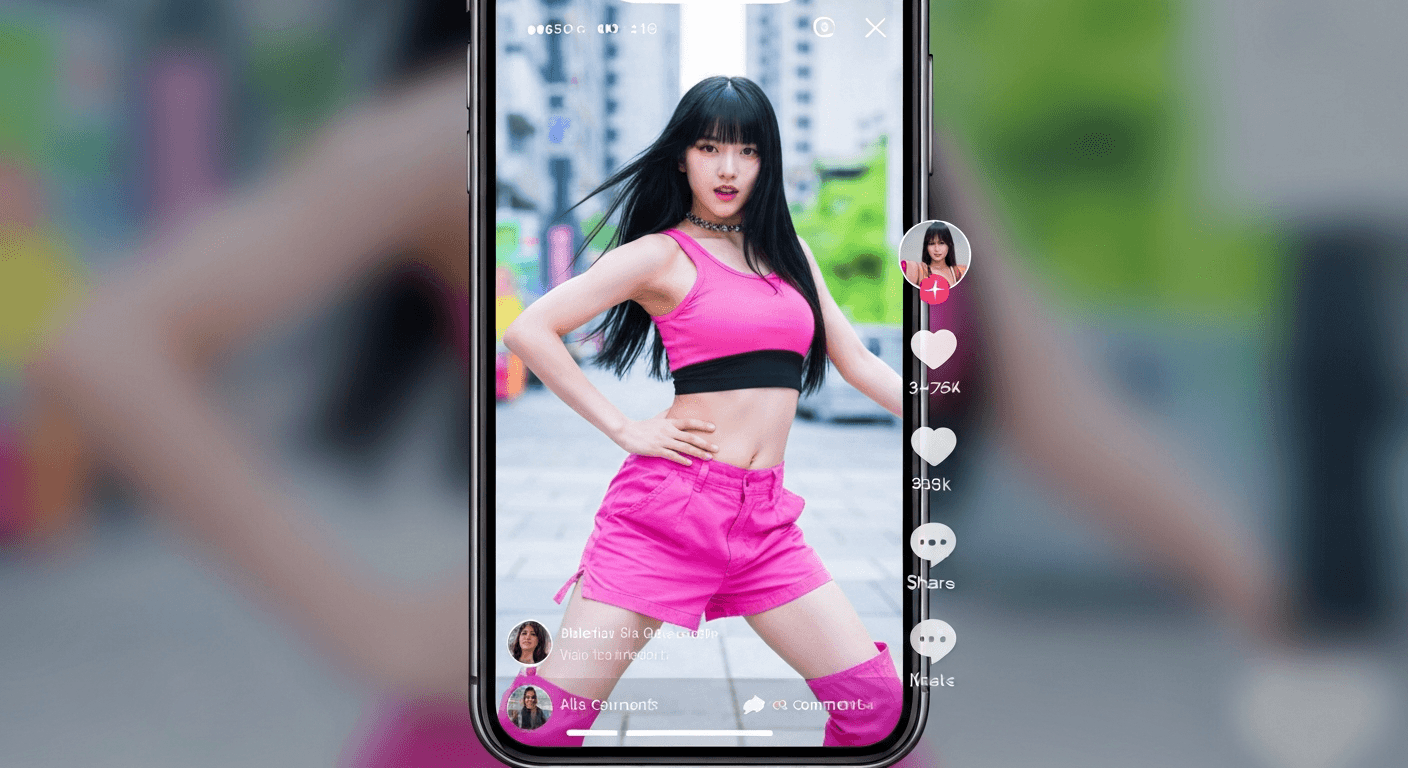
The average TikTok creator posts 1-4 times a day. Do the math on that — it's 30-120 videos a month, which is why "shoot it yourself" rarely survives contact with the algorithm. Seedance 1.0 Lite lets you generate publish-ready vertical clips for 14-84 cents each in under a minute. Here's the full workflow.
TL;DR
- Generate 9:16 vertical TikTok clips for $0.14-$0.84 each in 30-60 seconds
- A full month of 30 TikToks costs under $20 in credits
- Best clip length for TikTok hooks: 5-8 seconds, which runs $0.35-$0.56 per clip
- Camera lock keeps your subject stable in the feed — crucial for swipe retention
- 50 free credits on signup cover multiple test videos before you commit a dollar
Why AI Video Is a TikTok Cheat Code
TikTok's algorithm rewards consistency. It also rewards visual polish. Those two requirements used to be in direct conflict — you either posted daily with janky phone footage or posted weekly with polished content. AI video collapses that tradeoff.
With Seedance 1.0 Lite you can generate a week's worth of hook-optimized, 1080p vertical clips in one afternoon. Each clip takes 30-60 seconds to render and costs between 14 and 84 cents. That's the economics that let you post 3x a day without burning out or going broke.
Start your first TikTok clip now
9:16 vertical, 1080p, camera-locked — all in under 60 seconds for $0.14-$0.84. 50 free credits, no card required.
Try Seedance 1.0 Lite FreeThe TikTok Format, Locked In
TikTok wants 9:16 vertical, 1080p, 5-10 seconds for the hook window. Seedance 1.0 Lite handles this natively:
| Setting | TikTok-Optimal Value | |---|---| | Aspect ratio | 9:16 | | Resolution | 1080p | | Duration | 5-8 seconds (hook) or 10-12 seconds (full beat) | | Camera lock | On (unless intentional movement) |
Start with 9:16 and stick there. Cropping square or landscape clips into vertical later wastes pixels and loses the subject framing TikTok's feed expects.
Step-by-Step: Your First TikTok Clip
- Generate or pick a source image at 9:16 ratio. If you're starting from scratch, use Seedream to produce a portrait-oriented scene for 6-8 credits.
- Open the Seedance 1.0 Lite creator and upload the image.
- Write a motion prompt that describes the hook. Example: "Subject turns head slowly toward camera, soft breeze in hair, dramatic golden-hour lighting."
- Set duration to 5 seconds, camera lock on, resolution 1080p, aspect 9:16.
- Generate. 40 seconds later, download your MP4.
- Import to your editor, add captions, trending audio, and post.
Total cost: $0.35 for a publish-ready vertical clip. Total time: under 2 minutes of active work.
Prompt Patterns That Work for TikTok
Vertical social video has specific motion grammar. These prompt templates consistently land.
The "reveal" hook (5-6 seconds)
Subject starts facing away, slowly turns toward camera,
surprised expression forms, dramatic lighting shift
The "atmosphere" loop (4-5 seconds)
Steam rises from cup, subtle rotation of object,
warm ambient light flickering, gentle depth breathing
The "product" beat (6-8 seconds)
Product floats slowly rotating, sparkle particles drift upward,
soft backlight pulses, camera completely locked
The "transformation" tease (8-10 seconds)
Scene shifts from morning to golden hour, shadows lengthen,
sky gradient deepens, subject remains centered and still
Motion tip: TikTok's thumb-scroll feed is brutal. Motion that starts in the first 0.5 seconds holds viewers. Always describe what happens immediately, not just the end state.
Trending Formats Seedance Handles Well
Before/after reveals — generate two clips, one "before" static, one "after" animated. Cut them together with a hard transition.
POV atmosphere clips — dreamy 9:16 landscapes with subtle motion. Perfect for aesthetic accounts, music promos, and quote overlays.
Product hype drops — rotating product shots with particle effects and dynamic lighting. Drop-shipping accounts love these because they convert.
Character close-ups — portrait shots with subtle expression changes. Works great with voiceover or trending audio.
Text on motion — generate a clean motion backdrop, then overlay kinetic captions in your editor. Costs 14 cents for a 2-second loopable background.
Want to make this yourself? Try Seedance 1.0 Lite free →
Ready to try Seedance 1.0 Lite? Start creating free →
Monthly Cost Breakdown for a Real TikTok Creator
Let's plan a realistic content calendar: 2 TikToks per day, 60 per month, averaging 6 seconds each.
| Line item | Cost | |---|---| | 60 clips × 42 credits (6 sec) | 2,520 credits | | USD equivalent | ~$25 | | Source images via Seedream (60 × 7 credits) | 420 credits | | USD equivalent | ~$4 | | Total monthly production cost | ~$29 |
Twenty-nine dollars a month for 60 publish-ready vertical videos. That's less than a single hour of freelance editing. For small business or creator accounts, the unit economics finally make daily posting sustainable.
Batch Production Workflow
If you're serious about TikTok, batch production is the move. Here's the workflow successful creators use:
- Sunday planning — Write 20 captions and hook ideas for the week
- Source images in bulk — Generate all 20 source images in one Seedream session
- Motion prompts in bulk — Draft prompts for each image together, they batch better
- Seedance generation run — 20 clips × ~45 seconds = 15 minutes total wait
- Editing and scheduling — Add captions and audio, schedule all 20 in your TikTok scheduler
Total time commitment for a week of content: 2-3 hours on Sunday. Versus 1-2 hours every single day trying to shoot fresh footage.
Build your first week of TikToks for under $5
Batch 20 clips in an afternoon at 14-84 cents each. Fast enough for daily posting, cheap enough to experiment freely.
Start Batch Production FreeCamera Lock: Your Retention Weapon
TikTok viewers decide whether to swipe in the first half-second. Unstable, wobbly AI video gets swiped instantly. Camera lock keeps your subject perfectly framed so the motion happens within the scene, not to the camera.
Turn camera lock on by default for TikTok. The only reason to turn it off is if you specifically want a panning or zooming shot — in which case, describe the camera movement explicitly in your prompt.
Common Mistakes and How to Fix Them
Mistake 1: Generating in 16:9 and cropping later. Always generate 9:16 from the start. Cropping murders your subject framing.
Mistake 2: Durations longer than 12 seconds. Seedance 1.0 Lite maxes at 12 seconds per clip. For longer TikToks, generate multiple clips and stitch them.
Mistake 3: Vague motion prompts. "Make it move" produces random results. Describe exactly what moves, in what direction, at what speed.
Mistake 4: Skipping the test clip. Always run a 2-second test ($0.14) before committing to a 12-second version ($0.84). You'll save credits debugging prompts.
Mistake 5: Forgetting the hook. TikTok is hook-first. Your motion should start within 0.5 seconds of the clip beginning.
Upgrading When the Stakes Are Higher
When a specific TikTok needs premium quality — brand deal, pinned post, recruitment hero — move up to Seedance 1.0 Pro at 48-288 credits for better motion fidelity and end-frame control. For viral-scale cinematic content, Seedance 2.0 adds native audio and cinema-grade output.
The upgrade path is frictionless: same platform, same account, same credits.
Start Your First TikTok Clip in Under 5 Minutes
Sign up, claim your 50 free credits, upload a vertical image, write a motion prompt, and hit generate. You'll have a publish-ready 9:16 clip before your coffee gets cold.
Start creating TikTok videos free → — no subscription, no card required, first clip in under 60 seconds.