Seedance 2.0 API: How to Generate AI Videos Programmatically
A developer guide to the Seedance 2.0 API — authentication, endpoints, request formats, code examples in Python and JavaScript, error handling, and best practices.
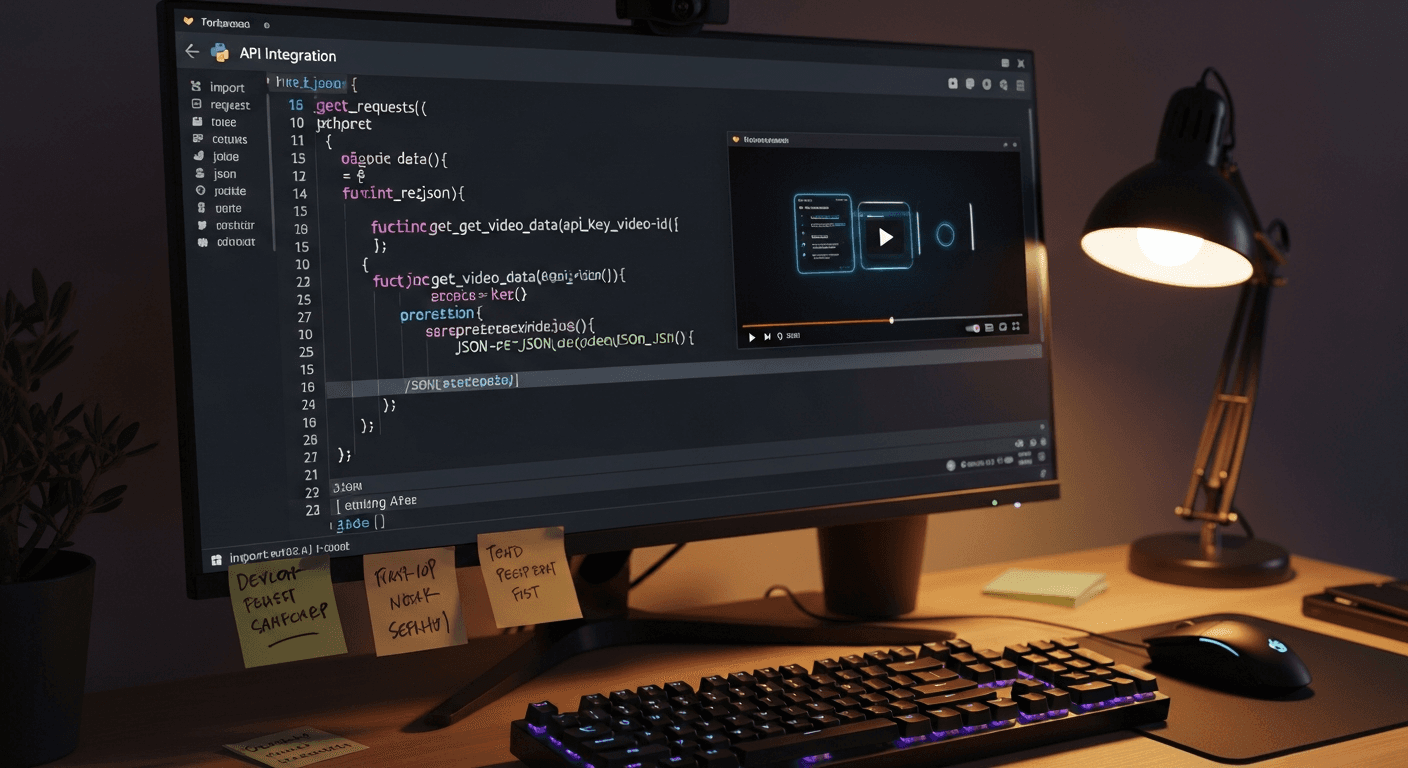
Generate a cinematic AI video with one HTTP request. The Seedance 2.0 API is the same generation pipeline the web platform uses, exposed as a clean REST interface with Bearer auth, webhooks, and batch endpoints. If you can make a POST request, you can build a video generation pipeline.
This guide covers everything you need to integrate Seedance 2.0 into your own applications — auth, endpoints, parameters, error handling, and production-ready code samples in Python and JavaScript.
TL;DR — API at a Glance
- Base URL:
https://api.seedance.it.com/v1 - Auth: Bearer token in the
Authorizationheader - Generation: Async — submit a task, poll or webhook for completion
- Rate limits: 60 requests/minute, 5 concurrent generations
- Models: Seedance 2.0, 1.0 Pro, 1.0 Lite, Seedream v3/v4.5/v5 all in one API
- Credit cost: Same dynamic per-second pricing as the web UI (~243-910 credits for 2.0)
What the API Can Actually Do
Everything the web interface does, the API does too. Text-to-video, image-to-video, model selection, duration control, aspect ratio, audio toggles, and access to every model on the platform. Batch endpoints for generating many clips at once. Webhook notifications so you don't have to poll. Custom metadata that gets echoed back in results for tracking A/B tests or campaign variants.
Supported Models
All models use the same API surface, just with different identifiers.
| Model | API Identifier | Typical Credits |
|---|---|---|
| Seedance 2.0 | seedance-2.0 | 243-910 |
| Seedance 1.0 Pro | seedance-1.0-pro | 48-288 |
| Seedance 1.0 Lite | seedance-1.0-lite | 14-84 |
| Seedream v5 | seedream-v5 | 8 |
| Seedream v4.5 | seedream-v4.5 | 7 |
| Seedream v3 | seedream-v3 | 6 |
Grab an API key in 30 seconds
Sign up, go to Settings → API Keys, and you're ready to make your first POST request. 50 free credits included.
Get Your API KeyAuthentication in 30 Seconds
Generate an API key from the dashboard under Settings > API Keys. Send it as a Bearer token:
curl -H "Authorization: Bearer YOUR_API_KEY" \
     https://api.seedance.it.com/v1/account/credits
Response:
{
  "credits": 2750,
  "tier": "popular"
}
Security rules that matter:
- Never ship your API key in client-side code or public repos
- Store it in environment variables (
SEEDANCE_API_KEY) - Rotate keys periodically from the dashboard
- Each key inherits the credit balance of its parent account
The Text-to-Video Endpoint
This is the endpoint you'll use most.
POST /v1/generate/text-to-video
{
  "model": "seedance-2.0",
  "prompt": "Aerial shot of a coastal city at sunset, golden light reflecting off glass skyscrapers, cinematic drone footage",
  "duration": 10,
  "aspect_ratio": "16:9",
  "audio": true
}
Parameter Reference
| Parameter | Type | Required | Description |
|---|---|---|---|
| model | string | Yes | Model identifier (e.g., seedance-2.0) |
| prompt | string | Yes | Scene description, max 500 characters |
| duration | integer | No | Video length in seconds (4-15 for 2.0, default 8) |
| aspect_ratio | string | No | 16:9, 9:16, or 1:1 (default 16:9) |
| audio | boolean | No | Include synchronized audio (default true, 2.0 only) |
| webhook_url | string | No | URL to receive completion notification |
| metadata | object | No | Custom key-value pairs echoed in results |
Successful Response
{
  "task_id": "task_abc123def456",
  "status": "queued",
  "model": "seedance-2.0",
  "credits_charged": 607,
  "estimated_time": 120,
  "created_at": "2026-04-10T14:30:00Z"
}
The generation is asynchronous. You get a task_id immediately and poll for completion (or use webhooks).
The Image-to-Video Endpoint
Animate a source image with a motion prompt.
POST /v1/generate/image-to-video
Content-Type: multipart/form-data
| Field | Type | Required | Description |
|---|---|---|---|
| model | string | Yes | Model identifier |
| image | file | Yes | Source image (JPEG, PNG, WebP; max 10MB) |
| prompt | string | Yes | Motion description |
| duration | integer | No | Video length in seconds |
| aspect_ratio | string | No | Output aspect ratio |
| audio | boolean | No | Include audio (Seedance 2.0 only) |
| webhook_url | string | No | Completion webhook URL |
Prefer not to upload a file? Pass an image_url instead:
{
  "model": "seedance-2.0",
  "image_url": "https://example.com/photo.jpg",
  "prompt": "The woman turns her head slowly and smiles, wind gently blowing her hair",
  "duration": 8,
  "aspect_ratio": "16:9"
}
Checking Generation Status
Poll the task endpoint to check progress.
GET /v1/tasks/{task_id}
In-Progress Response
{
  "task_id": "task_abc123def456",
  "status": "processing",
  "progress": 65,
  "model": "seedance-2.0",
  "created_at": "2026-04-10T14:30:00Z",
  "estimated_completion": "2026-04-10T14:31:30Z"
}
Completed Response
{
  "task_id": "task_abc123def456",
  "status": "completed",
  "model": "seedance-2.0",
  "result": {
    "video_url": "https://cdn.seedance.it.com/outputs/task_abc123def456.mp4",
    "duration": 10,
    "resolution": "1280x720",
    "has_audio": true,
    "file_size": 8542310
  },
  "credits_charged": 607,
  "created_at": "2026-04-10T14:30:00Z",
  "completed_at": "2026-04-10T14:31:28Z"
}
Status Values
| Status | Meaning |
|---|---|
| queued | Task received, waiting to start |
| processing | Generation in progress |
| completed | Video ready at result.video_url |
| failed | Generation failed — see error field |
| cancelled | Task cancelled by user |
Video URLs expire in 24 hours. Download and store them on your own infrastructure promptly.
Want to generate output like this programmatically? You're 30 seconds away from your first API call. Get your API key free →
Production-Ready Python Example
Here's a complete script that submits a generation, polls for completion, and downloads the result.
import os
import time
import requests

API_KEY = os.environ["SEEDANCE_API_KEY"]
BASE_URL = "https://api.seedance.it.com/v1"
HEADERS = {"Authorization": f"Bearer {API_KEY}"}


def generate_video(prompt, duration=8, aspect_ratio="16:9"):
    """Submit a text-to-video task. Returns task_id."""
    response = requests.post(
        f"{BASE_URL}/generate/text-to-video",
        headers=HEADERS,
        json={
            "model": "seedance-2.0",
            "prompt": prompt,
            "duration": duration,
            "aspect_ratio": aspect_ratio,
            "audio": True,
        },
    )
    response.raise_for_status()
    return response.json()["task_id"]


def wait_for_completion(task_id, poll_interval=5, timeout=300):
    """Poll until the task finishes. Returns result dict."""
    elapsed = 0
    while elapsed < timeout:
        response = requests.get(f"{BASE_URL}/tasks/{task_id}", headers=HEADERS)
        response.raise_for_status()
        data = response.json()

        if data["status"] == "completed":
            return data["result"]
        if data["status"] == "failed":
            raise RuntimeError(f"Generation failed: {data.get('error')}")

        time.sleep(poll_interval)
        elapsed += poll_interval

    raise TimeoutError(f"Task {task_id} did not complete within {timeout}s")


def download_video(video_url, output_path):
    """Stream the video to disk."""
    response = requests.get(video_url, stream=True)
    response.raise_for_status()
    with open(output_path, "wb") as f:
        for chunk in response.iter_content(chunk_size=8192):
            f.write(chunk)


if __name__ == "__main__":
    task_id = generate_video(
        prompt="A cat sitting on a windowsill watching rain fall outside, cozy indoor lighting, shallow depth of field",
        duration=10,
    )
    print(f"Task submitted: {task_id}")

    result = wait_for_completion(task_id)
    print(f"Video ready: {result['video_url']}")

    download_video(result["video_url"], "output.mp4")
    print("Downloaded to output.mp4")
JavaScript (Node.js) Example
The same workflow in modern Node.js with native fetch.
const API_KEY = process.env.SEEDANCE_API_KEY;
const BASE_URL = "https://api.seedance.it.com/v1";

async function generateVideo(prompt, duration = 8, aspectRatio = "16:9") {
  const response = await fetch(`${BASE_URL}/generate/text-to-video`, {
    method: "POST",
    headers: {
      Authorization: `Bearer ${API_KEY}`,
      "Content-Type": "application/json",
    },
    body: JSON.stringify({
      model: "seedance-2.0",
      prompt,
      duration,
      aspect_ratio: aspectRatio,
      audio: true,
    }),
  });

  if (!response.ok) {
    throw new Error(`HTTP ${response.status}: ${await response.text()}`);
  }
  const data = await response.json();
  return data.task_id;
}

async function waitForCompletion(taskId, pollMs = 5000, timeoutMs = 300000) {
  const start = Date.now();

  while (Date.now() - start < timeoutMs) {
    const response = await fetch(`${BASE_URL}/tasks/${taskId}`, {
      headers: { Authorization: `Bearer ${API_KEY}` },
    });
    const data = await response.json();

    if (data.status === "completed") return data.result;
    if (data.status === "failed") {
      throw new Error(`Generation failed: ${data.error}`);
    }

    await new Promise((resolve) => setTimeout(resolve, pollMs));
  }

  throw new Error(`Task ${taskId} timed out`);
}

// Usage
const taskId = await generateVideo(
  "Timelapse of a flower blooming, macro lens, soft natural lighting",
  12
);
console.log(`Task submitted: ${taskId}`);

const result = await waitForCompletion(taskId);
console.log(`Video ready: ${result.video_url}`);
Image-to-Video in Python
When you need to upload a source image, use multipart/form-data:
def generate_from_image(image_path, prompt, model="seedance-2.0", duration=8):
    """Generate video from a local image file."""
    with open(image_path, "rb") as img_file:
        response = requests.post(
            f"{BASE_URL}/generate/image-to-video",
            headers={"Authorization": f"Bearer {API_KEY}"},
            files={"image": img_file},
            data={
                "model": model,
                "prompt": prompt,
                "duration": duration,
                "aspect_ratio": "16:9",
                "audio": "true",
            },
        )
    response.raise_for_status()
    return response.json()["task_id"]
Error Handling That Doesn't Fall Over
The API uses standard HTTP status codes with structured error bodies.
| Status | Meaning | Common Cause | |---|---|---| | 400 | Bad Request | Invalid parameters, prompt too long | | 401 | Unauthorized | Missing or invalid API key | | 402 | Payment Required | Insufficient credits | | 404 | Not Found | Invalid task ID | | 429 | Too Many Requests | Rate limit exceeded | | 500 | Internal Server Error | Server-side issue — retry with backoff |
Error Response Shape
{
  "error": {
    "code": "insufficient_credits",
    "message": "Your account has 150 credits but this generation requires 607 credits.",
    "required_credits": 607,
    "available_credits": 150
  }
}
Recommended Pattern
try:
    task_id = generate_video(prompt)
except requests.exceptions.HTTPError as e:
    status = e.response.status_code
    if status == 402:
        error = e.response.json()["error"]
        print(f"Need {error['required_credits']} credits, have {error['available_credits']}")
        # Redirect the user to /pricing
    elif status == 429:
        retry_after = int(e.response.headers.get("Retry-After", 60))
        print(f"Rate limited. Retry after {retry_after}s.")
    else:
        raise
Rate Limits and Production Best Practices
The Limits
| Limit | Value | |---|---| | Requests per minute | 60 | | Concurrent generations | 5 | | Max prompt length | 500 characters | | Max image upload | 10 MB |
Five Practices That Matter in Production
- Use webhooks, not polling, at scale. Polling wastes API calls. Webhooks fire exactly once.
- Implement exponential backoff on 429 responses. Don't retry immediately.
- Download video URLs promptly. They expire in 24 hours. Store them on your own CDN.
- Validate inputs client-side. Catch prompt length and file size issues before hitting the API.
- Check credit balance before batch jobs. A 402 mid-batch is annoying. Query
/account/creditsfirst.
Webhook Integration
Include webhook_url in your generation request and Seedance will POST to it when the task completes.
{
  "model": "seedance-2.0",
  "prompt": "...",
  "webhook_url": "https://yourapp.com/api/seedance/webhook"
}
Webhook Payload
{
  "event": "task.completed",
  "task_id": "task_abc123def456",
  "status": "completed",
  "result": {
    "video_url": "https://cdn.seedance.it.com/outputs/task_abc123def456.mp4",
    "duration": 10,
    "resolution": "1280x720",
    "has_audio": true
  },
  "metadata": {
    "campaign_id": "summer-2026",
    "variant": "A"
  },
  "timestamp": "2026-04-10T14:31:28Z"
}
Webhook requests include an X-Seedance-Signature header — an HMAC-SHA256 signature of the body signed with your webhook secret. Always verify the signature before processing events.
Batch Generation
When you need multiple clips, submit them as a batch and get one webhook when everything finishes.
POST /v1/generate/batch
{
  "tasks": [
    {
      "type": "text-to-video",
      "model": "seedance-2.0",
      "prompt": "Scene 1 description...",
      "duration": 8
    },
    {
      "type": "text-to-video",
      "model": "seedance-2.0",
      "prompt": "Scene 2 description...",
      "duration": 10
    },
    {
      "type": "image-to-video",
      "model": "seedance-1.0-pro",
      "image_url": "https://example.com/product.jpg",
      "prompt": "Slow rotation revealing product details",
      "duration": 6
    }
  ],
  "webhook_url": "https://yourapp.com/api/seedance/batch-complete"
}
Tasks in a batch process concurrently up to your concurrency limit.
Stop reading. Start shipping.
Every minute spent reading docs is a video your pipeline could be generating. 50 free credits, no card required.
Start Building NowFour Use Cases Worth Building
1. E-commerce Product Videos at Scale
Automate product animation for your entire catalog. Loop over your product database, fire an image-to-video call per item, store the resulting URLs alongside the product record.
products = get_products_from_database()

for product in products:
    task_id = generate_from_image(
        image_path=product["hero_image"],
        prompt=f"Slow 360 rotation of {product['name']}, studio lighting, white background",
        model="seedance-1.0-pro",
        duration=6,
    )
    save_task_mapping(product["id"], task_id)
Pair this with the e-commerce video guide for workflow tips.
2. Automated Social Media Pipelines
Feed trending topics into prompt generators, generate daily vertical video, push to a review queue:
for topic in get_trending_topics():
    prompt = build_prompt(topic)
    task_id = generate_video(prompt, duration=6, aspect_ratio="9:16")
    queue_for_review(task_id, topic)
3. Marketing A/B Testing
Generate multiple creative variants with metadata tracking:
variants = [
    "Product hero shot with warm lighting, luxury feel",
    "Product hero shot with bright lighting, energetic feel",
    "Product hero shot with moody lighting, premium feel",
]

for i, variant in enumerate(variants):
    generate_video(
        prompt=variant,
        duration=6,
        metadata={"variant": chr(65 + i), "campaign": "spring-launch"},
    )
The metadata field is echoed back in the completion payload, so you can route results to the right campaign bucket automatically.
4. Interactive Applications
Build video generation directly into your own app. A user types a prompt, your backend calls the API, the webhook delivers the finished clip. The whole loop takes ~90 seconds.
The Bottom Line
The Seedance API is straightforward to integrate and production-ready. Simple auth, clean REST semantics, webhooks for async work, and batch endpoints for scale. If you've used Stripe or any modern REST API, you'll feel at home in ten minutes.
For pricing and credit optimization, see the pricing guide. For the broader product overview, read the complete Seedance 2.0 guide.
Ready to start building? Create your free account →
Keep reading: Complete Seedance 2.0 guide • Pricing guide • Seedance 2.0 vs Seedance 1.0 • Seedance 2.0 vs Runway Gen-4