Seedance 2.0 Reference vs Standard: When to Use Multi-Modal Input
Standard Seedance 2.0 takes a prompt. Reference takes a prompt plus up to 9 images, 3 videos, and 3 audio clips. Here's when each one wins.
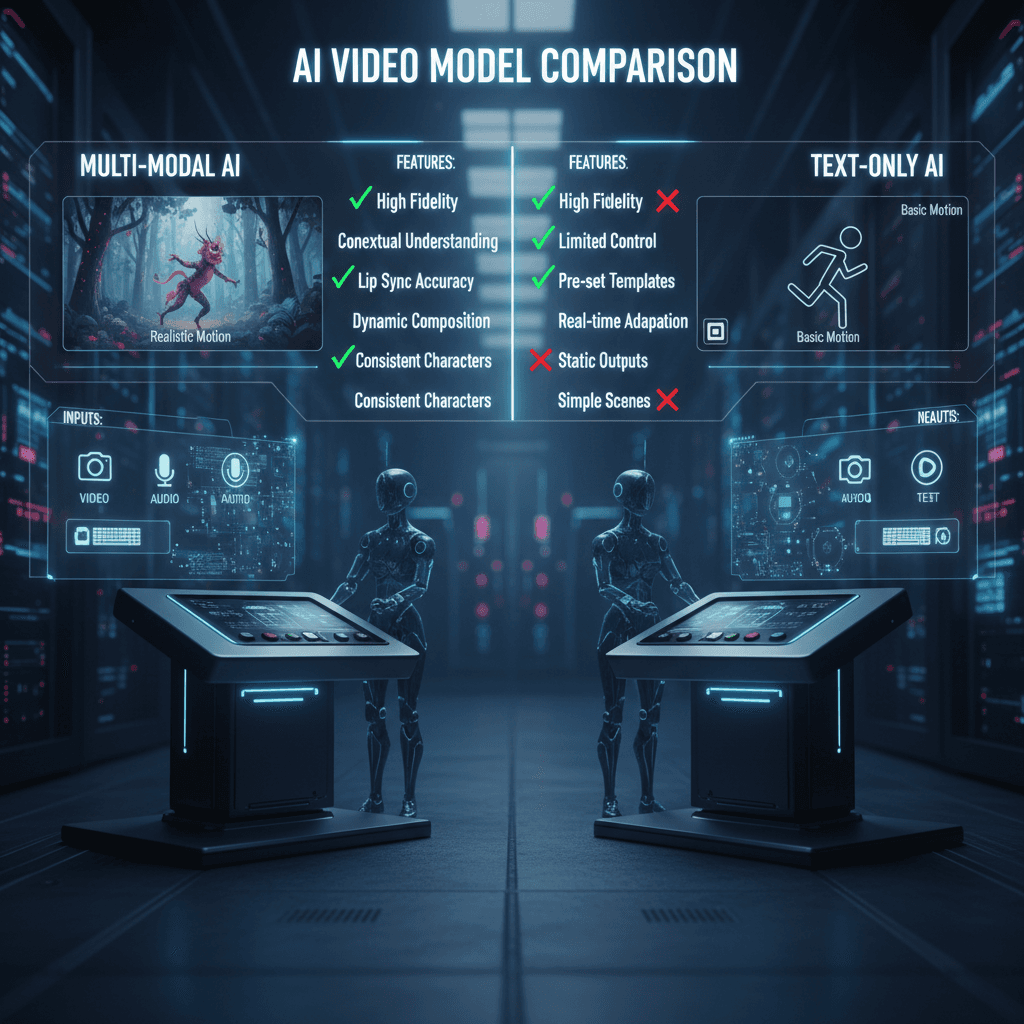
Same underlying model. Completely different use cases. Seedance 2.0 Reference and standard Seedance 2.0 share the same core architecture, but they solve different problems. Picking the wrong one costs you time, money, and output quality.
Here's the honest comparison — when each variant wins, what you're actually paying for, and how to decide in under 30 seconds.
TL;DR
- Standard Seedance 2.0: Text/image to video, one prompt, fast iteration. Best for one-off clips.
- Seedance 2.0 Reference: Up to 9 images, 3 videos, 3 audio clips as style input. Best for series and style-matched work.
- Per-second cost: $0.3034 (Standard) vs $0.3024 (Reference) — essentially identical
- Quality: Same engine, same 720p output, same 4-15 second duration
- Pick Reference when you need consistency. Pick Standard when you need speed.
- Try Reference free or try Standard free
The One-Sentence Summary
Standard is for when you have an idea and want a video. Reference is for when you have a look and want to match it.
If that's enough, you can stop reading and go try Reference. If you want the full breakdown, keep going.
Input Comparison
| Input | Seedance 2.0 Standard | Seedance 2.0 Reference | |---|---|---| | Text prompt | Yes (required) | Yes (required) | | Image input | 1 image (optional) | Up to 9 images | | Video reference | No | Up to 3 clips | | Audio reference | No | Up to 3 clips | | Aspect ratios | 16:9, 9:16, 1:1 | 16:9, 9:16, 1:1 |
This is the core difference. Standard accepts a prompt and maybe a starting image. Reference accepts a full moodboard.
Output Comparison
| Feature | Standard | Reference | |---|---|---| | Resolution | 720p | 720p | | Duration | 4-15 seconds | 4-15 seconds | | Frame rate | 24 fps | 24 fps | | Native audio | Yes | Yes | | Generation time | 40-180 sec | 60-180 sec |
The output is identical in terms of quality. Reference mode takes slightly longer because it's processing more input data, but the rendered video is the same spec. You're not paying for "better" — you're paying for "more controlled."
Pricing Comparison
| Duration | Standard (credits) | Reference (credits) | Difference | |---|---|---|---| | 4 sec | 243 | 243 | Equal | | 5 sec | 304 | 303 | -1 | | 10 sec | 607 | 605 | -2 | | 15 sec | 910 | 907 | -3 |
Reference is actually fractionally cheaper per second ($0.3024 vs $0.3034). In practice, the cost difference is a rounding error. Don't make your decision on price — make it on what you need the output to do.
Not sure which one fits? Run the same prompt in both and compare. Try Reference free with 50 credits.
When Standard Wins
You're iterating on ideas. Early in a project you might generate 20 variations of a scene to figure out what works. Standard is the right tool because you don't want to curate references for each try.
You have a text idea with no visual inspiration yet. If the brief lives entirely in your head as words, Reference has nothing to latch onto. Write a good prompt in Standard and iterate.
You want fastest possible generation time. Standard skips the reference fusion step and runs 10-30 seconds faster on short clips. For bulk generation, that adds up.
Single clip, no series. If the output doesn't need to match any other clip, references are overkill. Standard is cleaner.
You're a beginner. Reference mode has more inputs and more ways to get it wrong. Start with Standard and graduate to Reference when you have a specific style-matching need.
When Reference Wins
You're producing a series. The biggest reason. When 5, 10, or 50 clips need to look like they came from one production, Reference is the only practical option.
You have existing brand or visual assets to match. A brand's color palette, a photographer's aesthetic, a film's grade — all of these are reference-friendly problems.
Your style is hard to describe in words. "Moody but warm, cinematic but not overwrought, film grain but not fake-looking." Good luck with that in a prompt. Show the model 6 images instead.
You're adapting existing stills to video. Lookbook photos to lookbook video. Product photography to product video. Concept art to animated storyboard. Reference mode was built for this.
You need specific camera motion. Motion references let you capture a move you already like without having to describe it. Three video clips is often enough.
Try Seedance 2.0 Reference — multi-modal video generation
Match your visual style with up to 9 image references. 50 free credits, no card required.
Try Seedance 2.0 Reference FreeA Side-by-Side Test
Here's the test we ran to benchmark both variants.
Prompt (same on both):
A woman in a red coat walks through a snowy pine forest at dusk,
slow dolly forward, quiet atmosphere, 8 seconds
Standard result: Beautiful but generic. Reasonable color, reasonable lighting, reasonable motion. Looked like "AI winter scene #47."
Reference result (6 Wes Anderson film stills as references): Symmetrical composition, pastel warmth in the cool palette, deliberate framing, slightly flat perspective. Instantly recognizable as a specific style.
Same model. Same prompt. Completely different output.
Decision Tree: Pick in 30 Seconds
- Do you have 3+ reference images that represent the style you want?
- No → Use Standard
- Yes → Continue
- Will this clip be part of a series that needs to match?
- Yes → Use Reference
- No → Continue
- Is the style hard to describe in words?
- Yes → Use Reference
- No → Standard is fine and faster
Cost Scenarios
Scenario 1: Prototype 10 one-off concept clips at 5 seconds each. Use Standard. 10 × 304 credits = 3,040 credits (~$30). Buy the Popular $25 tier plus a top-up.
Scenario 2: Produce a 6-clip branded series at 8 seconds each. Use Reference. 6 × 484 credits = 2,904 credits (~$29). Same tier, same budget, but the 6 clips actually look like a series.
Scenario 3: Make a 15-second hero shot matching an existing ad's style. Use Reference. 1 × 907 credits = 907 credits (~$9). The $10 Starter tier covers it with change.
The Honest Recommendation
Most creators who try both end up using Reference for 60-70% of their work once they get comfortable with it. Standard stays in the toolkit for early exploration and one-offs, but Reference becomes the default for anything that needs to look deliberate.
If you're brand new to the platform, start with Standard to get comfortable. Once you have a style you want to repeat, switch to Reference. Read the style-consistency tutorial for the full workflow.
For the complete feature breakdown, see our Seedance 2.0 Reference guide. For a comparison against non-ByteDance models, the Reference vs Runway piece is the right read.
Bottom Line
Standard is the general-purpose tool. Reference is the precision tool. Price is the same. Quality is the same. The difference is what you can tell the model about your intent — and whether that matters for your project.
Test both variants free
50 free credits let you try Standard and Reference side by side. No subscription, no card required.
Start Free