Seedream v4.5 for Architects: Rendering & Visualization
Use Seedream v4.5 for architectural visualization, concept rendering, and design exploration. A practical guide for architects on generating photorealistic building renders, landscape concepts, and urban design studies.
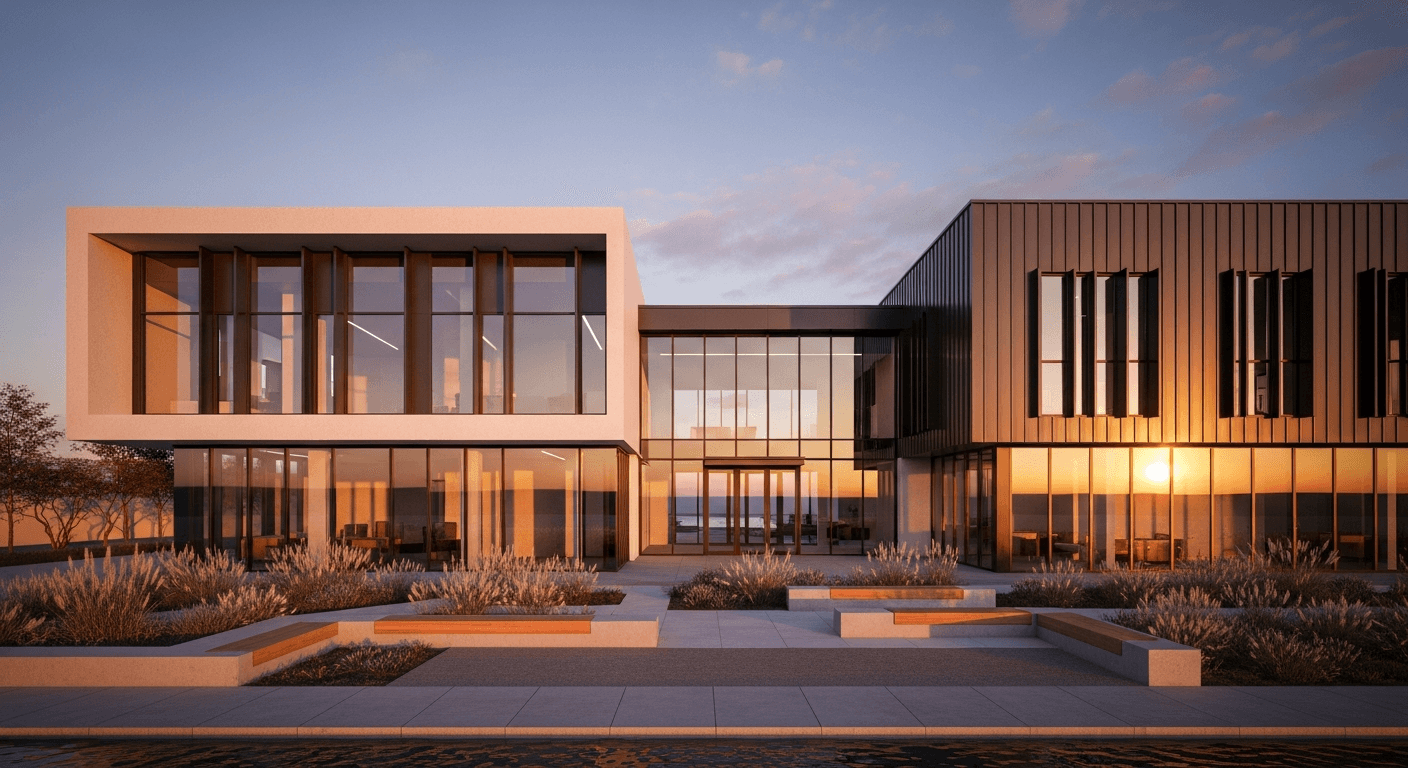
A single photorealistic architectural render from a dedicated viz studio runs $500-$3,000 and takes 3-10 days. A Seedream v4.5 visualization takes 15 seconds and costs 8 cents. For early-stage concept work, feasibility studies, and client presentations, the case for AI-assisted architectural visualization writes itself — as long as you understand what each tool is actually for.
TL;DR
- Seedream v4.5 generates photorealistic concept visualizations at $0.08 each
- Ideal for early-stage concepts, feasibility studies, and client presentations
- Not a replacement for technical renders from 3D models — a fast complement
- 4MP output works for large-format presentation prints and pin-ups
- Uses standard architectural vocabulary: materials, styles, era references
The Visualization Gap AI Fills
Architecture has a longstanding workflow problem: early concept ideas are easy to explain verbally but hard to show. The gap between "imagine a glass pavilion on a wooded hillside" and a production render is too expensive to cross for pitches, feasibility work, or design exploration. You either hand-sketch (fast but limited in communication power) or commit to 3D modeling early (expensive and locks in decisions prematurely).
Seedream v4.5 lives in that gap. You describe the concept, you get a photorealistic visualization in 15 seconds, and you can iterate in real time during design meetings. It is not accurate to your actual site, it will not match your future 3D model, and it is not a substitute for technical documentation — but it communicates intent faster than any tool that came before it.
This guide is for architects who want to use AI visualization without confusing it with technical rendering.
Visualize concepts in 15 seconds, not 15 days
Photorealistic architectural imagery at 4MP for 8 cents each. 50 free credits on signup — pitch your next concept faster.
Try Seedream v4.5 FreeWhere v4.5 Fits in Architectural Practice
Concept exploration. Before committing to a design direction, generate 20 possible forms and materialities. Cheap, fast, and broadens your thinking.
Client pitch imagery. Show clients the mood and direction of the project before the 3D model exists. Get buy-in on intent before spending hours on technical work.
Competition presentation support. Supplement technical renders with atmospheric visualization that shows the building in use.
Material and facade studies. Generate the same building form with different cladding materials to compare visually.
Context and site studies. Visualize the project in its environmental context — urban, landscape, climate — without site photography.
Internal design reviews. Generate direction visualizations for team discussion without tying up your 3D artists.
What v4.5 Is Not For
- Technical construction documents
- Accurate-to-millimeter renders of actual buildings
- Production visualizations from existing 3D models
- Compliance or regulatory submissions
- Anything where dimensional accuracy matters
Use the right tool for each job. v4.5 is a concept tool. Your 3D pipeline is the production tool.
The Architectural Prompt Template
[BUILDING TYPE] + [ARCHITECTURAL STYLE] +
[MATERIALS] + [CONTEXT/SETTING] + [TIME/LIGHTING] +
[VIEWPOINT] + [VISUALIZATION STYLE]
Example:
Modern minimalist villa (building), contemporary
architecture with flat roof and cantilevered
volumes (style), exposed concrete and floor-to-
ceiling glass (materials), on a forested hillside
overlooking a valley (context), late afternoon
golden hour with warm side light (time), three-
quarter exterior view from below (viewpoint),
photorealistic architectural visualization,
editorial architecture photography style
Style Vocabulary for Architecture Prompts
v4.5 recognizes mainstream architectural vocabulary. Use these terms for reliable direction:
Architectural styles: modernist, Brutalist, mid-century modern, Bauhaus, International Style, Scandinavian, Japanese minimalist, postmodern, deconstructivist, biophilic, organic, parametric, tropical modern, Mediterranean
Materials: exposed concrete, board-formed concrete, weathering steel, terracotta, natural stone, travertine, limestone, rammed earth, timber cladding, CLT structure, curtain wall glass, perforated metal screen
Building types: single-family villa, apartment building, civic pavilion, museum, cultural center, library, office tower, mixed-use development, residential tower, hospitality resort
Contextual terms: urban density, suburban, rural, coastal, mountain, desert, forest, waterfront, hillside, infill site
Named references: Tadao Ando, Peter Zumthor, Kazuyo Sejima, David Chipperfield, Herzog & de Meuron, Studio Mumbai, Snøhetta, Bjarke Ingels
Sample Prompts by Project Type
Contemporary Residential
Architectural visualization of a contemporary
single-family home, long horizontal volumes
with exposed concrete and dark timber cladding,
floor-to-ceiling glass on the main living space,
set on a mature wooded lot, late afternoon warm
light, wide exterior three-quarter view, Tadao
Ando influence, photorealistic architecture
photography style
Urban Mixed-Use
Architectural visualization of a six-story
mixed-use building in a historic European city
context, contemporary infill with weathering
steel and terracotta facade, ground floor
retail with large glazing, residential above,
overcast diffuse daylight, street-level view,
David Chipperfield influence, editorial
architecture photography
Cultural Institution
Architectural visualization of a contemporary
art museum, sculptural white concrete volumes
with angular geometry, large cantilevered
entrance canopy, set in a sculpture garden,
blue hour twilight with warm interior lighting
glowing through glass, wide hero shot, SANAA
influence, photorealistic architectural
visualization
Tropical Resort
Architectural visualization of a luxury tropical
resort pavilion, timber structure with deep
overhanging roofs, open walls framing ocean
views, infinity pool in foreground, palm
silhouettes at sunset, warm golden hour lighting,
editorial architecture photography, tropical
modern style
Brutalist Civic Building
Architectural visualization of a brutalist
community library, board-formed concrete mass,
small punched openings, set in a plaza with
mature trees, overcast dramatic sky, wide low-
angle hero shot, photorealistic architectural
photography, 1970s civic monumentality
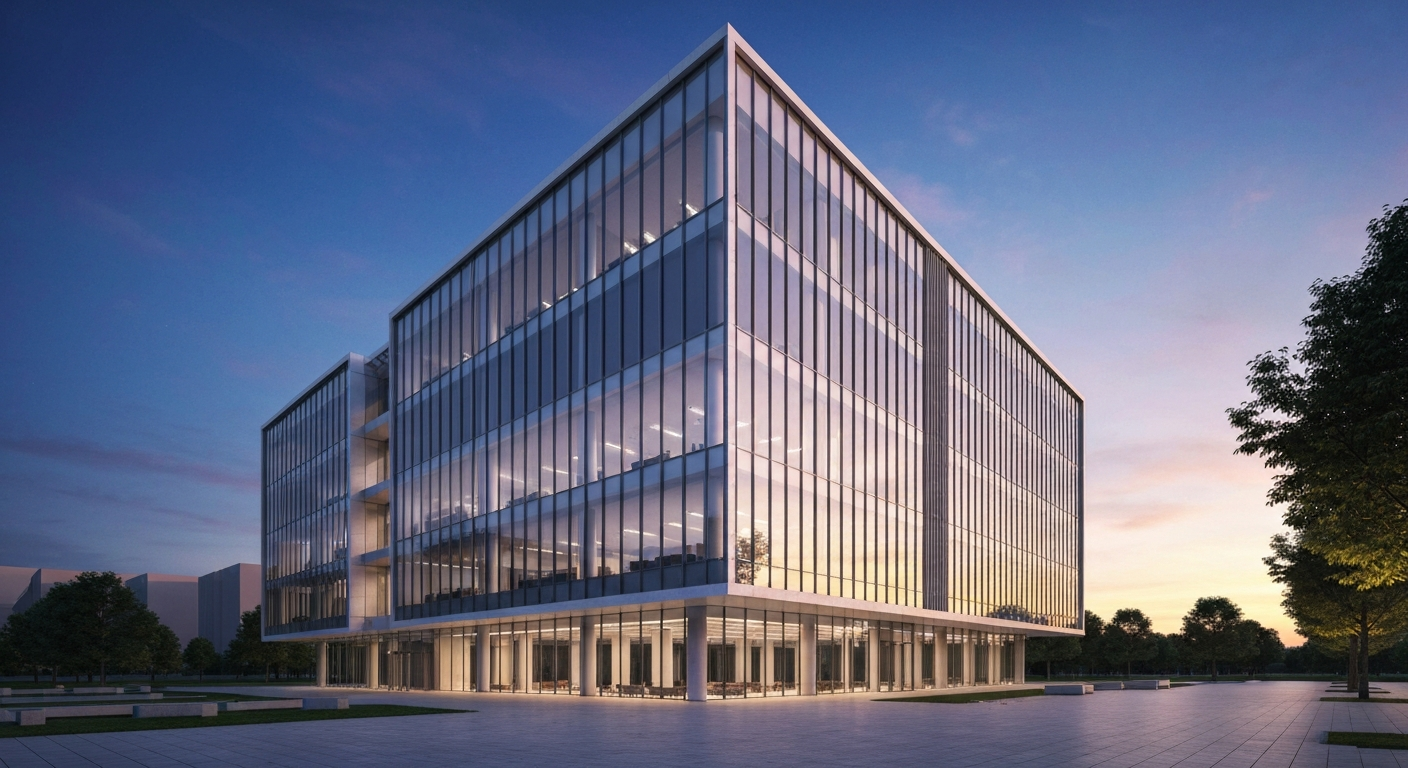
Want detail like this? Try Seedream v4.5 free →
Ready to speed up your concept phase? Try Seedream v4.5 free →
Interior Architecture Prompts
For interior architecture work, see also our interior design visualization guide. Key prompts for architectural interiors:
Atrium and Circulation Spaces
Interior architectural visualization, a soaring
double-height atrium with exposed concrete
columns and a glass skylight, warm timber
flooring, minimal furniture, people at scale,
natural daylight from above, contemporary
institutional architecture, editorial interior
photography
Residential Interior
Interior architectural visualization, an open-
plan living space with exposed concrete walls,
long kitchen island in natural stone, polished
concrete floor, floor-to-ceiling glazing to a
garden, soft afternoon natural light, minimal
furniture, contemporary residential architecture
Material Study Workflow
One of the most valuable uses of v4.5 for architects is quick material studies. Generate the same building with different material treatments to compare visually.
Prompt 1:
...with exposed concrete and dark timber cladding...
Prompt 2:
...with weathering steel and terracotta cladding...
Prompt 3:
...with white render and deep bronze aluminum...
Keep every other element identical. Now you have three directly comparable material studies in 45 seconds and under $0.25.
Context and Site Studies
Generate the project in different environmental contexts to test how the design reads.
Same building, winter snow context
Same building, summer golden hour
Same building, urban dense context
Same building, rural isolated context
Useful for pitching climate-adaptive designs, for seasonal visualization, and for understanding how the building form reads against different backdrops.
Presentation Integration
AI-generated visualizations complement, not replace, your 3D pipeline. Here is how they fit together in a typical presentation:
- Concept diagrams (hand sketches or parametric studies)
- Mood and intent visuals (Seedream v4.5) — establish feeling
- Massing and form studies (SketchUp or Rhino screenshots)
- Technical renders (V-Ray, Lumion, Twinmotion) — hero shots
- Plans and sections (traditional drawings)
- Detail studies (hand sketches or details from 3D model)
v4.5 sits between your concept diagrams and your technical renders, bridging the communication gap early in the process.
Labeling and Transparency
Always label AI-generated visuals in client deliverables. Something like "Concept visualization — not a dimensional render" prevents confusion and keeps trust intact. Clients who understand they are looking at direction rather than a guaranteed-accurate render are happy to use AI imagery. Clients who think they are seeing their actual future building will be unhappy when reality differs.
Cost Comparison
| Deliverable | Traditional Viz Studio | Seedream v4.5 | |---|---|---| | Single hero render | $500-$3,000 | $0.08 | | Material study set (5 variations) | $1,500-$8,000 | $0.40 | | Context study set (4 conditions) | $1,200-$6,000 | $0.32 | | Concept direction exploration (20 images) | $5,000-$20,000 | $1.60 | | Full concept presentation deck | $8,000-$40,000 | $3-$8 |
The price gap is absurd in v4.5's favor — but the deliverables are different. Traditional viz studios produce technically accurate renders. v4.5 produces directional visualizations. Use each for what it is designed to do.
Run material studies during the client meeting
Concrete, timber, weathering steel — swap treatments in seconds. Start with 50 free credits and iterate live.
Start Visualizing FreeFrequently Asked Questions
Can I use v4.5 visualizations in planning submissions? Generally no. Planning and regulatory submissions require accurate technical renders, not concept visualizations. Use v4.5 for internal work and marketing, not approvals.
Will the visualization match my actual design? Only approximately. v4.5 cannot know your site constraints, exact dimensions, or specific product choices. It produces directional imagery based on your description.
How do I get consistent visualizations across multiple views? Use a locked style anchor in every prompt: same materials, same lighting, same photography style. The building changes but the aesthetic stays constant.
Can I upload my 3D model or sketch as a base? Not with v4.5 directly. For image-to-image workflows, look at Seedream 5.0 Edit for photo-based editing.
What resolution for presentation prints? 2048x1152 (16:9) or 2048x1365 (3:2) print cleanly at A3 presentation size.
AI-assisted visualization is the biggest change to architectural communication workflows in a generation. Used correctly — as a concept tool, not a production tool — Seedream v4.5 compresses the most frustrating part of design communication from days to seconds, and costs pennies while doing it.
Start visualizing concepts faster. Try Seedream v4.5 free →