Seedream v4.5 for Interior Design Visualization
Use Seedream v4.5 to visualize interior design concepts, create mood boards, and present room designs to clients. A practical guide for interior designers and architects exploring AI-assisted design.
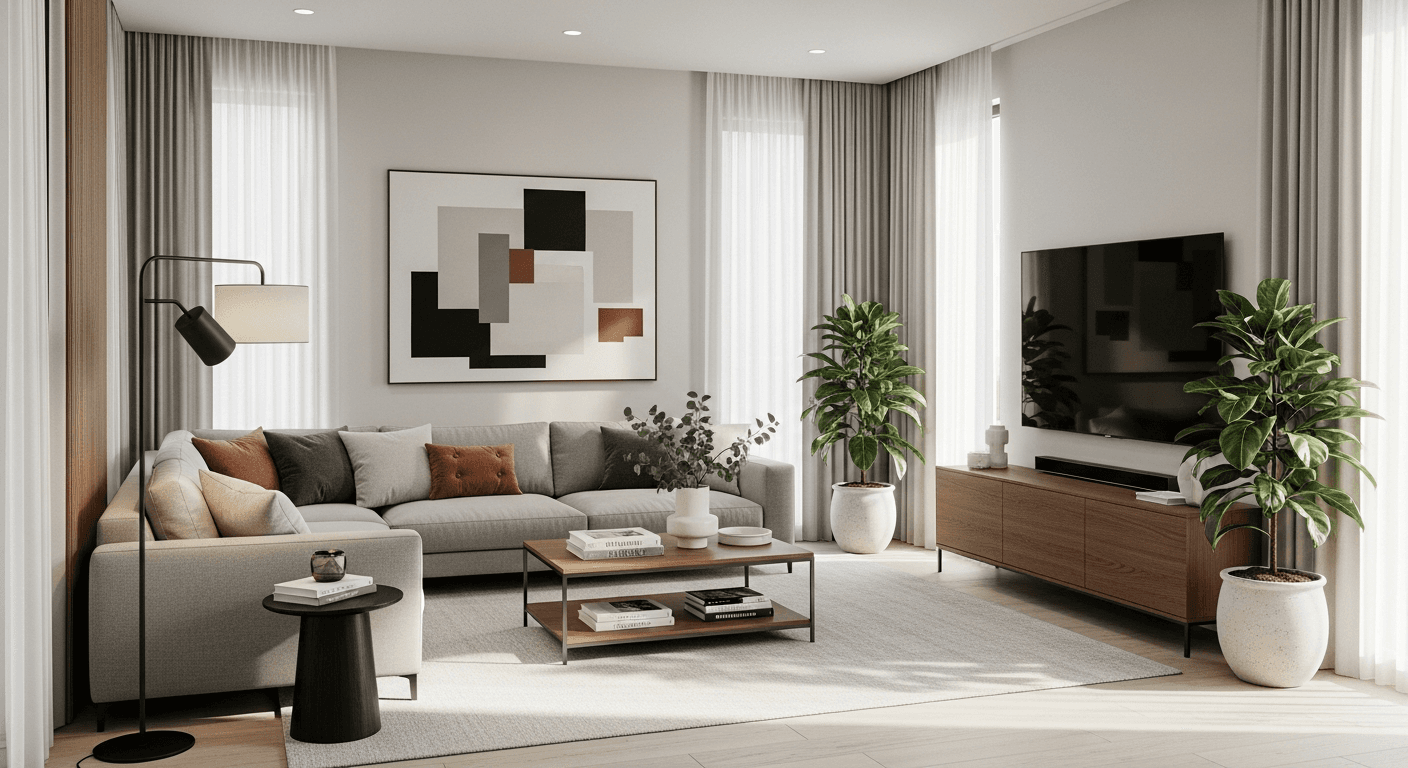
A traditional interior design render costs $150-$800 from a freelancer and takes 2-5 days. A Seedream v4.5 visualization takes 15 seconds and costs 8 cents. For designers presenting directions to clients — where speed of iteration is the whole business — that difference rewrites the workflow.
TL;DR
- Seedream v4.5 produces photorealistic interior visualizations for $0.08 per image
- Present 3-5 room directions in a single client meeting instead of one per week
- Use for mood boards, concept rooms, client presentations, and space planning
- 4MP output works for print pitch decks and large display presentations
- Not a replacement for CAD — a fast complement to it
Why AI Visualization Fits Interior Design Workflows
Interior design has always had a communication gap. You see the finished room in your head; the client sees fabric swatches and floor plans. Bridging that gap used to require either a hand sketch (fast but rough) or a 3D render (polished but expensive and slow). AI image generation gives you a third option that sits in the middle — photorealistic quality at sketch speed.
Seedream v4.5 handles interior spaces particularly well because its prompt understanding parses the kind of layered language designers naturally use: style names, material callouts, color palette specifications, and lighting conditions. You describe the room; you see the room.
This is not a tool for construction documents. It is a tool for direction, sales, and creative exploration — the parts of the job where communication speed is the entire competitive advantage.
Present 5 design directions in a single meeting
Photorealistic interior visualizations at 4MP for 8 cents each. 50 free credits on signup to pitch your first direction.
Try Seedream v4.5 FreeCore Use Cases
Concept Visualization
When a client says "I want something cozy but modern," you used to need a mood board, a Pinterest deep-dive, and a meeting to clarify. Now you generate 4 variations on the spot.
Interior design visualization, a cozy modern
living room with a low-profile sectional sofa,
warm oak hardwood floors, white painted walls
with dark trim, a single large abstract
painting above the sofa, diffused afternoon
window light, minimalist Scandinavian with warm
touches, photorealistic editorial style
Style Comparison Presentations
Show the same room in three styles during one meeting. Help the client feel the difference before committing.
Prompt 1: ...in a Japandi style with low wood
furniture, paper lanterns, neutral palette

Prompt 2: ...in a mid-century modern style with
walnut furniture, brass accents, warm earth tones

Prompt 3: ...in a transitional style mixing
traditional and contemporary, linen upholstery,
soft neutral palette
Three generations, $0.24 total. Three clear directions to discuss.
Mood Board Generation
Instead of cobbling together stock photos that almost match, generate exactly the imagery you want. See our dedicated mood board guide for the full workflow.
Before/After Visualization
For remodels, generate "after" visualizations based on the client's current space description. It is not a render of the actual room — it is a directional visualization of what the new concept could feel like.
Interior visualization, a remodeled kitchen
with white shaker cabinets, matte black hardware,
a large island with waterfall quartz countertop,
brass pendant lights, warm wood floors, natural
daylight from a window over the sink, modern
farmhouse style
Client Pitch Deck Visuals
Stop using stock photography in pitches. Generate custom imagery that matches the exact concept you are selling.
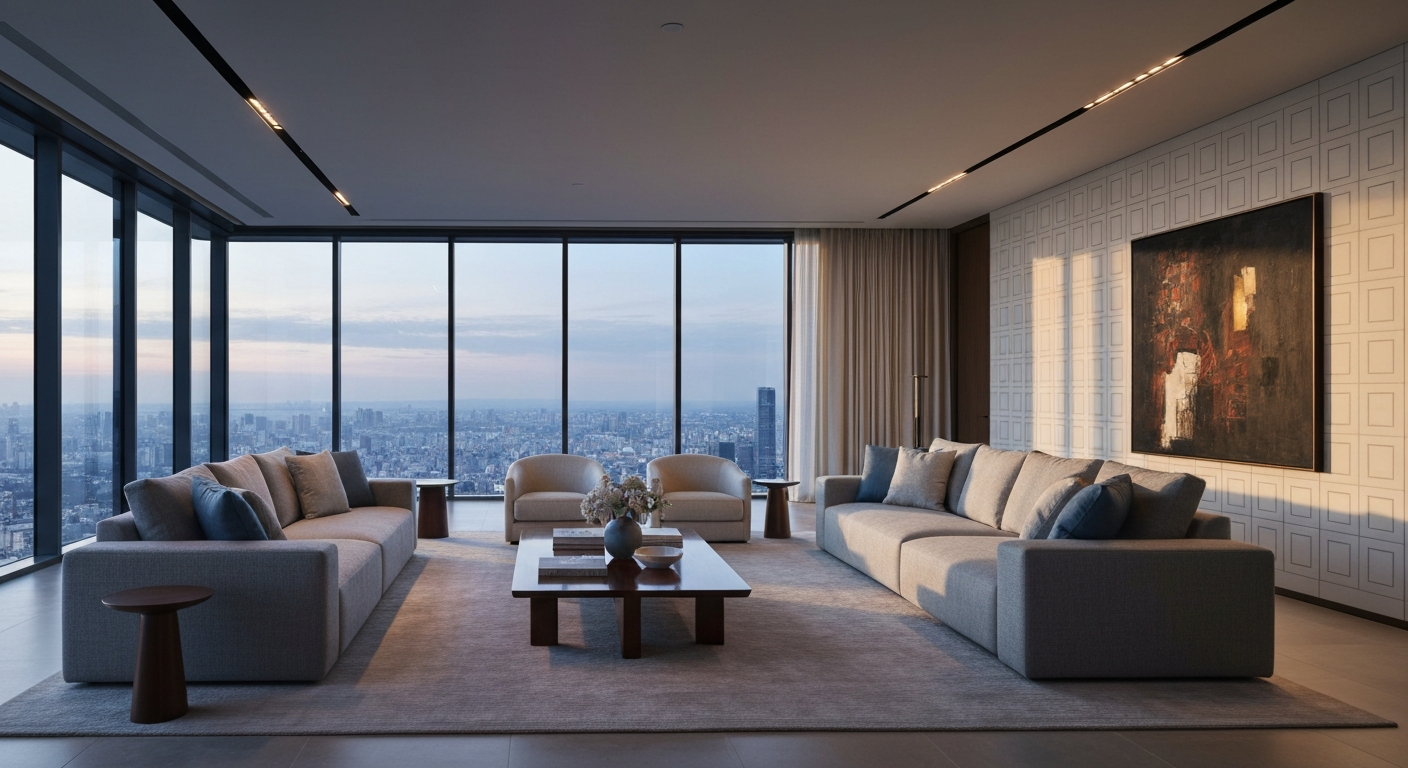
Want detail like this? Try Seedream v4.5 free →
Ready to speed up your client presentations? Try Seedream v4.5 free →
The Interior Design Prompt Template
For consistent, high-quality interior visualizations, use this structure:
Interior design visualization, a [ROOM TYPE]
with [KEY FURNITURE PIECES], [FLOORING/WALLS],
[COLOR PALETTE], [LIGHTING CONDITION], [STYLE],
[ADDITIONAL DETAILS], photorealistic editorial
interior photography
Every element is a controllable variable. Swap one at a time to show variations.
Style Vocabulary for Interior Prompts
v4.5 recognizes mainstream interior design vocabulary. Use these exact terms for reliable results:
Style names: Scandinavian, Japandi, mid-century modern, transitional, modern farmhouse, industrial, Bohemian, Maximalist, minimalist, contemporary, traditional, coastal, French country, Art Deco, Mediterranean
Materials: oak hardwood, walnut, marble, quartz, travertine, terracotta, linen, velvet, leather, brass, matte black, brushed nickel, natural stone, concrete
Lighting: natural daylight, soft diffused window light, warm afternoon light, moody low-key lighting, bright airy, pendant lighting, table lamps with warm bulbs, architectural uplighting
Color palettes: "warm neutral palette with cream and terracotta," "cool gray and navy with brass accents," "soft sage green with natural wood," "monochromatic cream and white"
Composition: "wide interior shot," "three-quarter view of the room," "focal point on the seating area," "including the window wall on the right"
Sample Prompts for Common Room Types
Living Room
Interior design visualization, a contemporary
living room with a deep emerald velvet sofa,
brass coffee table, vintage Persian rug, dark
wood floors, textured plaster walls, floor-to-
ceiling curtains, warm table lamp lighting,
moody evening atmosphere, eclectic contemporary
style, photorealistic editorial photography
Kitchen
Interior design visualization, a modern farmhouse
kitchen with white shaker cabinets, a large
central island with butcher block top, apron
front sink, matte black hardware, open shelving
with ceramic dishes, pendant lighting with warm
bulbs, wide plank oak floors, morning natural
light, photorealistic editorial photography
Bedroom
Interior design visualization, a serene
minimalist bedroom with a low platform bed,
white linen bedding, soft oatmeal rug, a single
potted plant, sheer curtains filtering morning
light, warm white walls, light oak floors,
Japandi style with natural textures, photorealistic
editorial photography
Bathroom
Interior design visualization, a spa-inspired
bathroom with a freestanding stone tub, large
format travertine walls, brushed brass fixtures,
a teak stool, soft natural light through frosted
glass window, warm neutral palette, luxurious
minimalist style, photorealistic editorial
photography
Home Office
Interior design visualization, a productive home
office with a walnut desk, ergonomic chair, floor
lamp with warm bulb, built-in bookshelves filled
with books, a single framed artwork, large window
with diffused daylight, warm neutral palette,
modern classic style, photorealistic editorial
photography
Client Presentation Workflow
Here is a complete workflow for using v4.5 to prepare a client presentation:
1. Gather requirements. Get the client's style preferences, color hints, and functional needs in writing.
2. Generate direction exploration. Create 3-5 different style directions for the space. Budget: ~$0.40.
3. Review internally. Pick the 2-3 strongest directions that match client requirements.
4. Refine each direction. Generate 3-4 variations of each selected direction with tweaks to lighting, color, or specific furniture. Budget: ~$0.80.
5. Assemble the deck. Layer your top picks into a presentation with notes.
6. Present to client. Walk them through each direction. When they react positively to elements, generate iterations live in the meeting.
7. Lock the direction. Final picks go into your detailed specification phase — CAD, actual sourcing, real budgeting.
Total generation cost for a full pitch: typically under $3. Total presentation quality: significantly higher than stock-based mood boards.
What AI Visualization Is Not
Seedream v4.5 outputs are directional visualizations, not construction renders. They will not:
- Match exact room dimensions
- Represent specific products you can source
- Replace CAD or 3D modeling for build documentation
- Maintain strict perspective accuracy
What they will do: communicate mood, style, and material direction faster and more vividly than any alternative.
Be clear with clients about what they are looking at. "This is a mood and direction visualization, not a final render" sets expectations correctly and prevents confusion during the specification phase.
Cost Comparison for Interior Designers
| Deliverable | Traditional Cost | Seedream v4.5 Cost | |---|---|---| | Single concept sketch | $50-$150 | $0.08 | | Full mood board | $200-$500 | ~$1.00 | | Presentation deck (10 visuals) | $500-$2,000 | ~$1.00 | | Client direction exploration (5 styles) | $750-$3,000 | ~$0.40 | | Remodel "before/after" concept | $300-$1,000 | ~$0.40 |
The savings are real. More importantly, the turnaround is same-session instead of multi-day.
Turn week-long mood boards into 10-minute pitches
Japandi, mid-century, minimalist — every style direction, instantly. 50 free credits covers your first client pitch deck.
Start Visualizing FreeFrequently Asked Questions
Can I generate a visualization of my client's actual room? No. v4.5 is text-to-image — it cannot use a photo of an existing space as a base. For edit-on-photo workflows, look at Seedream 5.0 Edit. v4.5 produces directional "concept of a similar room" visualizations.
How photorealistic are the outputs? Strong enough to pass as editorial interior photography at presentation resolution. Not at the level of a full 3D render for construction documents.
Can I use these in marketing materials? Yes. Commercial use is included. Just be clear in client deliverables that they are concept visualizations, not actual project renders.
What resolution should I generate at? 2048x1152 (16:9) for pitch decks and client presentations. 2048x2048 for social media mood boards.
Any tips for better interior prompts? See our prompt engineering guide for structured techniques.
Interior design is one of the most immediate wins for AI visualization. The quality is good enough to communicate direction clearly, the speed turns weeks of mood-boarding into 10 minutes, and the cost is low enough that you can experiment freely during client meetings. Seedream v4.5 is the version to use.
Transform your presentation workflow. Start with Seedream v4.5 free →