Seedream v4.5 for Graphic Design: Posters, Banners & Ads
How to use Seedream v4.5 for professional graphic design work including posters, banners, social media ads, and marketing materials. Practical techniques, prompting strategies, and cost analysis for designers.
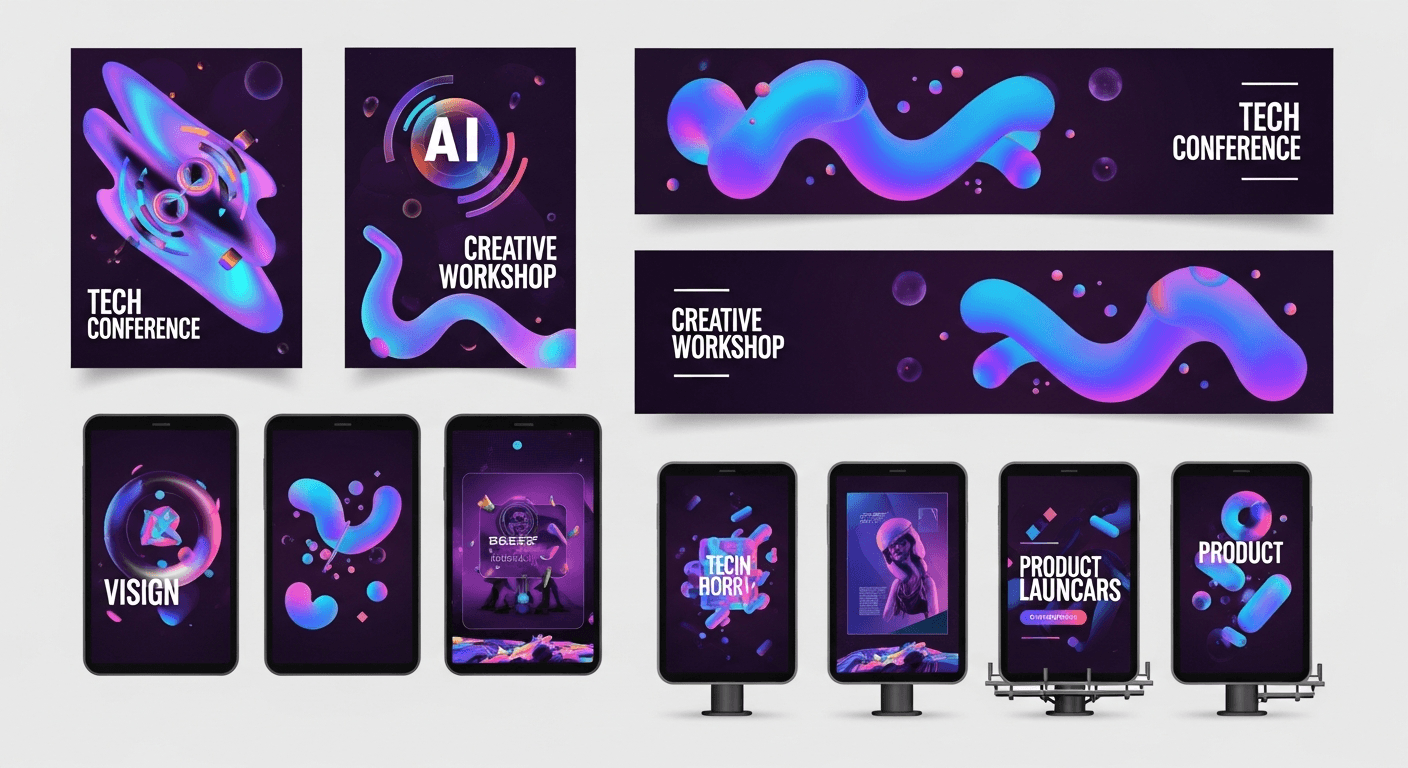
A stock photo license for a single commercial image runs $15-$500. A Seedream v4.5 generation runs $0.08 and can be built to your exact brief. For graphic designers running client work on tight margins, those two numbers tell the whole story — if you know how to prompt the tool properly.
TL;DR
- Seedream v4.5 produces 4MP print-ready graphics for $0.08 per image
- Skip stock licensing fees — generate custom visuals that match your brief exactly
- Works for posters, banners, social ads, presentations, marketing materials
- Improved text rendering handles short headlines and brand marks
- Use the unified editing to iterate on one strong base rather than regenerating
Why Designers Are Adopting AI Image Generation
The old stock photo workflow had three problems: the perfect image never existed, the one that almost worked cost $200, and your client would still ask for changes you could not make. AI image generation solves all three at once.
Seedream v4.5 gives you a text-to-image model that handles the realistic photography, illustrated backgrounds, and conceptual visuals that populate 80% of commercial design work. You describe the visual, you get the visual, you iterate until it is right, and you pay $0.08 per attempt instead of $200 per license.
The tool does not replace your design judgment. It replaces the stock library search and the half-finished "let me find something close" compromises.
Replace your stock photo budget with 8-cent generations
Poster hero art, ad creative, banners — 4MP and print-ready. 50 free credits on signup, no card required.
Try Seedream v4.5 FreeGraphic Design Use Cases That Work Immediately
Poster and Print Design
v4.5 generates at 2048x2048 native, which prints cleanly at A4 170 DPI or letter size. You can build full poster hero imagery, textured backgrounds, and conceptual visuals that would normally require a photographer or illustrator.
Event poster hero image: a single vinyl record on a
dark concrete surface, dramatic side lighting, purple
and cyan neon glow, minimal composition, top-down view,
editorial photography, shallow depth of field
Generate the hero, drop it into InDesign or Illustrator, layer your typography. Total cost: one Seedream generation plus your hourly rate.
Social Media Ad Creative
Instagram, TikTok, and Meta ads live or die on first-frame visual impact. v4.5 lets you generate a dozen creative directions for a single campaign in under an hour.
Social ad visual: a vibrant tropical smoothie in a
tall glass, fresh fruit splashing around it, sunny
studio lighting on a gradient coral background,
commercial product photography, crisp focus, 1:1
aspect ratio
Generate six variations in one call (v4.5 supports 1-6 images per batch), pick the strongest, add overlay copy in your design tool.
Banner Ads and Web Graphics
Web banners need specific aspect ratios — 16:9 heroes, 9:16 mobile creatives, square social posts. v4.5 handles all of these natively without requiring crops that sacrifice composition.
Web banner hero: a modern open-plan office with
natural daylight, minimalist Scandinavian design,
soft green plants, warm wood accents, a blurred
person walking through in the background, 16:9
composition, editorial photography style
Presentation Visuals
Nothing makes a deck look cheap faster than clipart or generic stock. Custom generated imagery lifts a presentation without the cost or delay of bespoke illustration.
Slide background: an abstract flowing gradient of
deep blue to purple with subtle geometric shapes,
corporate modern style, clean minimal, high contrast
space for text overlay on the right side
Mention "space for text overlay" and v4.5 will tend to leave breathable composition zones.
Marketing Materials and Collateral
Brochures, flyers, trade show displays, pitch decks — anywhere you need polished imagery that matches your brand. Generate to your color palette, generate to your style guide, generate at 4MP for print.
Want detail like this? Try Seedream v4.5 free →
Ready to skip stock photo fees? Try Seedream v4.5 free with 50 credits →
The Commercial Design Prompt Structure
For graphic design work, use this prompt template:
[IMAGE TYPE] + [SUBJECT] + [BACKGROUND/SETTING] +
[LIGHTING] + [COLOR PALETTE] + [COMPOSITION/FRAMING] +
[STYLE/FINISH]
Example:
Product hero image, a minimalist ceramic coffee cup,
soft gradient background in warm cream and terracotta,
diffuse morning window light, overhead 45 degree angle,
negative space on the left, commercial advertising
photography, crisp focus, editorial color grading
Every bracket is a lever you can pull. Change "minimalist ceramic" to "brutalist stoneware" and you get a different mood. Change "warm cream and terracotta" to "cool blue and charcoal" and the whole brand feel shifts.
Brand-Consistent Workflow Tips
Lock your color palette. Include specific color references in every prompt. "Navy blue (#1a2b4c) and warm cream (#f5ecd7)" is more reliable than "blue and cream."
Define your lighting style. A brand that uses "soft diffuse natural light" in one ad should use it in all ads. Standardize your lighting descriptors.
Stick to a style descriptor. Pick "editorial photography," "minimalist product shot," or "painterly illustration" and keep it consistent across a campaign.
Generate in the final aspect ratio. Do not make a square and crop to 16:9. Composition suffers. Generate at the exact aspect ratio you need.
Use batches for campaigns. Run 4-6 variations of the same prompt, pick 2-3 strong ones, and use those as a consistent series across touchpoints.
Cost Math for Working Designers
Compare the per-project math across a typical campaign:
| Campaign Asset | Stock Photo Cost | Seedream v4.5 Cost | |---|---|---| | 3 hero images | $150-$600 | $0.24-$2.00 (with iterations) | | 6 social variants | $90-$360 | $0.48-$4.00 | | 2 banner backgrounds | $60-$240 | $0.16-$1.60 | | 4 email headers | $80-$320 | $0.32-$3.20 | | Total campaign | $380-$1,520 | $1.20-$10.80 |
Even budgeting generously for 10x iterations, you spend under $15 per campaign on imagery versus hundreds on stock. That margin either drops to your bottom line or funds better client outcomes.
Turn a $500 stock fee into $5 of credits
Every campaign asset, exactly to brief, at 4MP. Get 50 free credits and run the math on your next project.
Start Designing FreeCommon Design Prompt Mistakes
Mistake: Relying on generic style words. "Modern" and "cool" mean nothing to the model. "Brutalist minimalism with exposed concrete textures" means something.
Mistake: Fighting the model on text. v4.5 handles short headlines well, but for long copy, set your type in Illustrator or InDesign over the generated background. Let the tool do what it does best.
Mistake: Not requesting negative space. Professional layouts need breathing room for typography. Prompt for "negative space on the right" or "uncluttered left portion" when you need it.
Mistake: Skipping reference language. "In the style of a Kinfolk magazine spread" or "Pentagram studio aesthetic" gives the model an anchor you cannot achieve through plain description.
Pro tip: Keep a folder of your winning prompts organized by client and style. Reusing structure across projects compounds your productivity dramatically.
From AI Output to Finished Design
Seedream v4.5 produces strong imagery, but finished graphic design is still assembled. The workflow looks like:
- Generate the hero image or background at target resolution and aspect ratio
- Select the strongest output from a batch of variations
- Edit in the unified Seedream editor if small fixes are needed
- Import to Figma, InDesign, Illustrator, or Photoshop
- Layer typography, brand marks, calls to action
- Export final artwork to client specs
The model handles the image generation phase that used to cost time and money. You handle the design craft that makes the final piece work.
Pricing and Volume Planning
For agencies and freelancers, plan credit purchases around project volume:
- Solo freelancer, 5 projects/month: $10 starter pack (1,050 credits) covers ~130 generations
- Small studio, 15 projects/month: $25 popular pack (2,750 credits) covers ~340 generations
- Busy agency, 40+ projects/month: $100 pack (12,000 credits) covers ~1,500 generations
Credits do not expire, so you can stock up once per quarter and focus on billable work instead of credit management. See the full pricing breakdown.
Frequently Asked Questions
Can I use Seedream v4.5 images commercially for client work? Yes. Everything you generate is cleared for commercial use.
How does v4.5 handle text in ads? Short headlines and brand marks work well. For body copy, layer type in your design tool over the generated image.
What resolution for print work? Generate at 2048x2048 maximum. This prints cleanly at A4 170 DPI and above.
How does this compare to Midjourney for design? See our full Seedream v4.5 vs Midjourney comparison — short version: Seedream wins on pricing, literal prompt adherence, and workflow.
Can I make logos with it? Yes — see the dedicated logo design guide for techniques.
Graphic design is one of the highest-ROI use cases for Seedream v4.5. You spend pennies per generation, iterate until the brief is met, and keep every dollar you used to burn on stock licensing. The tool does not change what makes good design — it just removes the friction between your vision and the hero imagery.
Stop paying stock fees. Start creating with Seedream v4.5 free →