AI Texture Generation with Seedream v4.5 for 3D Artists
Generate seamless textures and material maps with Seedream v4.5 for 3D art, game development, and visualization. Techniques for PBR-ready textures, organic materials, and architectural surfaces.
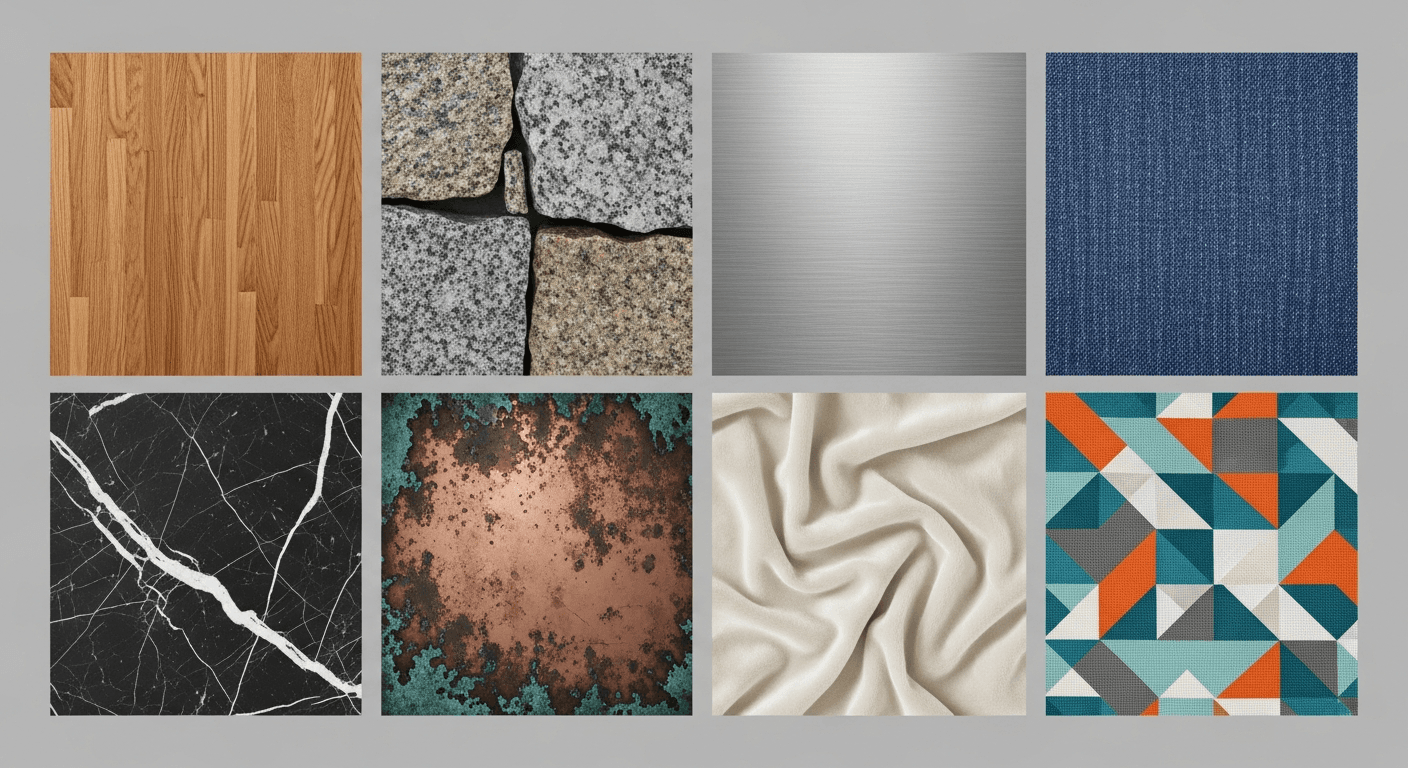
A single 4K texture pack from a commercial library runs $20-$80 and rarely contains exactly what you need. Eight 4MP textures from Seedream v4.5 cost 64 cents and can be built to match your scene exactly — if you know how to prompt for them and how to process them into PBR-ready maps. This guide covers both.
TL;DR
- Seedream v4.5 generates 4MP texture references for $0.08 per image
- Not truly tileable out of the box — use a seamless texture tool for the tiling step
- Works for organic materials, architectural surfaces, fabric, metal, and stone
- Generate diffuse base maps and use material tools for roughness, normal, and AO
- Ideal for indie 3D artists and game developers needing custom textures fast
What v4.5 Does and Does Not Do for Textures
Let us be honest up front. Seedream v4.5 is not a dedicated texture generator. It does not output tileable seamless PBR sets in a single click like specialized tools such as Substance Sampler or Poly Haven's scan-based library. What it does is generate extremely high-quality texture reference images at 4MP that you can feed into your texture pipeline as diffuse base maps.
The workflow is:
- Generate a texture reference with v4.5 (8 credits, ~$0.08)
- Process it into a seamless tileable texture using a tool like Materialize, Substance Sampler, or Photoshop's Offset filter
- Derive roughness, normal, and AO maps using Substance, Photoshop, or dedicated PBR tools
- Import the full PBR material into your 3D software of choice
This is slower than downloading a pre-made PBR material, but it gives you textures that match your exact creative direction — which matters for stylized projects, specific aesthetic needs, or anything not covered by existing libraries.
When to Use v4.5 Textures vs Alternatives
Use v4.5 for textures when:
- You need a specific stylized texture that does not exist in libraries
- Your project has a unique visual direction
- You want texture variations that match a custom aesthetic
- You are iterating quickly during concept phase
- You are building a small game or visualization on a budget
Use scan-based libraries (Poly Haven, Quixel) when:
- You need photorealistic accuracy
- You need guaranteed tileable PBR materials
- You are working on production VFX or AAA game work
- Time matters more than custom aesthetic
Use Substance Designer when:
- You need fully procedural textures with parameter control
- You need guaranteed seamless tiling
- You are building large texture libraries
The three tools complement each other. v4.5 is the concept and stylization layer.
Build your own texture library at 8 cents each
Custom stone, wood, metal, fabric — generated to match your exact aesthetic. 50 free credits on signup for your first set.
Try Seedream v4.5 FreeThe Texture Prompt Template
[TEXTURE TYPE] + [MATERIAL DETAIL] + [CONDITION/WEAR] +
[LIGHTING] + [VIEWING ANGLE] + [REFERENCE STYLE]
Example:
Close-up texture reference, weathered medieval
castle stone wall, heavy moss growth in cracks,
rough irregular masonry with mortar joints,
flat diffuse even lighting, top-down flat view
for texture reference, realistic material
photography
Key prompts: "texture reference," "flat diffuse lighting," "top-down flat view for texture reference." These steer v4.5 away from environmental scenes and toward flat material swatches.
Sample Prompts by Texture Category
Natural Stone
Close-up texture reference, natural granite
surface with visible crystalline grain, gray
with black and white speckles, flat even
lighting, top-down view, realistic material
photography, tileable texture reference
Weathered Concrete
Close-up texture reference, weathered exposed
concrete wall with subtle staining and age
marks, board-formed texture visible, flat
diffuse lighting, top-down view, architectural
material reference, realistic photography
Wood Grain
Close-up texture reference, aged oak wood
planks with rich grain pattern and natural
knots, warm amber tones, flat even lighting,
top-down view, material reference for 3D
texture work, realistic photography
Brushed Metal
Close-up texture reference, brushed stainless
steel surface with subtle directional grain,
neutral cool tone, flat even lighting, top-
down view, industrial material reference,
realistic photography
Fabric and Textile
Close-up texture reference, woven linen fabric
in natural oatmeal color, visible thread
structure, soft even lighting, top-down view,
textile material reference, realistic
photography
Organic Materials
Close-up texture reference, dry autumn leaves
scattered on forest floor, mixed brown and
orange tones, flat even lighting, top-down
view, natural material reference, realistic
photography
Stylized/Game Textures
Close-up texture reference, stylized hand-
painted stone wall, painterly brushstrokes
visible, warm gray tones, flat even lighting,
top-down view, stylized game texture style
with Blizzard influence, painted material
reference
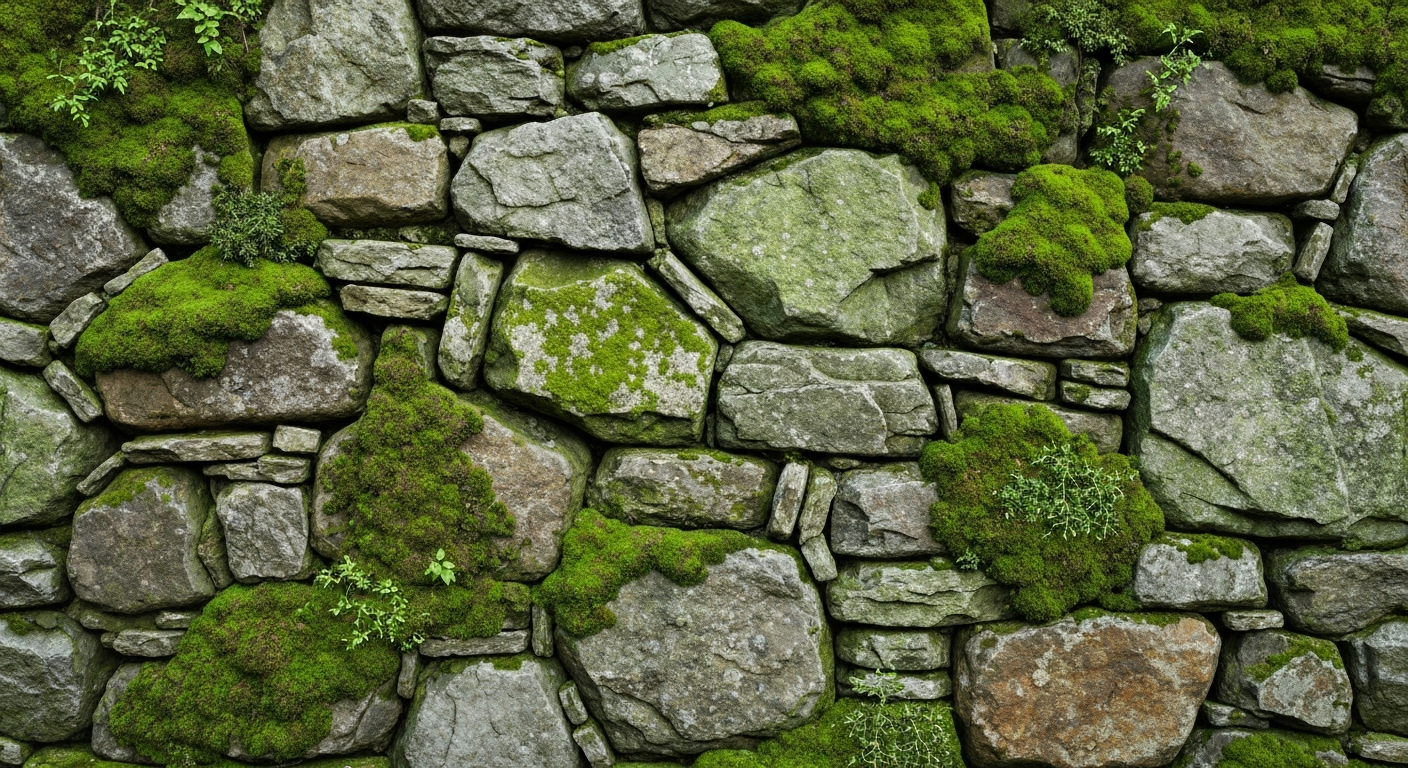
Want detail like this? Try Seedream v4.5 free →
Ready to build your next texture library? Try Seedream v4.5 free →
The Seamless Tiling Step
v4.5 outputs are not naturally seamless. They will have visible edges when tiled. Here is how to fix that.
Option 1: Photoshop Offset Filter
Open the generated texture, use Filter > Other > Offset with half the image width and height, then clone-stamp or heal-brush over the visible seams. Tedious but free and effective.
Option 2: Materialize (free tool)
Free open-source tool that converts a diffuse map into seamless tileable + generates normal, roughness, and AO maps. A solid starting point for indie work.
Option 3: Substance Sampler
Paid Adobe tool that ingests a reference image and extracts a full PBR material including tileable diffuse, normal, roughness, height, and AO maps. The fastest workflow if you already have Substance.
Option 4: AI-based tiling tools
Several free and paid tools exist that use AI to automatically make textures tileable. Test a few and pick one that matches your aesthetic preferences.
Generating PBR Map Channels
For a full PBR workflow, you need more than just the diffuse. Here is how to derive the other channels from a v4.5 base:
Diffuse/Albedo: Your v4.5 output, processed for seamless tiling and desaturated slightly if needed.
Normal map: Generated from the diffuse using Materialize, Substance Sampler, or Photoshop plugins like nDo.
Roughness map: Generated by converting the diffuse to grayscale and adjusting levels. Rough areas are lighter, smooth areas darker. Substance Sampler automates this.
Ambient occlusion: Derived from the height/normal map using the same tools.
Height/displacement: Generated from the diffuse using height-extraction tools.
None of these are perfect automated outputs. Expect to do some manual cleanup for production-quality materials.
Workflow Example: From Prompt to Game-Ready Material
Start to finish for a stylized stone wall material:
Step 1: Generate the diffuse base
Close-up texture reference, stylized hand-
painted medieval stone wall, painterly
brushstrokes, warm gray tones with moss
accents, flat even lighting, top-down view,
game texture reference, Blizzard style
Cost: $0.08, time: 15 seconds.
Step 2: Make it tileable
Run through Photoshop Offset + clone stamp, or Substance Sampler. Time: 10-20 minutes.
Step 3: Generate normal, roughness, AO
Substance Sampler automates this. Time: 5 minutes.
Step 4: Test in engine
Import into Unity, Unreal, or Blender. Apply to a test object, check for visible seams or weird lighting artifacts. Time: 10 minutes.
Step 5: Cleanup if needed
Fix any issues in the base texture or maps. Time: 0-30 minutes.
Total: 30-80 minutes per texture for something genuinely custom and matched to your project aesthetic. Compared to browsing libraries for hours trying to find "something close," this is often faster for specific needs.
Texture Variation Sets
One of v4.5's strengths is producing variation sets with consistent aesthetic. Use this to build texture families for your projects.
Same prompt as base + variation: with heavier
weathering
Same prompt as base + variation: with moss
growth in cracks
Same prompt as base + variation: cleaner newer
condition
Same prompt as base + variation: with crack
damage
Four variations, $0.32 total, and they all share the same base aesthetic. Useful for environment dressing where you need subtle variety.
Common Texture Prompt Mistakes
Mistake: Asking for "seamless tileable." v4.5 understands the words but does not actually output tileable textures. Plan for the tiling step.
Mistake: Vague material descriptions. "Stone texture" is not enough. "Weathered medieval limestone block wall with mortar joints" gives real direction.
Mistake: Environmental context in a texture prompt. "A stone wall in a forest" produces a scene, not a texture. Use "close-up texture reference" and "flat view" to get a swatch.
Mistake: Complex lighting. Dramatic lighting looks great in hero shots but makes textures harder to use. Stick with "flat even lighting" or "diffuse lighting."
Mistake: Forgetting PBR context. If you are making stylized game textures, say so. If you want photorealistic PBR references, say so. Different workflows need different prompts.
Cost Comparison for Texture Work
| Resource | Cost | Customization | |---|---|---| | Poly Haven (free) | $0 | None — take what they have | | Commercial texture pack | $20-$80 | None within pack | | Quixel Megascans | Subscription | Large library, no custom | | Substance Source | Subscription | Parametric control | | Seedream v4.5 | $0.08/reference | Any style or subject |
v4.5 does not replace scan-based libraries for photorealism, but it is the only option for fully custom stylized textures at this price point.
Stop browsing libraries for 'something close'
Prompt the exact texture you need at 4MP. 50 free credits gets you 6 custom references you will actually use.
Generate Textures FreeFrequently Asked Questions
Can I really use v4.5 for production game textures? For indie projects and stylized games, yes. For AAA photorealistic work, supplement with scan-based libraries.
What about normal maps directly? v4.5 generates color images, not normal maps. Use Materialize, Substance Sampler, or similar tools to derive normal maps from the diffuse output.
How tileable are the outputs? Not tileable without a post-processing step. Plan on 10-20 minutes of work per texture to make them tile cleanly.
What resolution should I generate at? Maximum — 2048x2048. You can always scale down; you cannot scale up cleanly.
Can I use these textures commercially? Yes. Commercial use is included on the Seedance platform.
Any related workflows? See our game assets guide for the broader game development workflow.
AI texture generation with Seedream v4.5 is not a replacement for specialized texture tools, but it is a powerful concept and reference generator at a price point that makes experimentation essentially free. For indie 3D artists and game developers building custom aesthetic libraries, it is the fastest way to get exactly the texture you need.
Start building custom textures. Try Seedream v4.5 free →