Seedream v4.0 Edit vs v4.5 Edit: Budget vs Premium
Should you pay $0.06 for Seedream v4.0 Edit or $0.08 for v4.5? A head-to-head comparison of speed, quality, and cost across the two edit models.

Two cents. That's the gap between Seedream v4.0 Edit and Seedream v4.5 Edit per image. It sounds trivial — until you run a thousand edits and realize one choice costs $60 and the other costs $80. So which model actually earns its upcharge?
TL;DR
- v4.0 Edit: 6 credits ($0.06), 20-40s, budget pick for everyday edits
- v4.5 Edit: 8 credits ($0.08), 10-25s, better detail preservation and speed
- Both support natural language editing, object removal, and style transfer
- Use v4.0 for high volume and casual work
- Use v4.5 when sharpness and detail preservation matter
- 50 free credits to test both at seedance.it.com
The Core Difference
Seedream v4.0 Edit is ByteDance's budget model in the edit family. It's designed to be cheap, accessible, and "good enough" for the majority of edits people actually need.
Seedream v4.5 Edit is a generation newer. It's faster, sharper, and handles tricky edits (fine hair, complex textures, small objects) noticeably better. You pay 33% more per edit for that jump.
Neither is better in the abstract. The right choice depends on how much editing you do and how picky your audience is.
Try Seedream v4.0 Edit — budget AI image editing
The cheapest AI image editor at just $0.06 per edit. 50 free credits, no card needed.
Try Seedream v4.0 Edit FreeSide-by-Side Specs
| Feature | Seedream v4.0 Edit | Seedream v4.5 Edit | |---------|--------------------|--------------------| | Credits per edit | 6 | 8 | | Price per edit | $0.06 | $0.08 | | Generation time | 20-40 seconds | 10-25 seconds | | Natural language editing | Yes | Yes | | Object removal | Yes | Yes (finer detail) | | Style transfer | Yes | Yes (richer) | | Detail preservation | Good | Excellent | | Best for | Volume, budgets, beginners | Detail work, client jobs |
Quality Differences in Practice
On casual subjects — landscapes, product shots on plain backgrounds, simple portraits — the output from v4.0 and v4.5 is often indistinguishable to the average viewer.
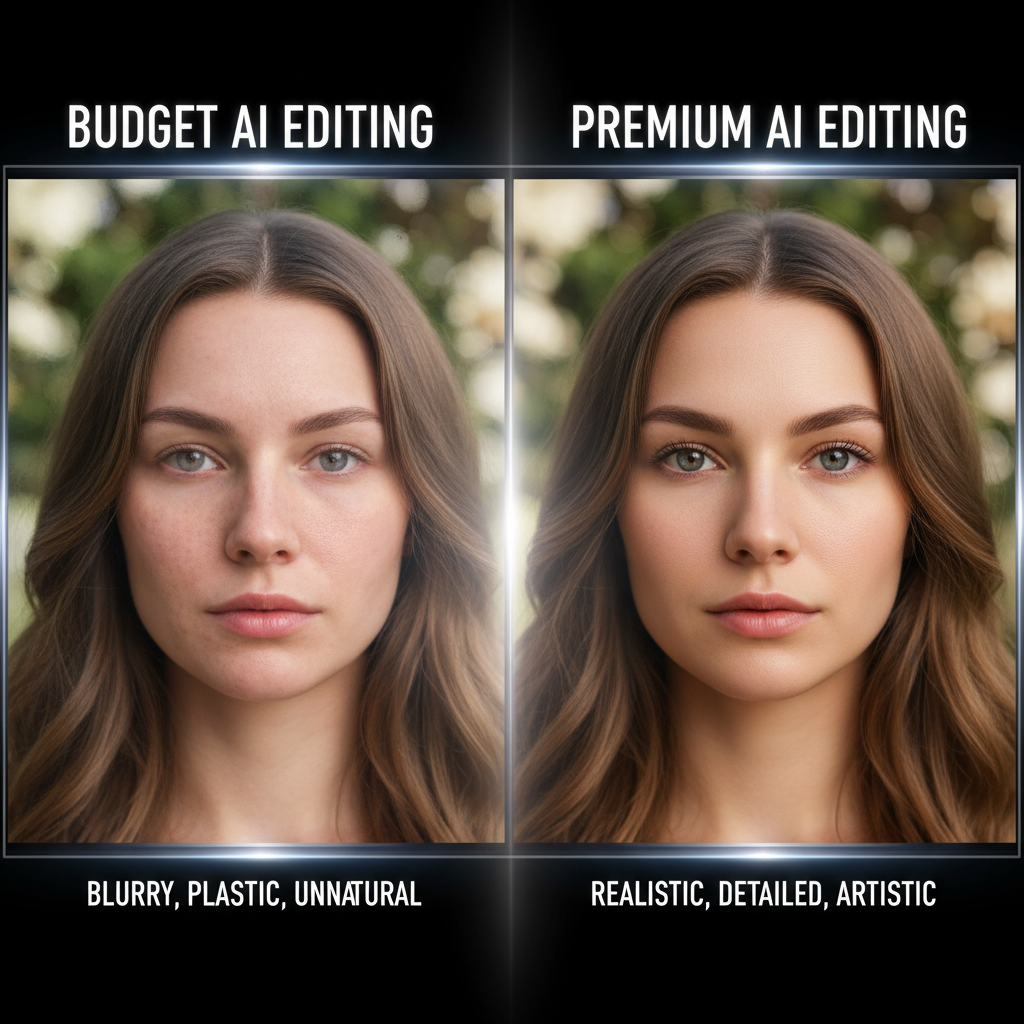
The gap shows up when edits get hard: fine strands of hair, small text on packaging, jewelry details, complex reflections, or edits on already-edited images. v4.5 preserves those details more faithfully. v4.0 can soften or lose them.
For a social media post seen on a phone for 1.2 seconds, nobody will notice. For a printed ecommerce catalog shot, the upgrade matters.
Speed Differences
v4.5 Edit typically returns in 10 to 25 seconds. v4.0 Edit takes 20 to 40 seconds. If you're iterating rapidly, the faster model saves real time. If you're batching overnight or running edits in the background, the speed difference doesn't matter.
Cost Over Volume
| Edits | v4.0 Total | v4.5 Total | Savings | |-------|-----------|-----------|---------| | 50 | $3.00 | $4.00 | $1.00 | | 250 | $15.00 | $20.00 | $5.00 | | 1,000 | $60.00 | $80.00 | $20.00 | | 5,000 | $300.00 | $400.00 | $100.00 |
At high volumes, v4.0 is the obvious pick. A freelancer editing 200 product shots a month saves $48 a year by picking v4.0 over v4.5 — assuming the quality gap doesn't hurt their deliverables.
Want the cheapest option? Try Seedream v4.0 Edit here with 50 free credits.
When to Pick v4.0 Edit
Go with v4.0 Edit when:
- You edit a lot of images and cost adds up
- The audience is casual (social, blog, thumbnails)
- You're new to AI editing and want a low-risk starting point
- You're doing straightforward edits — backgrounds, colors, simple removals
- You want to prototype before committing to a premium model
When to Pick v4.5 Edit
Go with v4.5 Edit when:
- You ship client-facing work that gets scrutinized
- Edits involve fine details — hair, textures, jewelry, small text
- Speed matters in your workflow
- The marginal cost is small vs the value of the deliverable
- You want extra polish without jumping to Seedream 5.0 Edit
What About Seedream 5.0 Edit?
Worth mentioning for context: Seedream 5.0 Edit sits between them in price at $0.07 (7 credits) but offers the fastest speeds (5-15s) and the best detail preservation of the three. If you want the sweet spot between v4.0 cost and v4.5 quality, v5.0 is often the smart pick.
But if budget is the priority, v4.0 stays the cheapest member of the family by design.
Start with v4.0 for 6 credits per edit
Test Seedream v4.0 Edit with 50 free credits and see if the budget tier covers your needs.
Try v4.0 Edit FreeThe Honest Recommendation
If you're reading this and you're not sure, start with v4.0 Edit. It's the cheapest, the 50 free credits let you test it risk-free, and you can always upgrade to v4.5 or v5.0 later if you hit quality limits.
Most users never do. The v4.0 output is strong enough for the majority of real-world editing tasks, and the savings compound fast at volume. The upgrade only pays off when you have a clear, specific reason — like a client demanding print-ready sharpness or an image type that hits v4.0's weak spots.
Sign up, open the v4.0 playground, and edit a handful of your toughest images. If they come back clean, you have your answer.
Final Verdict
| Scenario | Pick | |----------|------| | Most everyday editing | v4.0 Edit | | Detail-heavy retouching | v4.5 Edit | | Fastest possible edits | v4.5 or v5.0 | | Highest volume, lowest cost | v4.0 Edit | | Client-ready polish | v4.5 or v5.0 |
Cheap beats perfect when cheap is good enough. For most people editing most photos, Seedream v4.0 Edit is cheap enough to matter and good enough to ship.