How to Create AI Product Review Videos with OmniHuman v1.5
A practical tutorial on creating professional product review videos using OmniHuman v1.5 AI avatars. Learn scripting, production techniques, and distribution strategies for AI-presented product reviews.

Product review videos drive billions of dollars in affiliate revenue and purchase decisions every year. The historical catch: filming reviews at scale requires a camera setup, a human reviewer, and the endurance to re-shoot when delivery goes sideways. OmniHuman v1.5 generates a clean reviewer segment for $9.60 — making it viable to publish multiple product reviews per week without ever pointing a camera at a face.
TL;DR
- Generate AI reviewer videos for $9.60 each — no subscription, no camera
- Ideal for affiliate marketers, comparison sites, product discovery channels
- Pair OmniHuman reviewer segments with product b-roll, screen recordings, or unboxing footage
- Scale to dozens of reviews per month with a consistent reviewer identity
- Works beautifully for YouTube, TikTok, Instagram Reels, and affiliate sites
Who Benefits from AI Product Reviews
AI product reviews work for a specific kind of creator and content:
Affiliate marketers running niche comparison sites who want to add video to articles without filming.
Product discovery channels on YouTube covering dozens of products per month in short-form content.
E-commerce sellers wanting to add reviewer-style video to product pages.
Comparison blogs converting text reviews into video versions for broader distribution.
Deal and tech news channels covering new releases, price drops, and product launches daily.
AI reviewers do not work for content where the reviewer's personal authority is the draw — MKBHD-style hands-on tech reviews where the audience comes for Marques specifically. AI cannot replace personal brand. But for the massive category of "show me products that solve my problem," AI reviewers slot in perfectly.
Create your AI presenter now
Turn one photo + audio into a lifelike talking video. $9.60 per video, no subscription.
Try OmniHuman FreeWhat an AI Product Review Looks Like
A typical AI-assisted product review combines:
- AI presenter segments (30-60s each) introducing products, summarizing verdicts, and closing with CTAs
- Product b-roll from manufacturer photos, stock footage, or unboxing clips
- Text overlays with spec highlights, prices, and affiliate disclosures
- Screen recordings for software or app reviews
- Background music and sound design
The AI presenter is the connective tissue. Product footage does the showing. Text overlays handle the details.
Step 1: Lock Your Reviewer Identity
Consistency builds audience recognition. Pick one reference photo and use it across every review.
Options
- A real person with permission. You, a co-creator, or hired talent
- A Seedream-generated persona. Design a reviewer character that matches your channel's vibe
- A licensed stock portrait. Commercial-rights-cleared headshots from stock sites
Photo Specs for Reviewer Content
- Approachable expression — a slight smile works better than neutral
- Professional but not corporate — casual shirt beats full suit for most review niches
- Good lighting that reads as "bright and trustworthy"
- Clean background
- 1024x1024 or larger
Save the photo and use it as your permanent reviewer reference.
Step 2: Script the Review
Review scripts follow a predictable structure. Templatize this and you can produce new reviews quickly.
Standard Review Script Structure
Intro (10s)
"If you're shopping for [category], here are the top picks I found after comparing [N] products. Let's start with [product 1]."
Product 1 (30-45s)
"[Product name] stands out for [main benefit]. It's [key specs]. Users love [strength], but watch out for [weakness]. At [price], it's [verdict]."
Product 2, 3, etc. (same format)
Verdict and CTA (15s)
"My top pick overall: [product]. Best budget option: [product]. Links in the description. If this helped, subscribe for more."
Script Writing Tips
- Keep each product segment under 45 seconds
- Open with a specific benefit, not a marketing tagline
- Include one honest weakness per product — builds trust
- State prices clearly
- Direct to affiliate links in the CTA
Example 60-Second Single Product Review
"The [Product] is the best budget mechanical keyboard I've tested this year. It's a 75% layout with hot-swap switches, gasket mount, and pre-lubed stabilizers for $89. The board feels surprisingly premium for the price, with a satisfying clack and almost no ping. Downsides: the RGB is basic, and the stock keycaps are forgettable. But for $89, those are fair trade-offs. If you're building your first mechanical, this is where I'd start. Link below."
Step 3: Generate Audio
Record your script, or use a quality TTS service. ElevenLabs, Play.ht, and OpenAI TTS all produce reviewer-quality voices. Pick one voice and stick with it across reviews for brand consistency.
Export as MP3 or WAV. Trim silence at start and end.
Step 4: Generate the AI Presenter Segment
Open OmniHuman v1.5. Upload your reviewer photo, the audio, and a scene prompt.
Scene Prompts for Review Content
Tech reviewer aesthetic:
Modern tech review desk with RGB lighting in background, medium close-up framing, clean contemporary setup, tech YouTuber style.
Lifestyle reviewer aesthetic:
Bright home office with plants and warm natural lighting, medium close-up, friendly lifestyle content creator vibe.
Minimalist reviewer aesthetic:
Clean minimalist studio with soft gradient backdrop, professional lighting, medium close-up, modern review content style.
Outdoor/field reviewer aesthetic:
Outdoor urban setting with soft bokeh in background, natural afternoon lighting, medium close-up, travel and lifestyle review aesthetic.
Generate at 720p for 60-second clips or 1080p for 30-second segments.
Ready to try OmniHuman v1.5? Start creating free →
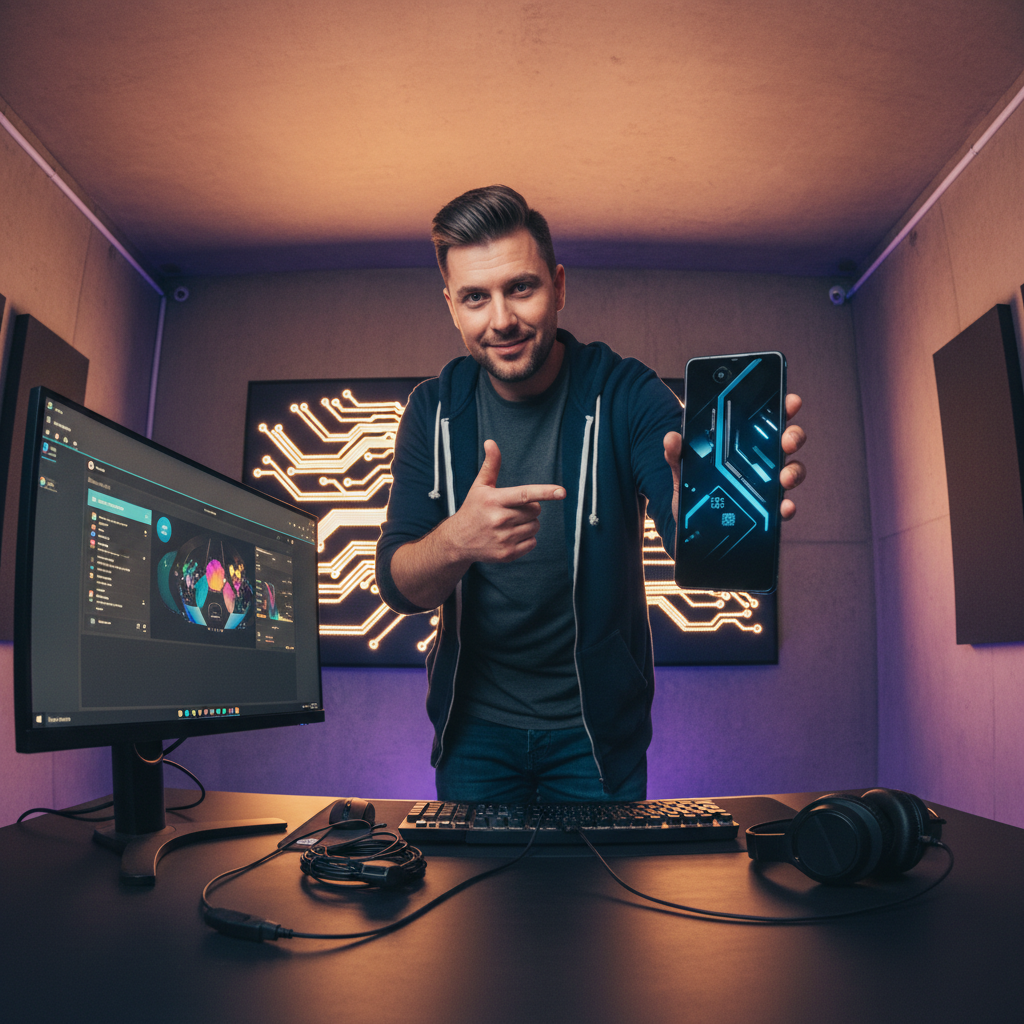
Want a presenter like this? Try OmniHuman free →
Step 5: Edit with Product Footage
Combine your AI presenter segments with product footage in your video editor.
Typical Edit Structure
- 0:00-0:10: AI presenter intro
- 0:10-0:40: Product 1 b-roll with AI presenter voiceover cutaways
- 0:40-1:10: Product 2 b-roll + AI presenter
- 1:10-1:40: Product 3 b-roll + AI presenter
- 1:40-2:00: AI presenter verdict and CTA
Sourcing Product Footage
- Manufacturer product photography (check usage rights)
- Affiliate program b-roll packages (Amazon Associates provides imagery)
- Stock footage for category-level illustrations
- Your own unboxing footage if you have products on hand
- Screen recordings for software or app reviews
Text Overlays
Add text overlays for:
- Product names and model numbers
- Key specs
- Prices
- "Top pick" / "Budget pick" / "Best for X" labels
- Affiliate disclosures
Cost Math for Review Content Production
Solo Affiliate Reviewer (4 reviews per week)
- 16 reviews per month x $9.60 = $153.60/month
- Annual cost: $1,843.20 base, ~$1,536 on Max tier
Niche Comparison Site (2 deep-dive reviews per week with multiple product segments)
- 8 videos per month with 4 segments each = 32 generations
- 32 x $9.60 = $307.20/month
- Annual: $3,686
Daily Deals Channel (one quick review per day)
- 30 videos per month x $9.60 = $288/month base, ~$240 on Max tier
- Annual: $2,880-$3,456
Compare to traditional filming: camera gear, lighting, studio space, editing time, and your own on-camera presence. OmniHuman converts time (your biggest constraint) into money (a smaller, more scalable one).
Distribution Strategy
YouTube
Upload reviews to YouTube with SEO-optimized titles ("Best Budget Keyboards 2026 — Top 5 Compared") and thumbnail images featuring the products and your reviewer photo.
YouTube Shorts
Cut 30-60 second single-product reviews into Shorts for discovery. Drive viewers back to long-form reviews.
Affiliate Blog
Embed the YouTube video at the top of your written review post. Video + text beats either alone for affiliate conversions.
TikTok and Instagram Reels
Same clips as Shorts, posted natively. Include product names in captions and on-screen text.
Email Newsletter
Embed short video reviews in affiliate marketing emails. Click-through rates improve 2-3x with video.
Product Pages
For e-commerce sellers: embed OmniHuman review segments on product pages. Increases time on page and conversion rates.
Review more products, pay less overhead
Affiliate margins are tight. Skip the HeyGen/Synthesia monthly fee and pay $9.60 only per review you actually publish.
Launch Your ReviewerLegal and Ethical Considerations
Disclose AI Use
Some audiences care that the reviewer is AI. Being upfront in descriptions ("AI-presented product review") respects the audience and complies with platform policies.
Honest Reviews Only
AI makes production cheap. It does not change your obligation to review honestly. Do not claim to have tested products you have not actually evaluated. Base scripts on real specs, real user reviews, and real data.
Affiliate Disclosures
FTC rules require clear disclosure of affiliate relationships. Include "Affiliate links below" in descriptions and on-screen text when relevant.
Avoid Deceptive Claims
AI reviewers should not claim personal experience ("I've been using this for six months") unless that is literally true for the operator behind the content. Keep claims factual.
Platform Rules
Each platform has specific rules about AI content disclosure. YouTube, TikTok, and Meta all have evolving policies — check current rules and use built-in AI disclosure features.
Scaling Your Review Output
Once the workflow is dialed in, you can produce reviews fast:
- Pick products from affiliate networks, manufacturer announcements, or trending data
- Research specs and reviews from manufacturer pages and aggregator sites
- Write scripts using your standardized template
- Generate audio in batch via TTS API
- Generate videos in batch via Seedance API or the UI
- Edit with product footage in a consistent template
- Publish to YouTube, blog, social, email
A single operator can produce 10-20 reviews per week with this workflow.
Start Creating AI Product Reviews
- Sign up for Seedance and claim 50 free credits
- Buy a $25 Popular tier pack (2,750 credits ≈ 2-3 videos)
- Pick your reviewer photo
- Write a 60-second single-product review script
- Generate audio with your chosen TTS
- Run through OmniHuman v1.5
- Edit with product b-roll and publish
For related reading, see the YouTube guide, virtual influencer guide, podcast guide, and complete OmniHuman v1.5 guide.
Ready to try OmniHuman v1.5? Start creating free →