AI Product Photo Editing with Seedream 5.0 Edit for E-Commerce
Transform your e-commerce product photos with Seedream 5.0 Edit. Learn AI-powered background replacement, lifestyle staging, color consistency, and batch editing for online stores.
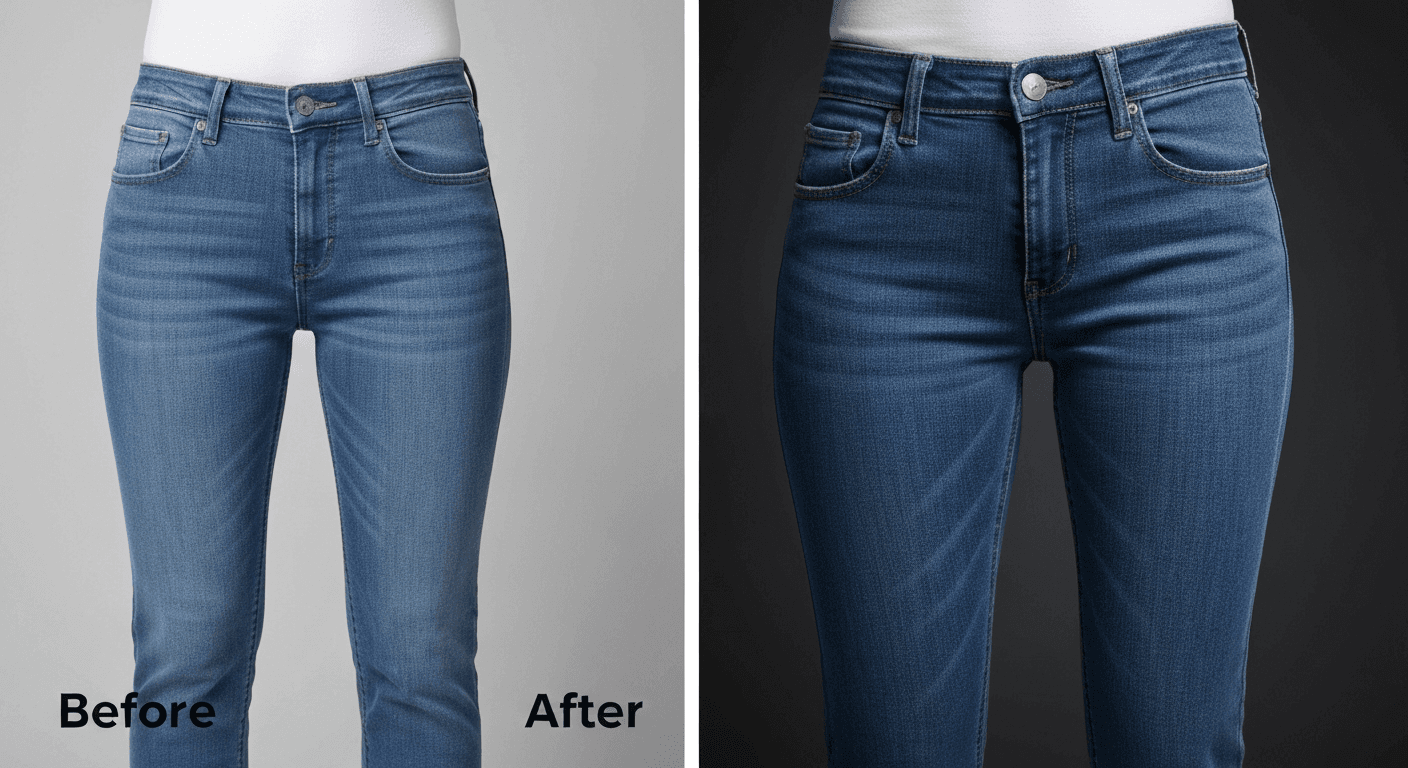
The average e-commerce brand spends $500 to $5,000 per month on product photography and retouching. Seedream 5.0 Edit does the same work for $0.07 per image — a full 100-SKU catalog refresh for under $10. Here's exactly how online sellers are replacing studio retouching with AI.
TL;DR
- Swap backgrounds, add lifestyle context, fix colors — all with text prompts
- 7 credits ($0.07) per edit, 5–15 seconds per image
- Studio-quality results on phone photos
- 100-image catalog = $7 instead of $500+ from a retoucher
- 50 free credits (~7 product photos) at seedance.it.com
The E-Commerce Photo Problem
You need five versions of every product shot:
- Clean white background (Amazon, Shopify main listing)
- Lifestyle shot (homepage, social, ads)
- Detail/zoom (product features)
- Color variants (each SKU variation)
- Seasonal marketing (holiday, summer, back-to-school)
Traditional workflow: book studio, hire photographer, hire retoucher, wait days. Seedream 5.0 Edit workflow: shoot on your phone, prompt the edit, done in 15 seconds.
Edit your first photo with AI
No Photoshop skills needed. Just type what you want changed. $0.07 per edit.
Try Seedream 5.0 Edit FreeStep 1: The White Background Shot
The Amazon/Shopify standard. One prompt handles it:
"Replace background with seamless pure white studio backdrop, add subtle soft shadow beneath the product, preserve product colors and details exactly"
Result: marketplace-compliant main listing photo. Works on phone photos shot on a messy table.
Optimization tips:
- Shoot on a solid color different from the product (contrasts help edge detection)
- Use consistent lighting — the model is better when the input is even
- 1024px or larger input for clean edges
Step 2: Lifestyle Context Shots
Lifestyle shots convert 30%+ better than plain product shots. Generate them from the same source:
"Place the product on a marble kitchen counter in soft morning light"
"Show the product in a modern Scandinavian living room"
"Put the product on a rustic wooden table with warm cafe lighting"
"Show the product in a minimalist bathroom with natural light"
One shoot. Infinite lifestyle variations. Each at $0.07.
Step 3: Color Variant Generation
Selling the same product in 8 colors but only shot 1? Generate the rest:
"Change the product color to navy blue, preserve material and texture"
"Recolor the product to forest green, keep all other elements identical"
"Make the product blush pink, maintain highlights and shadows"
8 color variants = 56 credits = $0.56. Compare to photographing each SKU ($200–$1,000+).
This alone pays for Seedream 5.0 Edit many times over for any brand with color options.

Want results like this? Try Seedream 5.0 Edit free →
Step 4: Seasonal Marketing Variations
Refresh your hero images every season without reshooting:
"Summer version: bright beach background, warm sunny tones"
"Autumn version: cozy fall leaves background, warm amber light"
"Holiday version: festive evergreen background with warm glow"
"Spring version: fresh floral background, soft daylight"
Four seasons x $0.07 = $0.28 for a full year of seasonal creative.
Step 5: Cleanup and Enhancement
Every product shot benefits from light polish:
"Remove dust, fingerprints, and minor scratches from the product surface"
"Enhance colors subtly, boost clarity on product label, sharpen details"
"Clean up the reflection on the glossy base, keep the material look realistic"
Each pass is 7 credits. Use as needed.
The Full E-Commerce Workflow
Here's a complete edit pipeline for one product photo:
Step 1 — Clean product shot: "Replace background with pure white studio seamless, soft shadow under product" (7 credits)
Step 2 — Color polish: "Boost color saturation naturally, sharpen product details and label" (7 credits)
Step 3 — Lifestyle variant: "Place product on marble counter in soft kitchen morning light" (7 credits)
Step 4 — Social square: "Tight crop, warm golden-hour feel, subtle vignette" (7 credits)
Total: 28 credits = $0.28 per product for 4 ready-to-ship assets.
Real Numbers: Cost Comparison
50-SKU catalog refresh
| Method | Cost | Timeline | |---|---|---| | Studio photography + retouching | $2,500–$10,000 | 2–4 weeks | | Freelance retoucher | $500–$2,500 | 1–2 weeks | | Seedream 5.0 Edit | $10–$25 | 1–2 hours |
Monthly operating cost for small DTC brand
| Need | Monthly volume | Seedream 5.0 Edit cost | |---|---|---| | New product listings | 20 SKUs, 3 variants each | $4.20 | | Lifestyle social content | 40 variants | $2.80 | | Seasonal refreshes | 20 SKUs | $1.40 | | Total | 140 edits | $8.40/month |
Compare to a Shopify Pro plan, Canva Pro, or a single Fiverr retouching gig.
Shoot on your phone, ship to Amazon
Skip the studio booking. Describe the background and lighting — Seedream 5.0 Edit handles the rest in 10 seconds.
Edit Your First Product Photo FreeCommon Product Types and Best Prompts
Apparel
"Replace background with seamless white studio, show product flat-lay style"
"Show product on an invisible mannequin, preserve shape and structure"
"Place model wearing product in outdoor urban setting, natural light"
Beauty & Cosmetics
"Place product on marble surface with soft highlight reflections"
"Minimalist pastel background, soft shadow, luxurious lighting"
"Show product with rose petals and soft golden light"
Food & Beverage
"Place product on wooden cafe table with warm ambient light"
"Show product with ingredients and subtle steam, appetizing lighting"
"Minimalist white background with soft shadow, appetizing color"
Electronics & Gadgets
"Replace background with dark gradient, product hero lighting"
"Place product on modern desk setup with natural window light"
"Clean white background with precise product shadows"
Home & Decor
"Place in Scandinavian living room setting, soft daylight"
"Show product in cozy bedroom with warm ambient light"
"Minimalist modern interior, morning sunlight through window"
Batch Editing With the API
For brands with 100+ SKUs, hit the API to automate. A Python script can process your entire catalog overnight while you sleep, delivering clean-background shots, lifestyle variants, and color options to your CDN.
Common Mistakes
| Mistake | Fix | |---|---| | Dark source image | Run enhancement first, then background swap | | Wrong subject isolated | Specify "the product in the center" | | Color drift on key colors | Add "preserve exact product colors" | | Unnatural shadows | Add "natural soft shadow beneath" | | Lifestyle shot looks fake | Add lighting match: "match subject lighting to scene" |
Pricing
| Pack | Credits | Price | Product Photos | |---|---|---|---| | Starter | 1,050 | $10 | ~150 | | Popular | 2,750 | $25 | ~390 | | Pro | 5,750 | $50 | ~820 | | Max | 12,000 | $100 | ~1,710 |
Credits never expire. See pricing.
Next Steps
- Background change tutorial
- Photo enhancement
- Creating variations
- Social media editing
- API for batch workflows
Edit your first product photo free → — 50 credits, no card required.