AI Portrait Photography with Seedream v3: Tips & Examples
Master AI portrait photography with Seedream v3. Learn prompting techniques for headshots, environmental portraits, creative portraits, and more — with settings, lighting tips, and example prompts.
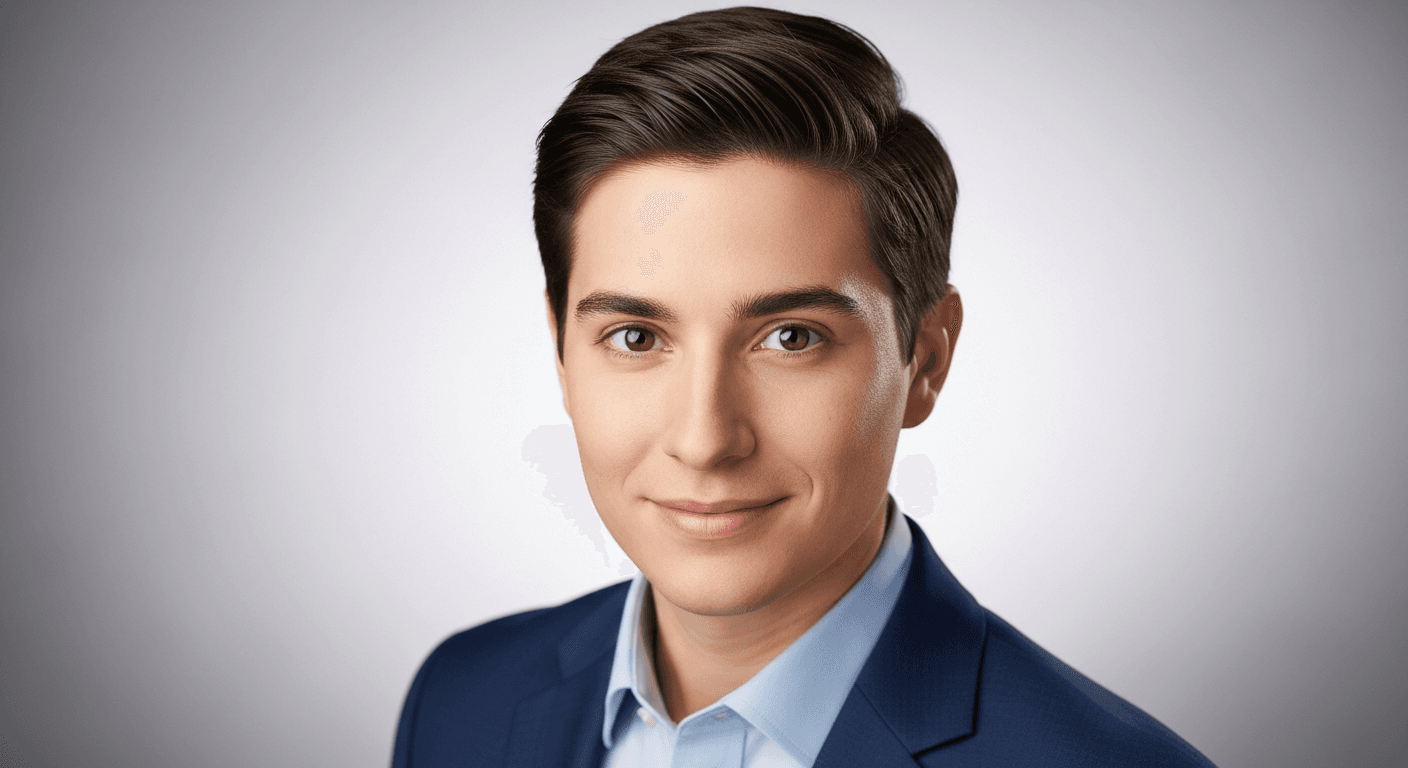
Portraits are where AI image generators get caught out. Humans are exceptionally attuned to faces — we notice the tiniest anomaly in eyes, skin, proportions, or expression. Seedream v3 handles portraits better than most, but you need the right techniques to avoid the AI-smooth skin, dead-eye, plastic-face look. The difference between a convincing portrait and an obvious AI fake usually comes down to five specific prompt additions.
Here is the complete portrait playbook.
TL;DR
- Use
guidance_scale7-8 for professional portraits, 5-7 for creative/street - Add "natural skin texture, pores visible" to defeat AI-smooth skin
- Include specific camera and focal length ("85mm f/2, shallow DOF")
- Describe expressions holistically ("warm genuine smile with eye crinkle")
- Keep seeds locked when building a series for consistency
Why Portraits Are Hard (and Seedream v3's Advantages)
Portrait photography is the most demanding genre for AI generation. The human brain is tuned to detect facial anomalies — asymmetry, unrealistic skin, dead eyes, wrong proportions. Anything off will be noticed.
Seedream v3 handles portraits well because of:
- Natural color reproduction — avoids the oversaturated "AI look" that makes skin look artificial
- Strong texture rendering — realistic skin, hair, and fabric
- Adjustable
guidance_scale— tune between polished and natural - Affordable iteration — at $0.06 per generation, you can run 10+ variations for under a dollar
For general prompting, see our prompt guide. For broader photorealism, see the photorealistic guide.
See it for yourself
Generate convincing portraits for $0.06 each — 50 free credits, enough for 8 portrait variations.
Try Seedream v3 FreePortrait Types Reference
| Type | Key Elements | Guidance | Best Size | |---|---|---|---| | Professional headshot | Clean background, even lighting | 7-8 | 1024x1536 | | Environmental portrait | Subject in context | 6-8 | 1536x1024 | | Creative/artistic | Bold lighting, expressive | 5-7 | 1024x1536 | | Fashion portrait | Styled, editorial | 7-9 | 1024x1536 | | Street portrait | Candid, documentary | 5-7 | 1024x1024 | | Studio portrait | Controlled lighting | 7-9 | 1024x1536 |
Professional Headshots
The most commercially relevant portrait type — LinkedIn, company websites, speaker profiles, author photos.
Key Elements
- Clean, non-distracting background
- Even, flattering lighting
- Confident, approachable expression
- Sharp focus on eyes
- Professional attire
Example Prompts
Corporate headshot:
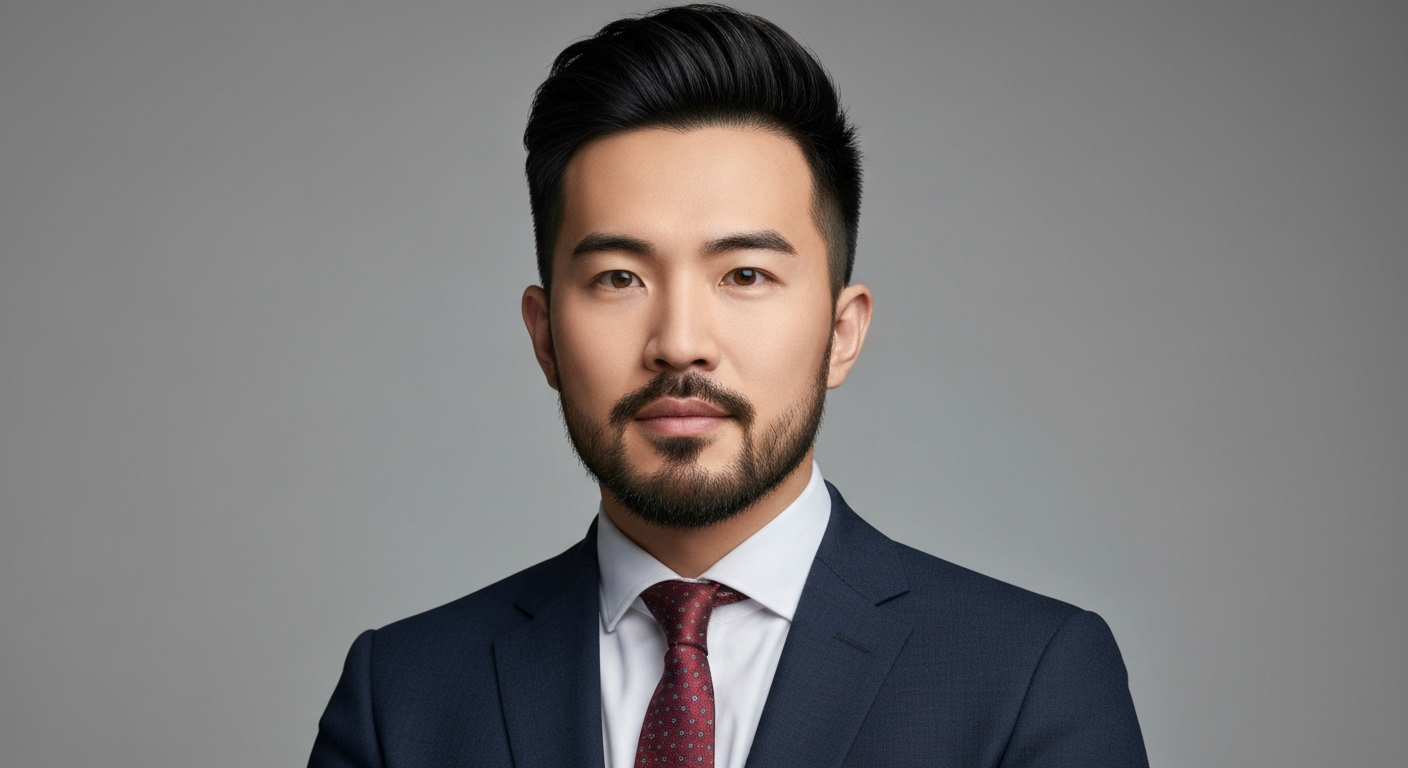
Professional corporate headshot of a 40-year-old man with short dark
hair and neatly trimmed beard, wearing a navy blue suit with white shirt,
warm confident smile, soft grey background, even studio lighting with
subtle fill, shot at 85mm f/2, shallow depth of field, executive portrait
photography, LinkedIn-quality professional headshot
Creative professional:
Professional headshot of a young woman with curly dark hair, wearing
a casual black turtleneck, genuine relaxed smile, slightly off-center
composition, blurred industrial loft background, soft natural window
light from the left, creative professional portrait, modern and authentic,
85mm lens
Settings
guidance_scale: 7-8- Size: 1024x1536 (portrait)
- Batch: Generate 4 and select the best expression
Tips
- Describe expressions specifically: "warm genuine smile with slight eye crinkle" beats "smiling"
- Include age range and general appearance
- Specify clothing to set professional context
- "Shot at 85mm" consistently produces flattering portrait perspective
Environmental Portraits
Environmental portraits show the subject in a meaningful setting that tells their story.
Example Prompts
Chef in kitchen:
Environmental portrait of a chef in a professional restaurant kitchen,
wearing white chef's coat, arms crossed with confident expression,
stainless steel surfaces and warm kitchen lighting in background,
steam rising from pots, documentary portrait style
Artist in studio:
Environmental portrait of a painter in her sunlit studio, surrounded
by canvases and paint-splattered easels, holding a brush with paint
on her hands, warm afternoon light through large windows, creative
and authentic, editorial portrait photography
Musician:
Environmental portrait of a guitarist sitting on the edge of a dimly
lit stage, guitar across lap, moody blue and amber stage lighting,
empty theater seats in dark background, atmospheric and intimate
Settings
guidance_scale: 6-8- Size: 1536x1024 (landscape) or 1024x1536 (portrait with environmental depth)
Want portraits like this? Try Seedream v3 free →
Ready to try Seedream v3? Start creating free →
Creative and Artistic Portraits
Creative portraits push beyond traditional photography into artistic expression.
Example Prompts
Double exposure:
Creative double exposure portrait, woman's profile blending with a
forest of birch trees, ethereal and dreamy, overlapping silhouette
and nature, fine art photography, moody atmospheric lighting
Dramatic lighting:
Dramatic portrait with extreme chiaroscuro lighting, half face illuminated
in warm golden light, the other half in deep shadow, intense direct gaze,
dark background, Rembrandt lighting, fine art portrait photography
Color and texture:
Creative portrait of a woman with colorful paint splashes on her skin
and face, vibrant blue and magenta paint, clean skin underneath visible,
studio lighting against black background, fine art beauty photography
Settings
guidance_scale: 5-7 (lower allows more creative expression)- Size: 1024x1536 or 1024x1024
Fashion Portraits
Fashion portraits emphasize styling, clothing, and editorial aesthetic.
Example Prompts
High fashion editorial:
High fashion editorial portrait of a model in an avant-garde structured
black gown, dramatic angular pose, bold geometric earrings, stark white
studio background, hard directional studio lighting with sharp shadows,
Vogue editorial style
Street fashion:
Street fashion portrait of a young man in a tailored camel overcoat
and turtleneck, standing on a cobblestone European street, golden hour
light, confident casual pose, slightly desaturated editorial color
grading, street style photography
Settings
guidance_scale: 7-9- Size: 1024x1536 (fashion standard)
Lighting for Portraits
Lighting is the most important element in portrait photography. Here are the most effective descriptions.
Classic Portrait Lighting Patterns
| Pattern | Prompt | Effect | |---|---|---| | Rembrandt | "Rembrandt lighting, triangle of light on shadowed cheek" | Classic, dimensional | | Butterfly | "Butterfly lighting, light from directly above and in front" | Glamorous, symmetrical | | Split | "Split lighting, half face lit, half in shadow" | Dramatic, moody | | Loop | "Loop lighting, slight shadow from nose to cheek" | Flattering, natural | | Broad | "Broad lighting, light on the side facing camera" | Widening, open | | Short | "Short lighting, light on the side away from camera" | Slimming, dramatic |
Natural Light
- "Soft window light from the left, sheer curtain diffusion"
- "Open shade, soft even outdoor light"
- "Golden hour backlight with lens flare"
- "Overcast sky, soft diffused natural light"
Studio Light Setups
- "Two-light setup with key and fill, 3:1 ratio"
- "Single softbox from upper left, dark background"
- "Ring light, even flat lighting, catchlights visible"
- "Strip lights on both sides, dark center"
Defeating the AI-Smooth Skin Problem
This is the single biggest tell of AI-generated portraits. Skin looks plasticky, pores are erased, all imperfections smoothed out. Here is the fix.
Add These Phrases to Every Portrait Prompt
natural skin texture, pores visible, slight imperfections,
photographic quality skin, unretouched
These five descriptors make a dramatic difference. For maximum realism, also mention:
- "Light freckles"
- "Laugh lines"
- "Warm undertones"
- "Authentic, not retouched"
Avoid over-specifying. Too many skin adjectives can cause artifacts. Four or five well-chosen phrases is the sweet spot.
Try the prompt yourself
Copy any portrait prompt above and defeat the AI-smooth skin problem. 50 free credits, no card required.
Start Creating FreeEyes and Expression
- "Catchlights in eyes" adds life and depth
- "Sharp focus on eyes" prioritizes eye sharpness
- Describe expression holistically: "warm genuine smile with slight eye crinkle" beats listing eye color, pupil size, etc.
- Specify gaze direction: "looking directly at camera" or "eyes slightly off-center"
Hair
- Describe movement: "wind-blown strands," "neatly styled," "loose curls framing face"
- Mention light interaction: "hair backlit with golden rim light"
Background and Bokeh
Studio Backgrounds
- "Solid [color] background" — clean, professional
- "Dark gradient background, darker at edges" — adds depth
- "Textured canvas background" — artistic
Environmental Backgrounds
- "Blurred urban street background" — contextual
- "Softly blurred autumn foliage" — seasonal warmth
- "Interior with bokeh light spots" — atmospheric depth
Bokeh Quality
- "Smooth creamy bokeh" — beautiful background blur
- "Circular bokeh highlights" — distinctive, professional
- "Shallow depth of field, subject separated from background"
Guidance Scale Reference
| Portrait Type | Guidance | Why | |---|---|---| | Professional headshot | 7-8 | Clean, consistent, predictable | | Environmental | 6-8 | Balance subject with environment | | Creative/artistic | 5-7 | Allow creative expression | | Fashion editorial | 7-9 | Precise style adherence | | Street/documentary | 5-7 | Natural, candid feel |
Lower guidance produces more natural-looking portraits. Higher guidance produces more polished, controlled results.
Common Issues and Fixes
Distorted or Asymmetric Features
Fix: Increase guidance_scale to 8-9. Add "symmetrical features, well-proportioned face." Generate a batch of 4 and select the most natural.
Overly Smooth, Plastic Skin
Fix: Add the skin texture phrases above. Lower guidance slightly (6-7).
Wrong Number of Fingers/Hands
Fix: Avoid showing hands prominently. If hands must be visible, describe a simple position: "hands clasped in front," "one hand resting on chin." Higher guidance can help.
Inconsistent Eye Direction
Fix: Explicitly describe gaze: "looking directly into the camera lens," "eyes focused on a point slightly right of camera." Generate multiple variations.
Generic Stock-Photo Look
Fix: Add specific personal details. "A woman smiling" is generic. "A woman with silver-streaked black hair, wearing reading glasses pushed up on her head, laughing at something off-camera, warm morning kitchen light" is specific and authentic.
Building a Portrait Series
For projects requiring multiple consistent portraits:
Consistent Team Headshots
- Create a base prompt with standard background, lighting, composition
- Change only the person description for each team member
- Use the same guidance scale, size, and similar seeds
- Generate 4 variations per person, select the most consistent
Character Series
- Define the character's visual identity in a detailed description
- Find a seed that produces a good base result
- Vary the prompt only in pose, expression, or setting — keep character description constant
- The seed provides visual consistency across the series
FAQ
Can Seedream v3 create portraits of real people? Seedream v3 generates fictional individuals. For AI avatars based on real photos, see OmniHuman v1.5.
What guidance scale is best for portraits? 7-8 for most types. Lower (5-7) for creative and street. Higher (8-9) for fashion and formal studio work.
How do I get consistent portraits for a series? Use the same prompt template, guidance scale, and similar seeds. Only vary elements that should change.
Are AI portraits suitable for commercial use? Yes, images generated on the Seedance platform are commercially usable under the platform terms of service.
How do I start? Sign up free with 50 credits for 8 test portraits.
Start creating portraits → — 50 free credits, no card required.