Seedream v3 Prompt Guide: Tips for Better AI Images
Master the art of prompting Seedream v3 for stunning AI images. Learn prompt structure, style keywords, composition techniques, and advanced strategies to get exactly the images you envision.

Two prompts with identical subject matter can produce wildly different results — one looking like a professional magazine spread, the other like an amateur snapshot. The only variable is how you wrote the prompt. Prompting is the single highest-leverage skill in AI image generation, and Seedream v3 is responsive enough that small changes produce immediately visible improvements.
This guide covers everything from structure to advanced techniques.
TL;DR
- 30-60 words is the sweet spot for Seedream v3 prompts
- Include: subject, style, setting, lighting, composition, quality — in that order
- Lighting descriptions have an outsized impact on final quality
- Seedream v3 responds to natural language, not magic keywords
- Lock seeds while iterating to see exactly what each change does
The Five-Part Prompt Framework
Every effective Seedream v3 prompt includes these elements, roughly in order of importance:
1. Subject (Required)
What is the main focus? Be specific.
- Weak: "a dog"
- Better: "a golden retriever puppy"
- Best: "a golden retriever puppy sitting in autumn leaves, tongue out, looking at the camera"
2. Style (Highly Recommended)
What visual style?
- "Photorealistic photography"
- "Digital illustration"
- "Oil painting"
- "Flat vector art"
- "Watercolor painting"
- "Cinematic screenshot"
3. Environment/Setting (Recommended)
Where does the scene happen?
- "In a sunlit forest clearing"
- "On a clean white background"
- "In a modern minimalist kitchen"
- "Against a blurred city skyline at dusk"
4. Lighting (Critical for Quality)
How is the scene lit?
- "Soft golden hour light"
- "Dramatic studio lighting with deep shadows"
- "Even, diffused overcast light"
5. Composition & Technical (Optional but Helpful)
Framing, angle, quality cues.
- "Close-up, shallow depth of field"
- "Shot on Canon EOS R5, 85mm lens"
- "Highly detailed, professional quality"
Putting It Together
A golden retriever puppy sitting in autumn leaves, tongue out, looking
at the camera. Photorealistic photography, shallow depth of field.
Forest clearing with soft golden hour light streaming through the trees.
Close-up portrait framing. Shot on Canon EOS R5, 85mm lens, natural colors.
All five components present. Specific, descriptive, focused.
Try the prompt yourself
Copy the example prompt above and see what Seedream v3 does with it — 50 free credits, no card required.
Try Seedream v3 FreeSubject Descriptions That Work
The subject is the most important part of your prompt. Here is how to describe different subjects effectively.
People
- Specify age range, build, distinguishing features
- Describe clothing with material and color: "wearing a charcoal wool overcoat" not "wearing a coat"
- Include expression and pose: "laughing with head tilted back" not "happy"
- Mention hair: "shoulder-length wavy auburn hair"
Animals
- Specify breed or species precisely
- Include pose and action: "mid-leap catching a frisbee"
- Describe fur/feather texture if relevant
Objects
- Name the exact item: "a hand-thrown ceramic mug with blue glaze" not "a cup"
- Describe condition: "slightly worn," "pristine," "vintage"
- Include scale context if needed
Scenes
- Build from foreground to background
- Name specific elements rather than generalizing
- Include atmospheric details: weather, time of day, season
Style Keywords by Category
Seedream v3 responds to a wide range of style keywords. Here are the most effective.
Photography Styles
| Keyword | Result | |---|---| | Photorealistic, raw photo | Realistic camera-like output | | Editorial photography | Magazine-quality, polished | | Street photography | Candid, urban, documentary | | Fashion photography | Stylized, posed, high-production | | Photojournalism | Documentary, authentic, unposed | | Film photography | Grain, muted colors, vintage feel |
Illustration Styles
| Keyword | Result | |---|---| | Digital illustration | Clean, modern digital art | | Concept art | Imaginative, fantasy/sci-fi | | Children's book illustration | Warm, friendly, storybook | | Technical illustration | Clean, precise, informational | | Comic book art | Bold lines, dynamic, graphic |
Fine Art Styles
| Keyword | Result | |---|---| | Oil painting | Rich textures, classical feel | | Watercolor | Soft edges, transparent layers | | Impressionist | Light-focused, visible brushstrokes | | Minimalist | Clean, simple, focused | | Abstract expressionist | Non-representational, emotional |
Design Styles
| Keyword | Result | |---|---| | Flat vector illustration | Clean, geometric, modern | | Isometric design | 3D-like angled perspective | | Infographic style | Data-focused, clean layout | | Brand photography | Commercial, clean, on-brand |
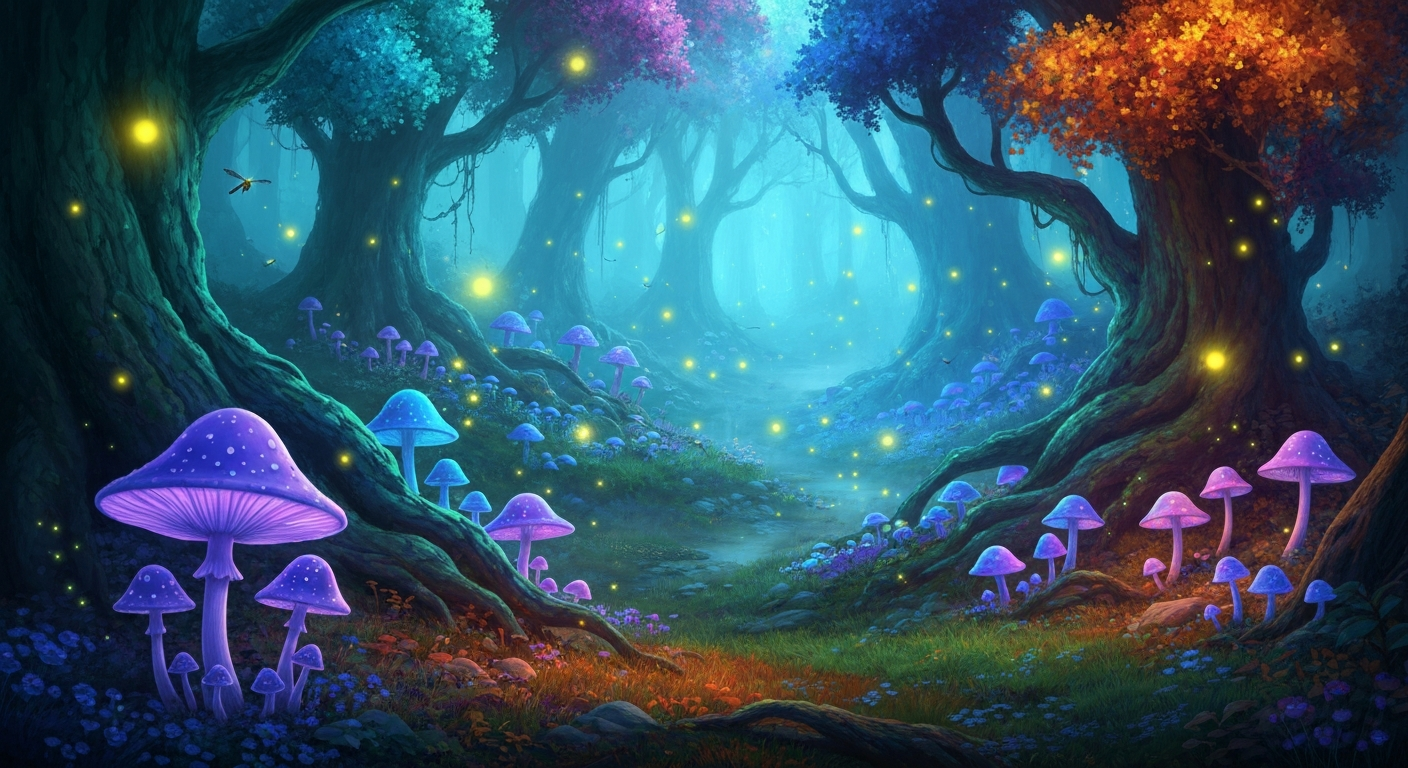
Want results like this? Try Seedream v3 free →
Ready to try Seedream v3? Start creating free →
Lighting: The Biggest Quality Multiplier
Lighting descriptions have an outsized impact on image quality and mood. Learn to describe light effectively and your results will improve more than from any other change.
Time-Based Lighting
- "Dawn light" — soft pink and orange, low angle, long shadows
- "Golden hour" — warm, directional, rich tones
- "Midday sun" — harsh, high-contrast, short shadows
- "Blue hour" — cool ambient, twilight, moody
- "Night" — dark with specific light sources
Quality of Light
- "Soft light" — diffused, gentle shadows
- "Hard light" — sharp shadows, dramatic
- "Diffused" — even, shadowless
- "Directional" — clear source, creates depth
- "Ambient" — overall, environmental
Combining for Effect
"Warm golden hour light streaming through floor-to-ceiling windows, casting long geometric shadows across the polished concrete floor"
This kind of combined description produces dramatically better results than just "good lighting." For photorealism-specific techniques, see our photorealistic guide.
Composition and Framing
Tell Seedream v3 how to frame the image:
Distance/Shot Type
- "Extreme close-up" — tiny detail fills frame
- "Close-up" — face or small object
- "Medium shot" — waist up
- "Full body shot" — entire subject visible
- "Wide shot" — subject in environment
- "Establishing shot" — environment dominates
Angle
- "Eye level" — neutral, standard
- "Low angle" — looking up, imposing
- "High angle" — looking down, overview
- "Bird's eye view" — directly overhead
- "Dutch angle" — tilted, dynamic
- "Worm's eye view" — extreme low angle
Depth
- "Shallow depth of field" — blurred background
- "Deep focus" — everything sharp
- "Bokeh" — background blur circles
- "Tilt-shift" — miniature effect
Color and Tone
Color Palettes
- "Warm tones" — oranges, reds, yellows
- "Cool tones" — blues, greens, purples
- "Muted palette" — desaturated
- "Vibrant colors" — rich, saturated
- "Monochromatic" — shades of one color
- "Earth tones" — browns, tans, olive
Specific Color Directions
Name exact colors when they matter: "burgundy velvet armchair," "sage green walls," "copper accents." Specific color names produce more accurate results than general ones.
Black and White
"Black and white photography" produces convincing monochrome. Add "high contrast" or "fine grain" for specific looks. Mentioning film stocks like "Ilford HP5" or "Tri-X" cues specific B&W aesthetics.
Quality Boosting Keywords
These terms consistently improve output:
- "Highly detailed"
- "Professional quality"
- "Award-winning"
- "Masterful composition"
- "Ultra-sharp focus"
- "4K resolution"
Use sparingly. Two or three quality terms is sufficient. A prompt stuffed with "amazing incredible stunning breathtaking extraordinary" does not produce better results than one with "highly detailed, professional quality."
Guidance Scale + Prompts
The guidance_scale parameter and your prompt work together. Understanding this relationship matters.
Low Guidance (3-5) + Simple Prompts
Good for exploration and artistic variation. Model takes more creative license.
Medium Guidance (6-8) + Detailed Prompts
The sweet spot for most use cases. Detailed prompts are followed closely with natural variation.
High Guidance (9-12) + Very Specific Prompts
For precise control. Your prompt must be comprehensive because the model follows it literally. Missing details may produce odd defaults.
Proven Prompt Patterns
The Product Shot
[Product description] on [surface/background], [lighting setup],
[camera details], product photography, commercial quality, clean composition
The Portrait
[Person description] in [setting], [expression/pose], [lighting],
[camera/lens], portrait photography, [mood/style]
The Landscape
[Scene description], [time of day/weather], [atmospheric details],
[composition/framing], landscape photography, [mood]
The Illustration
[Subject description] in [style] style, [color palette], [composition],
[mood/atmosphere], digital illustration, detailed
The Concept Art
[Scene/character description], [genre keywords], [lighting/atmosphere],
concept art, highly detailed, [artist style reference]
Mistakes to Avoid
1. Being Too Vague
"A nice picture of nature" gives the model almost nothing. Be specific.
2. Contradictory Instructions
"A bright, dark image" or "minimalist, highly detailed" confuses the model. Keep descriptions internally consistent.
3. Overloading with Keywords
Listing 30 adjectives produces worse results than 10 well-chosen ones. Prioritize the most important descriptors.
4. Ignoring Composition
Not specifying composition means the model chooses for you. If you have a specific framing in mind, describe it.
5. Forgetting Lighting
Lighting is often the difference between good and great. Always include direction and quality.
6. Using Negatives Without Alternatives
"No blue" is less effective than "warm orange and red tones." Tell the model what you want.
Templates by Use Case
Social Media Post
[Subject] on [background], [brand colors], modern and clean,
social media graphic, professional design, [mood]
See our social media guide.
Blog Hero Image
[Topic visualization], wide composition, [style], [color palette],
editorial quality, website header image
E-Commerce Product
[Product] centered on [background], [lighting description],
product photography, e-commerce quality, clean white background
See our e-commerce guide.
Book Cover
[Genre-appropriate scene], dramatic composition, [mood lighting],
book cover art, [genre style], detailed illustration
See our book cover guide.
AI Art
[Subject] in [art style], [color palette], [mood/atmosphere],
[composition], artistic, [technique keywords]
See our AI art guide.
Stop reading. Start creating.
You have the templates. Now use them. 50 free credits, 8 images to practice your new prompting skills.
Start Creating FreeAdvanced: Iterative Refinement with Seeds
This workflow separates occasional users from pros:
- Generate 4 variations with your initial prompt
- Pick the best result and copy its seed
- Keep the seed locked, modify one element of your prompt
- Compare results to see exactly what changed
- Repeat until you reach your target
Without seed control, every regeneration is random. With it, you are doing real iterative refinement.
Style Blending
Combine two distinct styles for unique aesthetics:
- "Photorealistic rendering with Art Deco design elements"
- "Watercolor technique applied to a cinematic movie scene"
- "Children's book illustration with photographic lighting"
Use guidance 6-8 for blends — too high forces one style to dominate.
Prompt Length Sweet Spot
- Under 10 words: Too vague, model fills in too many defaults
- 10-30 words: Acceptable for simple subjects
- 30-60 words: Sweet spot for most images
- 60-100 words: Detailed scenes, complex compositions
- Over 100 words: Elements start competing for influence
FAQ
How long should my prompts be? 30-60 words is optimal for most images. Include subject, style, lighting, and composition as a minimum.
Does word order matter? Somewhat. Elements mentioned first tend to have slightly more influence. Put your most important descriptions first.
Can I reference specific artists? Seedream v3 may recognize some artist style references, but results vary. Describing the style characteristics directly ("bold brushstrokes, vivid colors, impressionistic light") is more reliable than artist names.
How many images should I generate per prompt? Use batch generation (4 images) for new prompts. Once you find a prompt that works, switch to single generation with seed control for refinement. At $0.06 per image, extensive iteration is affordable.
Should I use the same structure every time? The framework helps, but adapt it. Simple subjects need less structure than complex scenes. Subject, style, and lighting should always be present.
Start creating with Seedream v3 → — 50 free credits, 8 images to practice your new prompting skills.