Seedream v3 vs Seedream v4.5 vs 5.0: Which Version to Use?
Compare all Seedream versions — v3, v4.5, 5.0 Lite, and 5.0 Edit — across quality, features, pricing, and use cases. Find the right Seedream model for your specific needs.
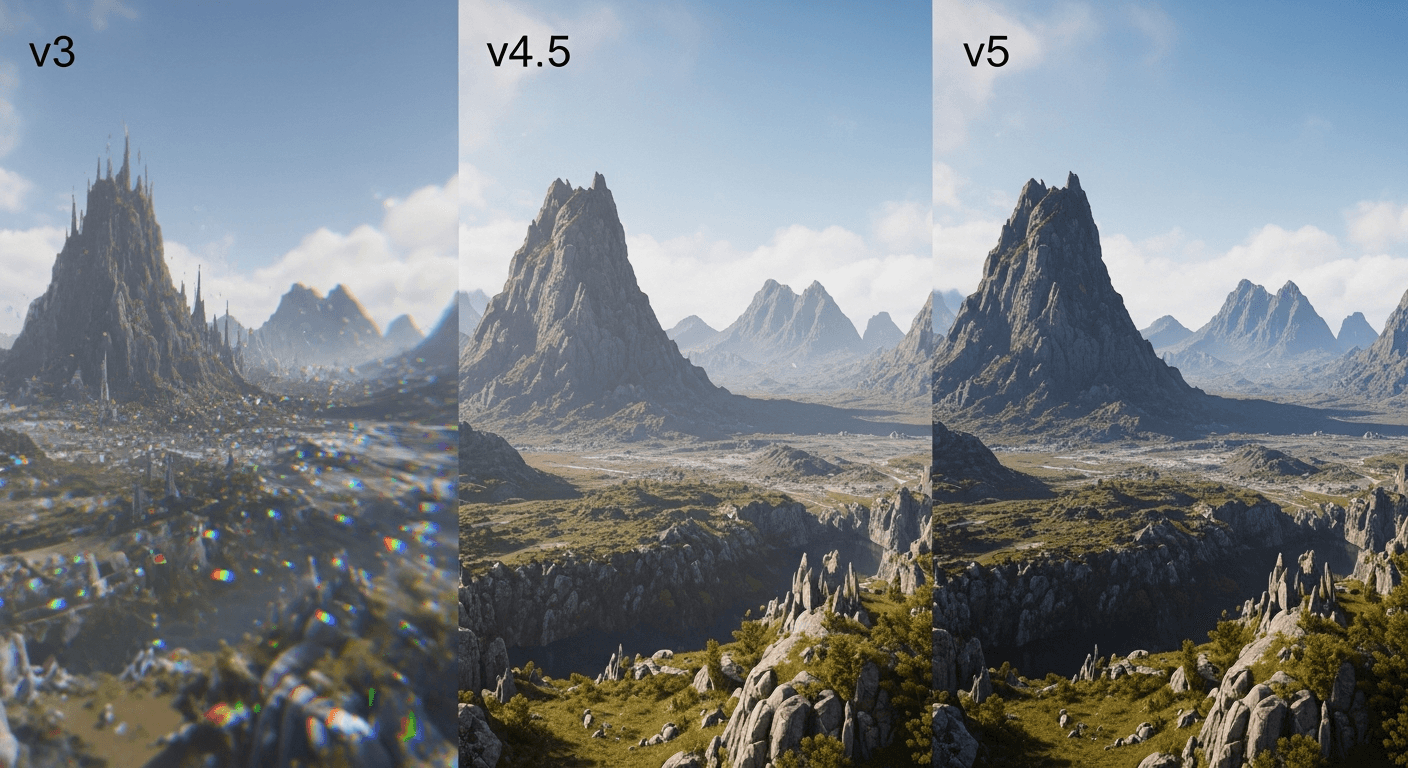
Four Seedream models are available simultaneously — and each exists because it does something the others cannot. v3 is the fastest and cheapest. v4.5 goes to 4MP with better prompt understanding. 5.0 Lite nails text rendering. 5.0 Edit is an image editor, not a generator. Most users default to v3 and upgrade only when a specific limitation gets in their way.
Here is how to choose the right one for each job.
TL;DR
- v3 (6 credits): Fastest and cheapest. Best default for most work.
- v4.5 (8 credits): Enhanced prompt understanding, up to 4MP. Best for complex scenes and print.
- 5.0 Lite (7 credits): Deep thinking mode and reliable text rendering. Best for images with text.
- 5.0 Edit (7 credits): Text-based image editing. Not a generator.
- All four remain available — v3 is not discontinued
The Seedream Family at a Glance
| Feature | v3 | v4.5 | 5.0 Lite | 5.0 Edit | |---|---|---|---|---| | Primary function | Text-to-image | Text-to-image | Text-to-image | Image editing | | Credits per use | 6 | 8 | 7 | 7 | | Cost per use | ~$0.06 | ~$0.08 | ~$0.07 | ~$0.07 | | Max resolution | 2048px | 4MP (~2828px) | 1K+ | Varies | | Speed | Fastest | Fast | Moderate | Fast | | Prompt understanding | Good | Enhanced | Advanced | Advanced | | Text in images | Limited | Limited | Excellent | N/A | | Deep thinking | No | No | Yes | No | | Image editing | No | No | No | Yes | | Inpainting | No | No | No | Yes | | Style transfer | No | No | No | Yes | | Guidance scale | Yes | Yes | Yes | N/A | | Batch generation | Up to 4 | Up to 4 | Up to 4 | N/A | | Seed control | Yes | Yes | Yes | N/A |
Seedream v3: Fast and Affordable Foundation
v3 is the original production release and remains the most cost-effective option at 6 credits (~$0.06) per generation. It is also the fastest of the Seedream models.
Strengths
- Lowest cost — 6 credits per image, maximum images per dollar
- Fastest generation — seconds per image, no waiting
- Reliable quality — consistent results with low artifact rates
- Full feature set — guidance scale, batch generation, seed control
- Resolution up to 2048px — sufficient for most digital and many print uses
Limitations
- Complex multi-subject compositions less accurate than v4.5
- Text rendering in images is limited
- Maximum resolution lower than v4.5
- Prompt understanding is good but not as nuanced as newer versions
Best For
- Rapid brainstorming and concept exploration
- High-volume generation where budget matters
- Simple to moderately complex compositions
- Social media content, blog images, general visuals
- Users who need many images quickly
See the complete Seedream v3 guide.
See it for yourself
Test every Seedream version with your own prompts — 50 free credits, no card required.
Try Seedream v3 FreeSeedream v4.5: Enhanced All-Rounder
v4.5 offers significant quality improvements at a modest 33% price increase. For most users, v4.5 represents the best balance of quality and cost for serious work.
Strengths
- Enhanced prompt understanding — better at interpreting complex, nuanced descriptions
- Improved compositions — handles multiple subjects and spatial relationships more accurately
- Up to 4MP output — significantly higher resolution than v3, excellent for print
- Better detail rendering — finer textures, more accurate colors, improved lighting
Limitations
- 33% more expensive than v3 (8 vs 6 credits)
- Slightly slower generation
- Still limited text rendering (use 5.0 Lite for text)
Best For
- Complex scenes with multiple subjects
- Professional/commercial work where quality is priority
- Print-ready images requiring higher resolution
- Projects where prompt precision matters
Seedream 5.0 Lite: Deep Thinking and Text Rendering
5.0 Lite introduces two revolutionary capabilities: deep thinking mode and near-perfect text rendering in images. At 7 credits (~$0.07) per generation, it fills a critical gap that all previous image models struggled with.
Strengths
- Text rendering — generates readable, accurate text within images (logos, signs, labels, headlines)
- Deep thinking mode — takes more time analyzing your prompt before generating
- 1K+ resolution — high quality output
- Advanced prompt understanding — interprets complex creative intentions
Limitations
- Slower than v3 and v4.5 (deep thinking takes time)
- Not the highest resolution (v4.5 is higher)
- Specialized — overkill for images without text
Best For
- Images that include readable text (signs, labels, logos, headlines)
- Complex creative prompts that benefit from deeper analysis
- Marketing materials where text integration matters
Seedream 5.0 Edit: Image Editing, Not Generation
5.0 Edit is not a text-to-image generator — it is an image editor. Given an existing image and text instructions, it modifies, refines, or transforms the image.
Capabilities
- Text-based editing: "Make the sky sunset orange" — describe changes in natural language
- Inpainting: Select areas and regenerate just those regions
- Style transfer: Apply a new artistic style to an existing image
- Object manipulation: Add, remove, or modify elements within an image
Best For
- Refining images generated by v3, v4.5, or 5.0 Lite
- Fixing specific elements without regenerating the entire image
- Applying style changes to existing images
- Professional workflows requiring iterative refinement
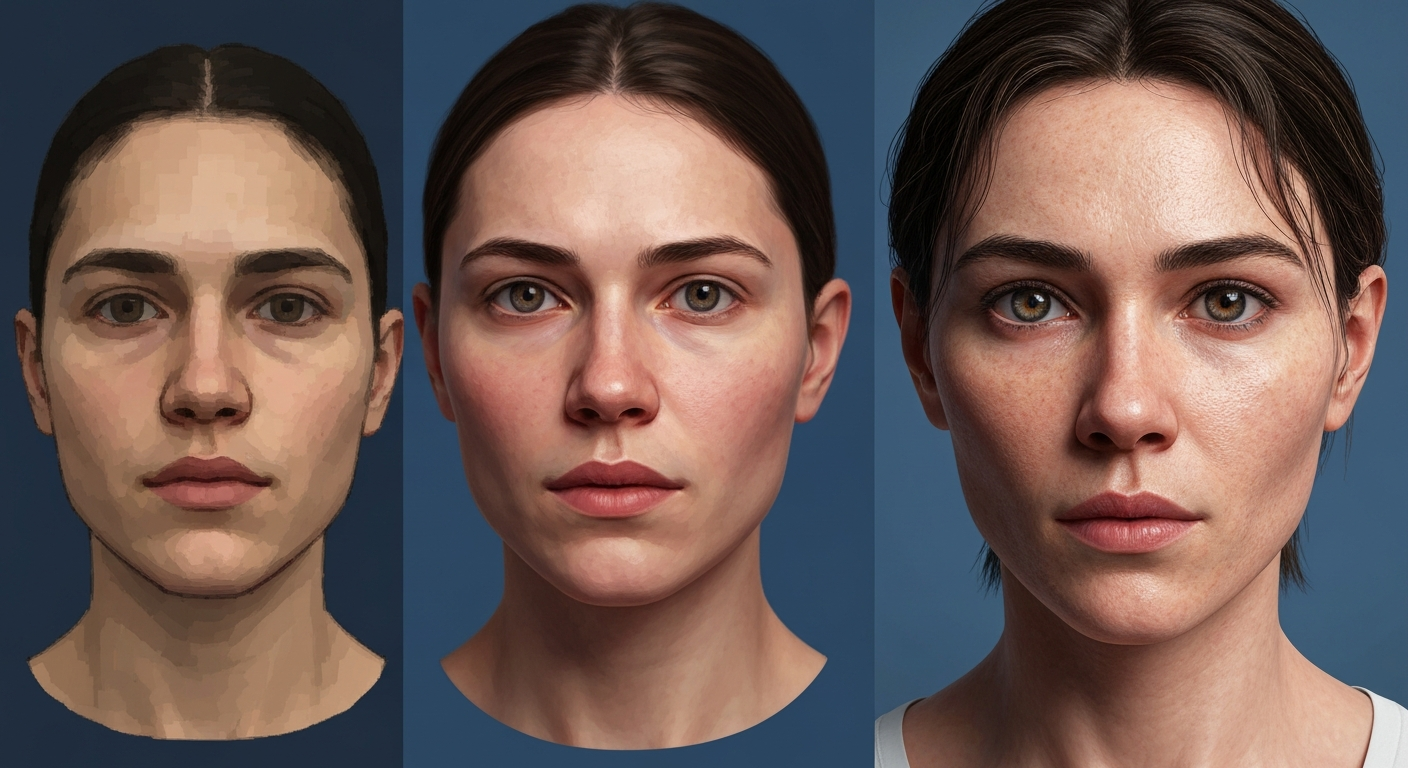
Want results like this? Try Seedream v3 free →
Ready to try Seedream models? Start creating free →
Quality Comparison
Prompt Adherence
| Complexity | v3 | v4.5 | 5.0 Lite | |---|---|---|---| | Simple prompts | Excellent | Excellent | Excellent | | Moderate prompts | Good | Excellent | Excellent | | Complex multi-subject | Fair | Good | Good | | Abstract/conceptual | Good | Good | Excellent | | Text-heavy prompts | Poor | Poor | Excellent |
Detail and Resolution
| Dimension | v3 | v4.5 | 5.0 Lite | |---|---|---|---| | Max resolution | 2048px | 4MP (~2828px) | 1K+ | | Fine detail | Good | Excellent | Good | | Texture quality | Good | Excellent | Good | | Color accuracy | Good | Excellent | Good |
Pricing Comparison
| Model | Credits | $10 Tier | $100 Tier | Images per $10 | |---|---|---|---|---| | v3 | 6 | $0.057 | $0.050 | 175 | | 5.0 Lite | 7 | $0.067 | $0.058 | 150 | | 5.0 Edit | 7 | $0.067 | $0.058 | 150 | | v4.5 | 8 | $0.076 | $0.067 | 131 |
At the $25 Popular Tier (2,750 credits)
- v3: 458 images
- 5.0 Lite: 392 images
- 5.0 Edit: 392 edits
- v4.5: 343 images
The difference between v3 and v4.5 is about 25% fewer images per dollar. Whether the quality improvement justifies this depends on your use case.
See the pricing page for complete credit tier info.
Use Case Recommendations
Social Media Content
Recommended: v3 — Volume matters more than marginal quality differences. Speed and cost make it ideal. See our social media guide.
Professional Marketing Materials
Recommended: v4.5 — Enhanced quality justifies the modest price increase for client-facing work.
E-Commerce Product Images
Recommended: v3 or v4.5 — v3 for high-volume catalogs, v4.5 for hero product images. See the e-commerce guide.
Images with Text (Signs, Labels, Logos)
Recommended: 5.0 Lite — The only Seedream version with reliable text rendering.
Image Refinement and Editing
Recommended: 5.0 Edit — Generate with any version, refine with 5.0 Edit.
Concept Art and Creative Work
Recommended: v4.5 or 5.0 Lite — Complex creative prompts benefit from enhanced understanding. See the AI art guide.
Book Covers and Print
Recommended: v4.5 — Higher resolution (4MP) is essential for print quality. See the book cover guide.
Stop reading. Start creating.
The fastest, cheapest Seedream version is waiting. 50 free credits, no card required.
Start Creating FreeDecision Framework
When to Use v3
- Budget is the primary concern
- You need many images quickly
- The composition is straightforward (1-2 subjects)
- Images are for digital/web use
- You are brainstorming or exploring
When to Upgrade to v4.5
- Quality matters more than cost
- Complex compositions with multiple elements
- Print-ready resolution needed
- Client-facing or commercial work
- You tried v3 and want better results
When to Use 5.0 Lite
- Text must appear in the image
- You have a complex creative vision that benefits from deeper analysis
- The prompt is nuanced and conceptual
When to Use 5.0 Edit
- You have an existing image that needs modification
- Specific elements need to change without regenerating everything
- You want to apply a style transfer to existing content
Using Multiple Versions Together
The most effective workflow often combines models.
The Professional Pipeline
- Brainstorm with v3 — generate many quick variations (6 credits each)
- Refine with v4.5 — regenerate best concepts at higher quality (8 credits each)
- Add text with 5.0 Lite — if the image needs text (7 credits)
- Polish with 5.0 Edit — final adjustments (7 credits)
The Budget Pipeline
- Generate with v3 — create at the best possible quality with v3
- Edit with 5.0 Edit — fix specific issues rather than regenerating
The Quality Pipeline
- Generate with v4.5 — start at the highest generation quality
- Add text with 5.0 Lite if needed — text rendering where required
- Final polish with 5.0 Edit — precise adjustments
FAQ
Should I always use v4.5 since it is better quality? Not necessarily. v3 is 25% cheaper per image and faster. For many use cases — social media, blog images, rapid prototyping — v3's quality is more than sufficient.
Is v3 being discontinued? No. All Seedream versions remain available simultaneously.
Can I mix versions in a single project? Yes. Generate initial concepts with v3, refine with v4.5, add text with 5.0 Lite, edit with 5.0 Edit.
Which should a beginner start with? Start with v3. Most affordable, allowing more experimentation for less cost.
How do I try them all? Sign up free and receive 50 credits. Try v3 (6 credits × 4 = 24 for a batch), v4.5 (8 credits), and 5.0 Lite (7 credits) to compare.
Start with Seedream v3 → — 50 free credits, try every version.