How to Create Consistent Characters with Seedream v4.5
Master techniques for generating consistent character appearances across multiple images with Seedream v4.5. Essential methods for comic artists, game developers, children's book illustrators, and brand creators.
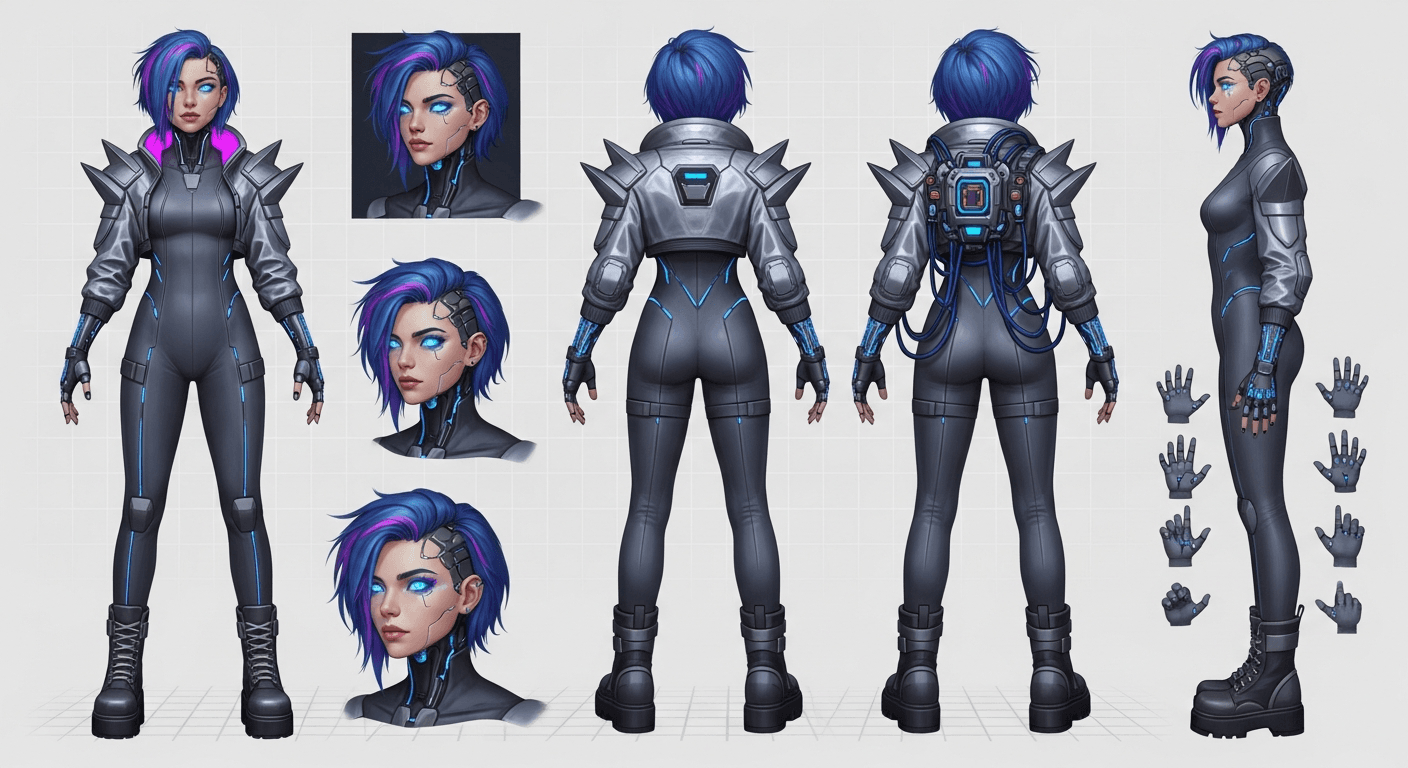
Character consistency is the hardest problem in AI image generation. Every time you regenerate your hero, their hair color drifts, their face shifts, their outfit changes a detail. For comics, children's books, and game narratives, that drift kills the illusion. Seedream v4.5 does not solve this problem automatically — but with the right technique, you can get close enough that readers do not notice.
TL;DR
- True pixel-perfect consistency is not possible with text-to-image alone
- Style anchor + character block technique gets you 85-95% visual consistency
- Pair with unified editing to fix small drifts rather than regenerating
- Works for comics, picture books, game narratives, and brand mascots
- Best results come from short detailed character descriptions reused verbatim
The Consistency Problem, Explained
Text-to-image models work by interpreting prompts through learned patterns. They do not remember previous generations. When you prompt "a young girl with red hair" twice, you get two different girls who both happen to have red hair. The underlying face, bone structure, and small details vary every time because the model samples a fresh interpretation each call.
This is fundamentally different from a human illustrator who draws the same character repeatedly. The illustrator has internal memory; the model does not. That is the technical reality.
What Seedream v4.5 and careful prompting can do is narrow the variation band. Instead of "some red-haired girl," you can get "the same red-haired girl with minor drift" across generations. For narrative work, that is the target: enough consistency that the character reads as one character across the story.
What Does Not Work
Before getting to the real technique, eliminate common dead ends:
Short vague descriptions do not work. "A knight" gives you a different knight every time.
Ultra-long descriptions do not work either. More than 30-40 words about a character and the model starts dropping details unpredictably.
Single-word anchors do not work. "The knight Tom" does not make Tom consistent — the model does not retain the association.
Hoping for the best does not work. If you do not actively engineer consistency, you will not get it.
What does work is a disciplined technique with two components working together.
Lock your hero character across 20+ scenes
The two-block technique works best when you iterate — 50 free credits gets you through your first character sheet and scene batch.
Try Seedream v4.5 FreeThe Two-Block Consistency Technique
The method:
- Style anchor block — 15-25 words locking the art style
- Character block — 20-30 words locking the character's appearance
Both blocks get pasted verbatim into every prompt in the series. Only the scene description changes.
The Style Anchor
This locks the art treatment across the whole project. Every image will look like it belongs in the same book, comic, or game.
Example style anchor:
[STYLE]: Watercolor and ink children's book
illustration, warm cozy aesthetic, soft pastel
palette of sage and cream, hand-drawn charming
texture, Beatrix Potter influence, gentle mood
The Character Block
This locks the character's visual details. Describe the few specific, unusual features that make the character recognizable. Avoid generic traits.
Example character block:
[CHARACTER LUNA]: a small fox with cinnamon-red
fur, unusually large golden eyes, a distinctive
white patch shaped like a crescent moon on her
chest, wearing a tiny green leather satchel,
expressive friendly face
Putting It Together
Every scene prompt looks like this:
[STYLE] + [CHARACTER LUNA] + [scene-specific
description]
Scene 1:
[STYLE] + [CHARACTER LUNA] + sitting on a
moss-covered log in a misty morning forest,
looking up at a butterfly, dappled sunlight,
curious expression
Scene 2:
[STYLE] + [CHARACTER LUNA] + curled up
sleeping in a cozy burrow filled with books,
warm candlelight, peaceful atmosphere
Results will have minor variation in exact pose and framing, but Luna will clearly read as the same fox across both images.
Why It Works
The style anchor forces consistent art treatment. The character block forces consistent character traits. Because you paste both blocks verbatim, the model receives the same "anchoring" information in every call.
The trick is that specific, unusual details stick better than generic ones. "A small brown bear" is forgettable. "A small brown bear with a chipped right ear and a faded blue bandana" gives the model specific features to latch onto.
Your character block should lead with the distinctive features. Those are the anchoring details.
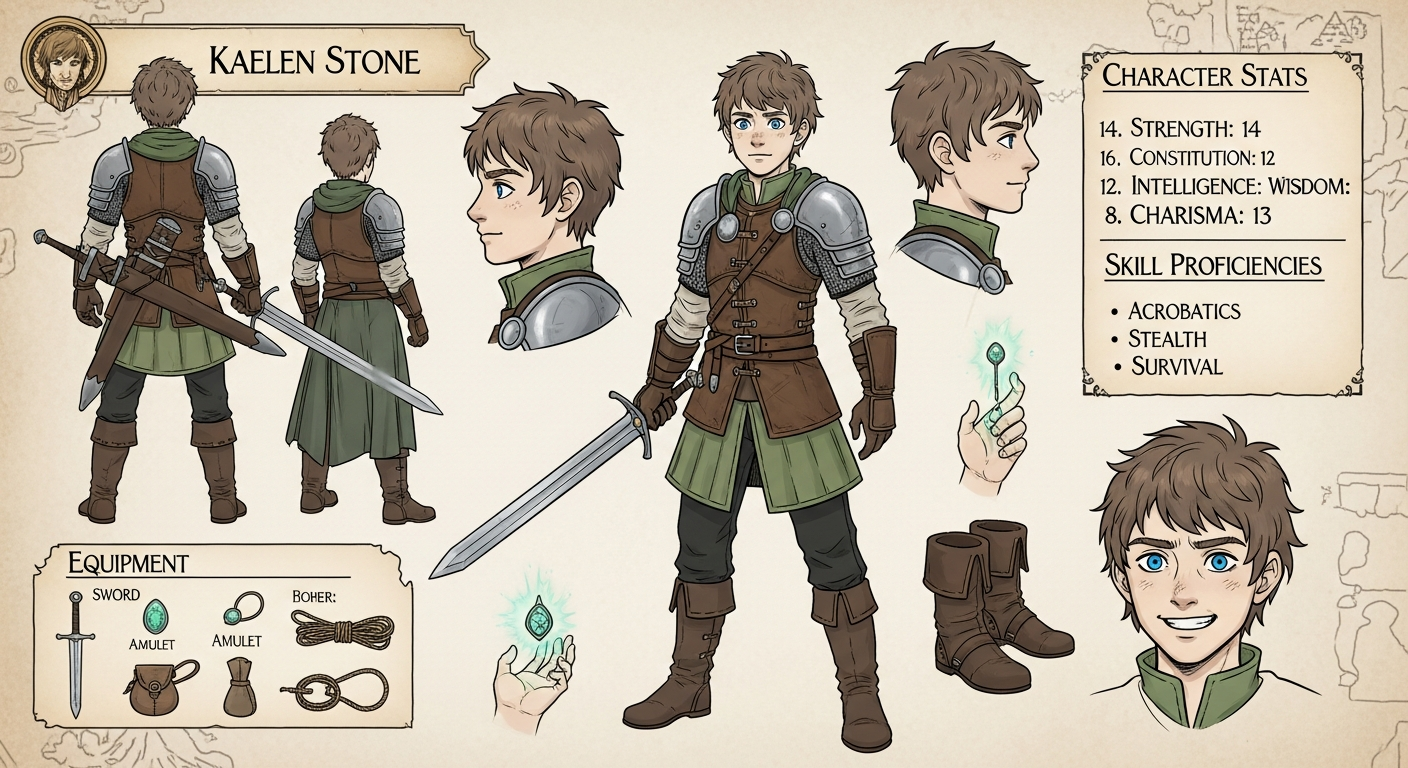
Want detail like this? Try Seedream v4.5 free →
Ready to try the two-block technique? Start creating with Seedream v4.5 free →
Character Block Templates
For Human Characters
[CHARACTER NAME]: [age/build], [distinctive
hair feature], [eye color], [distinctive facial
feature], [wearing - distinctive clothing items],
[expression/demeanor]
Example:
[CHARACTER MAYA]: a 12-year-old girl with
long curly black hair tied in a red ribbon,
warm brown eyes, freckles across her nose,
wearing a yellow raincoat over a blue striped
shirt, curious brave expression
For Animal Characters
[CHARACTER NAME]: a [species] with [distinctive
fur/feather coloring], [unusual physical
feature], [distinctive marking], [wearing -
accessory if any], [personality expression]
Example:
[CHARACTER OSCAR]: a plump ginger tabby cat
with white socks on all four paws, a slightly
torn left ear, a distinctive black heart-shaped
patch over his right eye, wearing a tiny red
collar with a brass bell, sleepy content
expression
For Fantasy Characters
[CHARACTER NAME]: a [race/type] with [unusual
physical trait], [distinctive feature], [hair/
mane description], [wearing - distinctive gear],
[stance/mood]
Example:
[CHARACTER KAIROS]: a young elven ranger with
silver-white hair braided on one side, pointed
ears with small turquoise earrings, pale green
eyes, a jagged scar across his left cheek,
wearing layered green and brown leathers with
a longbow on his back, alert confident stance
Handling Multiple Characters
For stories with two or three main characters, use multiple character blocks:
[STYLE ANCHOR]
[CHARACTER A: full description]
[CHARACTER B: full description]
+ scene where both characters interact
Example:
[STYLE]: children's book watercolor illustration,
warm palette, hand-drawn charm, Beatrix Potter
influence

[CHARACTER LUNA]: a small fox with cinnamon-
red fur, large golden eyes, white crescent
patch on her chest, tiny green satchel

[CHARACTER BERRY]: a round brown hedgehog
with tiny round glasses, a blue knit vest,
cheerful expression

+ Luna and Berry sitting together on a log
sharing tea in a sunlit meadow, peaceful
friendship moment
Two characters maxes out what v4.5 handles reliably. Three-character scenes work but with more variation. Four or more gets unreliable.
Fixing Drift With Unified Editing
Even with the two-block technique, you will get occasional outputs where the character's appearance has drifted. Rather than regenerating the whole image, use v4.5's unified editing to fix just the drifted features.
Example: Luna's eyes came out green in one generation instead of gold.
Prompt the editor: "Change the fox's eye color to bright gold, keep everything else identical."
This preserves the composition and scene while fixing the consistency break. Much faster than regenerating and hoping for a better result.
Advanced Techniques
The Hero Shot Approach
Before generating any story scenes, produce a "hero shot" of your character — a clean front-facing portrait at neutral. This becomes your mental anchor for checking every subsequent generation.
[STYLE] + [CHARACTER] + character portrait,
facing camera directly, neutral expression,
flat simple background, standard character
reference, front view
Save this image. Compare every scene generation to it. If the drift is too large, regenerate that scene.
The Turnaround Sheet
For characters you will illustrate extensively, generate a turnaround sheet with front, three-quarter, and side views.
[STYLE] + [CHARACTER] + character turnaround
sheet, front view, three-quarter view, and
side view shown side by side on a flat neutral
background, consistent proportions, reference
sheet layout
This gives you more visual information for prompt refinement.
The Seed Strategy
Some platforms let you set a seed value that influences the random generation path. If Seedance exposes this, using the same seed + same prompt often produces more consistent results. Check the current documentation.
The Strategic Detail Count
Characters with one or two highly distinctive features are easier to keep consistent than characters with many subtle features. If you can give your character a scar, unusual accessory, or striking color marker, consistency improves.
Compare:
Harder: A generic-looking medieval peasant
Easier: A medieval peasant with a prominent red beard and a distinctive eyepatch
Common Consistency Problems
Problem: Character face drifts slightly every generation. Fix: Accept minor drift as a tradeoff. For print work, pick your best generation and use it as a reference for editing the worst outputs. Perfect consistency is not achievable.
Problem: Character looks different in profile vs front view. Fix: Include both views in your character block description: "appears the same from front or profile views."
Problem: Outfits change between scenes. Fix: Be explicit and specific about outfit in every prompt: "wearing her usual green leather satchel and blue scarf" rather than assuming.
Problem: Character scale changes (looks bigger or smaller). Fix: Include scale context: "small fox, comparable in size to a rabbit" so the model has a grounding reference.
Problem: Model keeps generating an adult version of a child character. Fix: Emphasize age in the character block: "a 7-year-old child with small stature, childlike proportions, rounded features."
Realistic Expectations
Here is what to actually expect:
- 5-10% of generations will have noticeable character drift
- 60-70% of generations will be close enough for publication after light editing
- 20-30% of generations will be dead-on matches
Budget for this. Generate 3-5 variations per scene. Pick the best. Edit small drifts. Accept that perfect consistency is a goal to approach, not a guarantee.
Cost Math for Character-Heavy Projects
For a 20-scene story with one main character:
| Phase | Generations | Cost | |---|---|---| | Style and character exploration | 20 | $1.60 | | Character reference sheets | 8 | $0.64 | | Scene generation (20 × 4 variations) | 80 | $6.40 | | Editing and consistency fixes | 15 | $1.20 | | Total | 123 | $9.84 |
Under $10 for a fully illustrated 20-scene story with character consistency. The main cost is your time reviewing and curating.
Ship a full narrative with recognizable heroes
Comics, books, game stories — all need the same character across scenes. 50 free credits lets you run the full technique.
Start Creating FreeFrequently Asked Questions
Can I upload a reference image to lock the character? v4.5 is text-to-image, so no direct image-to-image character locking. For photo-based workflows, look at Seedream 5.0 Edit.
Is there any way to get perfect consistency? Not with pure text-to-image. Finetuning models on a specific character (LoRA training) can achieve near-perfect consistency but requires technical setup elsewhere.
How many characters can I keep consistent in one scene? Two reliably, three with effort, four or more unreliable. Break complex multi-character scenes into smaller focused scenes when possible.
Can I use this for comic panels? Yes, with caveats. Short comics (1-8 panels) work well. Long-form comics are more challenging because consistency compounds over time.
Any related guides? See the children's book illustration guide and game assets tutorial for applied character workflows.
Character consistency in AI image generation is a solvable problem if you approach it with the right technique. The two-block method will not give you perfect pixel-matches, but it will give you characters that readers recognize as the same character across your project. For most narrative work, that is enough.
Start creating consistent characters. Try Seedream v4.5 free →