Seedance 1.0 Pro 1080p: Full HD AI Video Generation
A deep dive into Seedance 1.0 Pro's default 1080p output — why native Full HD resolution matters for AI video, how it compares to upscaled alternatives, and how to maximize quality for professional workflows.
Most AI video models in 2026 still render at 720p and offer upscaling as an afterthought. Seedance 1.0 Pro renders native 1080p by default — every frame generated at Full HD from the ground up, with no upscaling pass. If you have ever fought a softness problem on a client deliverable, you already know why that matters.
TL;DR
- Seedance 1.0 Pro generates natively at 1080p — the highest resolution in the Seedance 1.0 family
- No upscaling tax — no extra credits, no extra wait, no softness
- Matches delivery specs for YouTube, Meta, TikTok, broadcast, and client work
- Fine detail preserved — fabric, skin, hair, light gradients
- $0.24/sec flat pricing — 1080p is the baseline, not an upgrade
Native vs Upscaled: The Difference Is Real
AI video models generate at a target resolution. When a model generates at 720p and then upscales to 1080p, it is interpolating pixels that were never part of the model's actual output. The result can look acceptable, but it is categorically different from a model that renders at 1080p in the first place.
Native 1080p gives you:
- True pixel-level detail in fabric, hair, skin texture, lighting gradients
- Clean edges on fine objects (jewelry, reflections, thin lines)
- Accurate color transitions at the final resolution
- No upscaling artifacts — ringing, softness, doubled edges
Upscaled 720p → 1080p gives you:
- Acceptable general quality at normal viewing distances
- Softness in close-up shots
- Extra credit cost and generation time
- Potential ringing artifacts on contrasty edges
For wide shots watched on a phone, the difference is small. For close-ups, product shots, and anything viewed on a monitor or TV, the difference is obvious.
Generate broadcast-quality 1080p video
Professional image-to-video AI. Default 1080p output, superior motion. 50 free credits.
Try Seedance 1.0 Pro FreeWhy 1080p Is Still the Professional Baseline
A lot of AI video discourse assumes 4K is the new standard. In practice, 1080p is still the default deliverable across most professional platforms in 2026:
| Platform | Standard delivery | |---|---| | YouTube | 1080p (4K optional for premium) | | Meta / Instagram / Facebook | 1080p max for most placements | | TikTok | 1080p | | LinkedIn | 1080p | | Most broadcast | 1080p masters still accepted | | Corporate / client delivery | 1080p standard | | Spotify Canvas | Below 1080p required |
1080p is not a compromise. It is what most of the ecosystem actually uses. Seedance 1.0 Pro ships ready for that ecosystem without forcing you to pay for 4K you don't need.
How Seedance 1.0 Pro Achieves Native 1080p
ByteDance trained Seedance 1.0 Pro to generate at 1080p throughout its architecture. The model's attention layers, temporal consistency system, and output decoder all operate at 1920x1080. There is no intermediate 720p representation that gets upscaled — the target resolution is the resolution.
That is why:
- Generation time is consistent at ~60–120s regardless of settings
- Credit cost is flat per second of output (no "HD" upgrade tier)
- Fine detail is actually present in the output, not hallucinated in post
Where 1080p Shows Its Teeth
Some shots expose the native/upscaled gap more than others. If your work includes any of these, 1080p native matters a lot:
Product close-ups. Jewelry, watches, cosmetics, fabrics. The texture is the sell.
Portraits and faces. Skin pores, eye catchlights, strands of hair. Faces sit in the uncanny valley fast when textures go soft.
Fabric and fashion. Weaves, drapes, stitching, embroidery. Fashion clients will reject soft output immediately.
Architectural and interior shots. Line work, edges, reflective surfaces, lighting gradients.
Macro and nature details. Insects, water droplets, plant textures, wildlife fur.
Motion graphics elements. Type, logos, UI mockups.
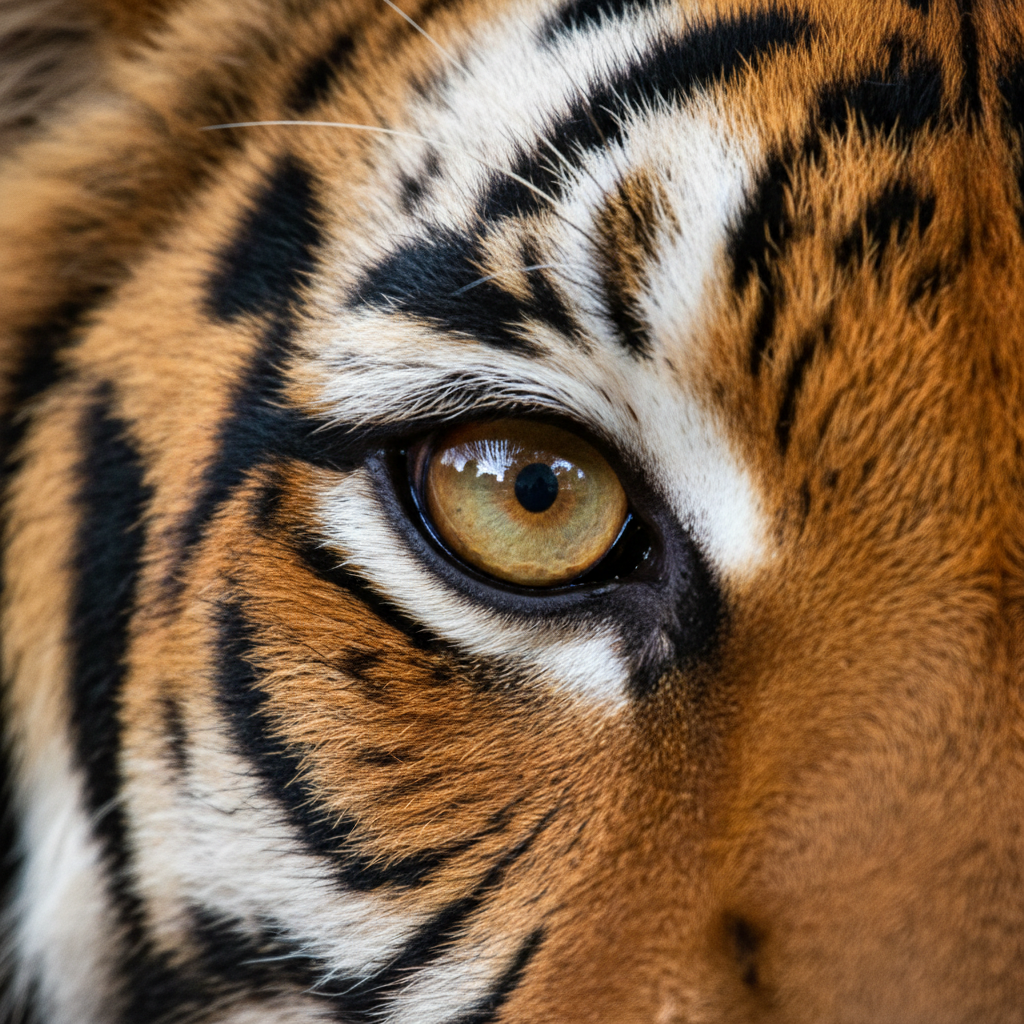
Want broadcast quality like this? Try Seedance 1.0 Pro free →
Comparison: Seedance 1.0 Pro vs Upscaled Competitors
| Attribute | Seedance 1.0 Pro (native 1080p) | Typical 720p → 1080p upscale | |---|---|---| | Base resolution | 1080p | 720p | | Fine detail | True pixel-level | Interpolated | | Upscale step | None | Required | | Extra credit cost | None | Often 2x or more | | Generation time | ~60–120s | ~90–180s with upscale | | Close-up quality | Sharp | Noticeably soft | | Edge artifacts | Minimal | Possible ringing |
The upscaling tax is not just about quality — it is about credits and turnaround time. Seedance 1.0 Pro gives you the better result for less money in less time.
Optimizing Your Input for Maximum 1080p Quality
Native 1080p output can only be as good as your source image. A blurry or low-resolution source will still produce blurry 1080p output.
Source image checklist:
- Resolution: 1920x1080 minimum, 2K or higher preferred
- Focus: sharp on the subject, especially faces and product details
- Lighting: clean, controlled, with clear tonal separation
- Compression: minimal JPEG artifacts; PNG or high-quality JPEG preferred
- Noise: low, unless a stylized grain is intentional
If you are generating source images in Seedream, use the highest-resolution output option available.
Pricing: 1080p Without the Premium
Here is the pricing math that makes native 1080p such a deal on Seedance 1.0 Pro:
| Duration | Credits | Cost | |---|---|---| | 2s | 48 | $0.48 | | 6s | 144 | $1.44 | | 10s | 240 | $2.40 | | 12s | 288 | $2.88 |
Competitors charging for "HD upgrades" or "1080p upscaling" often run 2–3x that cost for the same length of footage. Seedance makes 1080p the default, not the upsell.
Credit tiers: $10 / $25 / $50 / $100, no subscription, no expiration. Check pricing for details.
Skip the upscaling tax
Every frame rendered natively at 1920x1080. Clean edges, true detail, no ringing. 50 free credits.
Generate Native 1080pWhen You Might Want Lower Resolution
There are a few cases where 720p is actually fine:
- Ultra-wide establishing shots viewed on small screens
- Fast-motion action where detail is already motion-blurred
- Quick draft iterations — use Seedance 1.0 Lite for $0.42 per 6s draft
For everything else — and especially for anything you are actually delivering — native 1080p is the correct default.
Delivery-Ready in One Step
The best thing about native 1080p output is that it drops directly into your delivery pipeline:
- Generate on Seedance 1.0 Pro
- Download the MP4 (already 1080p, H.264, broadcast-safe)
- Edit in your NLE (Resolve, Premiere, Final Cut, CapCut)
- Export to client — no resolution mismatch, no preprocessing
No intermediate upscaling. No "wait, was that generated at 720p?" conversations with clients. Just clean 1920x1080 MP4 files that behave exactly like footage from any other professional source.
Related Reading
- Seedance 1.0 Pro complete guide
- Pro vs Lite comparison
- Seedance 1.0 Pro vs Seedance 2.0
- Cinematic techniques
FAQ
Can I export to 4K? Not directly. Seedance 1.0 Pro is native 1080p. For 4K, you can run an external upscaler, but the detail in the output is already 1080p-native.
Does 1080p cost more than lower resolutions? No. 1080p is the default and only resolution on Seedance 1.0 Pro. There is no tiered pricing.
Is the output true 1920x1080? Yes, exported as 1920x1080 MP4.
Is 720p an option? Not on Seedance 1.0 Pro specifically. For lower-resolution work, use Seedance 1.0 Lite.
How does it compare to Seedance 2.0 resolution? Seedance 1.0 Pro is the 1080p model; Seedance 2.0 is the 720p + native audio model. Pick based on whether resolution or sound matters most.
Native 1080p is not a feature to brag about. It is a baseline you should expect from any AI video model competing for professional work.
Start creating 1080p AI video on Seedance 1.0 Pro → with your 50 free credits.