How to Colorize Black & White Photos with Seedream 5.0 Edit
Learn to bring black and white photos to life with AI colorization using Seedream 5.0 Edit. A step-by-step guide to restoring color in historic, family, and vintage photographs.

A colorized black-and-white photo is a time machine. A grandfather's 1952 wedding portrait, a childhood beach trip, a WWII-era family photo — color brings them into the present tense. Seedream 5.0 Edit does it in 10 seconds for $0.07. No masking, no painting, no specialist software.
TL;DR
- Colorize any black-and-white photo with natural language
- 7 credits ($0.07) per colorization, 5–15 seconds
- Works on family photos, historical images, and vintage portraits
- Guide the colors with specific prompts for historical accuracy
- 50 free credits = 7 free colorizations at seedance.it.com
Why Colorize at All?
Black-and-white photos carry an emotional distance. Everything feels frozen, historical, far away. Color resets that distance — faces become familiar, clothing feels contemporary, the era feels alive.
Traditional colorization is a specialist skill: masking each element, researching historical color accuracy, hand-painting with low-opacity brushes. A professional colorizer charges $50 to $500+ per photo and takes days.
Seedream 5.0 Edit does it for $0.07 in 10 seconds.
Edit your first photo with AI
No Photoshop skills needed. Just type what you want changed. $0.07 per edit.
Try Seedream 5.0 Edit FreeStep 1: Upload the Photo
Go to Seedream 5.0 Edit and upload your black-and-white image. Before you run anything:
- Scan or photograph at high resolution — bigger is better for detail recovery
- Make sure the image isn't too dark — if details are lost, run a quick enhancement pass first
- Crop out damaged borders — clean inputs produce cleaner outputs
Step 2: Write a Contextual Prompt
Simple colorization works, but contextual prompts produce much better results. Tell the model what era, setting, and mood to aim for.
Basic Colorization
"Colorize this black and white photo naturally"
Works fine for obvious subjects (people, outdoors, everyday scenes). The model makes reasonable guesses.
Contextual Colorization
"Colorize this 1950s family portrait with warm natural skin tones, era-appropriate clothing colors, and soft indoor lighting"
Much better. The model now knows: era, subject, lighting, mood.
Highly Specific Colorization
"Colorize this 1940s beach photo: warm sandy beach, turquoise ocean, blue sky with scattered clouds, natural skin tones, period-appropriate swimwear in pastel blues and yellows"
Best results. You're directing the colorization like an art director, not leaving it to chance.
Prompt Templates by Era
Victorian / Early 1900s
"Colorize as early 1900s photograph: muted earth tones, sepia warmth, period-appropriate fabric colors, soft natural skin"
1920s–1930s
"Colorize as 1920s photo: warm vintage tones, art deco palette, slightly faded look, natural skin, rich browns and creams"
1940s–1950s
"Colorize as mid-century photograph: warm natural tones, pastel clothing, soft daylight, era-authentic color palette"
1960s–1970s
"Colorize as 1970s Kodachrome photo: warm saturated colors, slight red shift, vibrant clothing, golden-hour warmth"
1980s
"Colorize as 1980s film photograph: bold saturated colors, warm skin tones, period-authentic clothing"
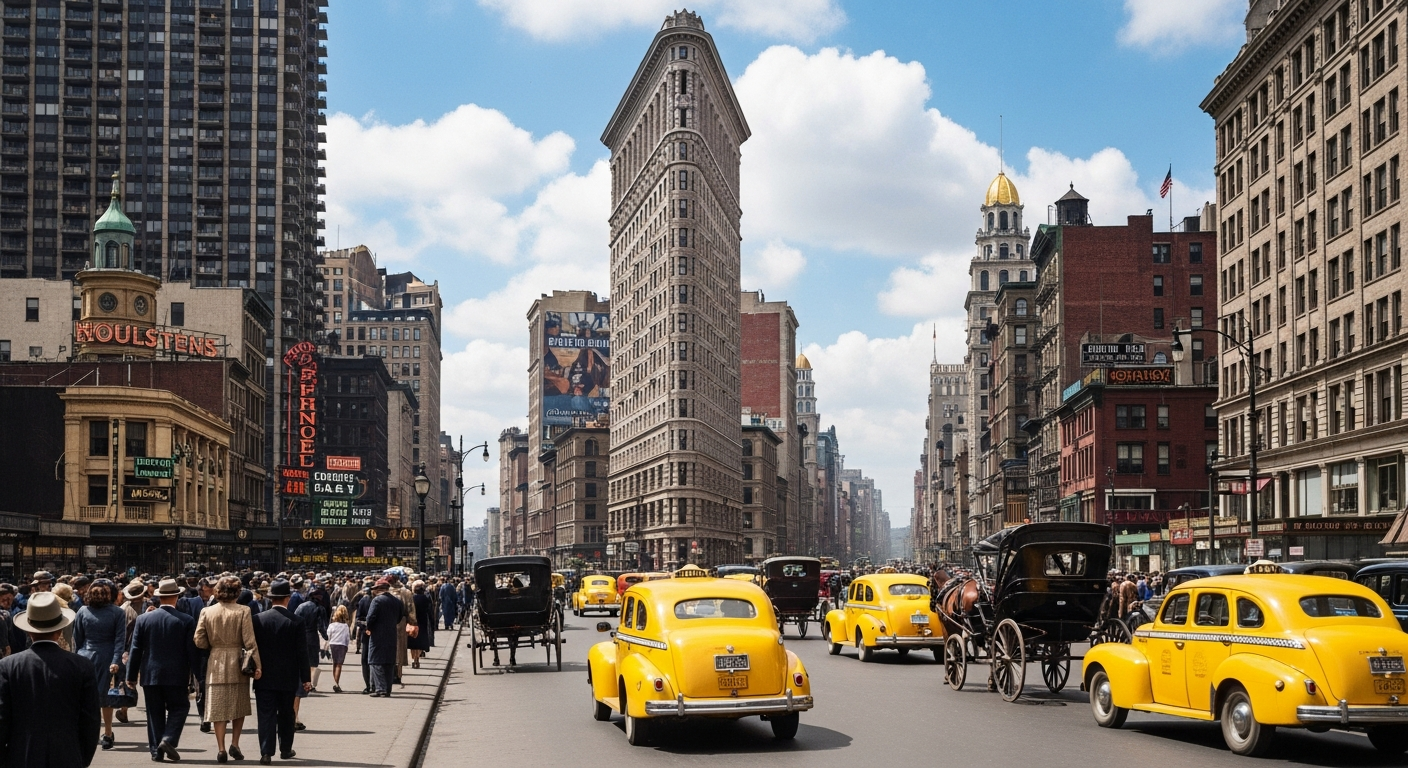
Want results like this? Try Seedream 5.0 Edit free →
Subject-Specific Prompt Templates
Family Portraits
"Colorize as family portrait: natural skin tones, warm indoor lighting, soft background, accurate clothing colors for [era]"
Outdoor Scenes
"Colorize as outdoor photograph: blue sky, green foliage, natural sunlight, accurate environmental colors"
Historical Documents (War, events)
"Colorize as historical documentary photo: muted realistic tones, accurate period colors, natural lighting, subtle sepia warmth"
Weddings
"Colorize as wedding photograph: white dress, warm skin tones, soft indoor lighting, accurate flower colors, elegant era-appropriate palette"
Children / Babies
"Colorize as childhood portrait: natural warm skin tones, soft pastel clothing, gentle lighting, rosy cheeks"
Controlling Specific Elements
Sometimes you know exactly what color something should be — your grandmother's blue dress, the red family car. Tell the model:
"Colorize this 1960s photo: make the dress navy blue, the car cherry red, the walls pale yellow, rest with natural skin tones and era-appropriate colors"
The model respects your specific choices while filling in the rest.
Enhancing Damaged Old Photos
Many old photos need repair plus colorization. Combine them:
Pass 1: "Remove scratches, repair tears, clean up dust and spots, sharpen details"
Pass 2: "Colorize as warm 1950s family photograph with natural skin tones"
Total: 14 credits = $0.14 to restore AND colorize. Traditional restoration services charge $100–$300 for this.
For more repair techniques, see the inpainting guide.
Bring old photos back to life
A colorized family photo for the price of a text message. Type the era, hit generate, get a time machine.
Colorize Your First Photo FreeIteration Tips
Rarely does one pass produce the perfect colorization. Here's how to refine:
If colors feel too saturated: add "muted natural tones" or "soft desaturated palette" If skin looks orange: add "natural neutral skin tones" If clothing is wrong color: specify exact colors in a second pass If the mood is off: add lighting keywords ("soft indoor light", "warm golden hour")
Each refinement pass is 7 credits. Three passes to get it right = $0.21 total.
Common Mistakes
| Mistake | Fix | |---|---| | Prompt too vague | Add era, subject, mood | | Unrealistic colors | Say "natural" and "era-appropriate" | | Wrong skin tone | Specify "natural neutral skin tones" | | Flat result | Add lighting descriptor | | Anachronistic colors | Name the decade explicitly |
Real-World Workflow: Restoring a Family Photo
Starting image: Scan of a 1958 family photo, slightly faded, small scratches.
Step 1 — Repair: "Remove scratches and dust, recover faded contrast, sharpen faces" (7 credits)
Step 2 — Colorize: "Colorize as 1958 family photo: warm natural skin tones, era-appropriate muted clothing colors, soft indoor lighting, subtle golden warmth" (7 credits)
Step 3 — Polish: "Subtle film-grain warmth, slight vignette, preserve authentic period feel" (7 credits)
Total: 21 credits = $0.21. Time: ~1 minute. Result: a framable family heirloom.
Cost vs Alternatives
| Service | Time | Cost per photo | |---|---|---| | Seedream 5.0 Edit | 10 sec | $0.07 | | Fiverr colorization | 2–5 days | $15–$80 | | Professional colorist | 1–2 weeks | $100–$500 | | DIY Photoshop | 4–10 hours | (time cost) |
Pricing
| Pack | Credits | Price | Colorizations | |---|---|---|---| | Starter | 1,050 | $10 | ~150 | | Popular | 2,750 | $25 | ~390 | | Pro | 5,750 | $50 | ~820 | | Max | 12,000 | $100 | ~1,710 |
Credits never expire. Full pricing.
Next Steps
Colorize your first photo free → — 50 credits on signup, enough for 7 photos.