Seedream 5.0 Edit vs Clipdrop: AI Image Editing Tools Compared
A thorough comparison between Seedream 5.0 Edit and Stability AI's Clipdrop. We compare editing features, inpainting, pricing, and quality for AI-powered image editing.
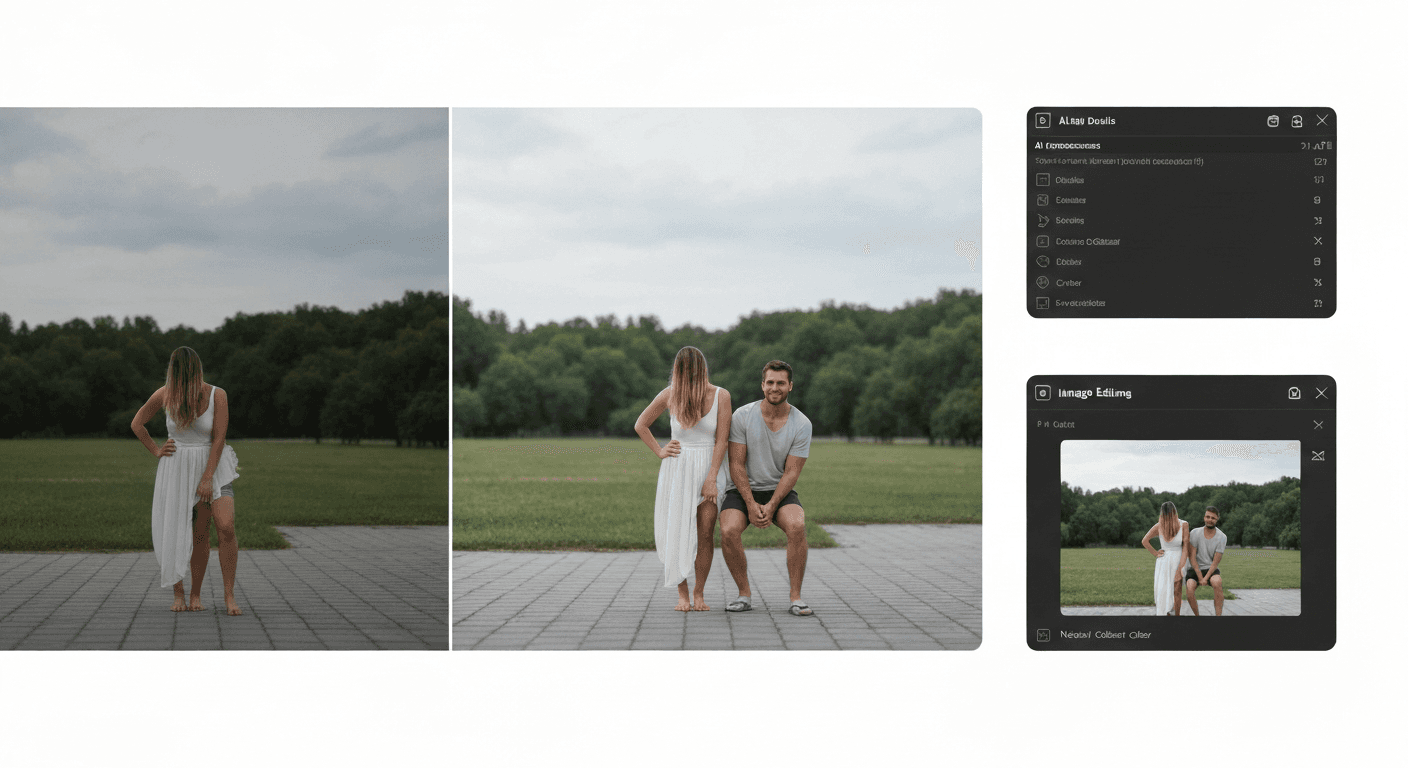
Both Seedream 5.0 Edit and Clipdrop are AI-first image editors. Both skip the Photoshop learning curve. But one charges $11.99/month on a subscription, and the other charges $0.07 per edit with no subscription. Here's the honest breakdown of which is actually better for your work.
TL;DR
- Clipdrop is a toolbox of single-purpose AI tools (remove bg, upscale, relight)
- Seedream 5.0 Edit is a unified natural-language editor that does it all in one place
- Clipdrop Pro: $11.99/month. Seedream 5.0 Edit: $0.07 per edit, no subscription
- Seedream 5.0 Edit delivers better inpainting and style transfer in our tests
- 50 free credits on signup at seedance.it.com
Side-by-Side Comparison
| | Seedream 5.0 Edit | Clipdrop (Pro) | |---|---|---| | Pricing | $0.07 per edit | $11.99/month | | Subscription required | No | Yes | | Free tier | 50 credits on signup | Limited daily free uses | | Core interface | Natural language prompts | Specialized tool buttons | | Background removal | Prompt-based | One-click dedicated tool | | Inpainting (cleanup) | Prompt-based, excellent | Brush-based, very good | | Style transfer | Advanced, text-prompted | Limited (Stable Diffusion relight) | | Image upscaling | Via Seedance | Dedicated tool (4x) | | Object removal | Describe it | Brush + click | | Relighting | Prompt-based | Dedicated Relight tool | | API | Yes | Yes | | Max resolution | 2048x2048 | 4096x4096 (Pro) | | Output formats | PNG | PNG, JPG, WebP |
Edit your first photo with AI
No Photoshop skills needed. Just type what you want changed. $0.07 per edit.
Try Seedream 5.0 Edit FreeWhere Clipdrop Wins
Clipdrop, built by Stability AI, is a collection of purpose-built AI tools. If you know exactly what task you need, Clipdrop gets you there fast.
- Dedicated tools: one-click buttons for Remove Background, Upscale, Cleanup, Relight, Reimagine
- Higher max resolution for upscaling workflows
- Strong brush-based cleanup: paint over what you want gone
- Built on Stable Diffusion: open architecture, familiar to SD users
If your workflow is "I need to remove backgrounds 200 times this week and nothing else," Clipdrop's focused interface may feel more direct.
Where Seedream 5.0 Edit Wins
Clipdrop's strength — separate tools for separate jobs — is also its weakness. You have to know which tool to pick, and switching between them breaks flow. Seedream 5.0 Edit collapses everything into one text box.
One interface, every edit
In Clipdrop, removing an object, changing a background, and applying a style are three different tools with three different UIs. In Seedream 5.0 Edit:
"Remove the person on the left, change the sky to dusk, and make it look like a watercolor painting"
One prompt. One edit. 10 seconds. Clipdrop would need three separate operations.
Better natural language understanding
Clipdrop has prompt-based features, but the interface leans heavily on manual tools. Seedream 5.0 Edit is natural-language-first, and it shows in edit quality when your request is complex or contextual.
Style transfer range
Clipdrop's Reimagine tool generates variations, but it's not the same as true style transfer. Seedream 5.0 Edit handles oil painting, anime, cyberpunk, watercolor, pencil sketch, pop art and more with precise control — see our style transfer guide.
Pricing flexibility
Clipdrop's $11.99/month is fine if you use it daily. It's wasted money in slow months. Seedream 5.0 Edit's $0.07 per edit scales exactly to your usage — and credits never expire.
Ready to try Seedream 5.0 Edit? Start creating free →
Inpainting Head-to-Head
Both tools do inpainting well. We tested identical source images:
| Task | Seedream 5.0 Edit | Clipdrop Cleanup | |---|---|---| | Remove tourist from landmark photo | Seamless | Seamless | | Remove power lines from skyline | Clean | Minor smudging | | Remove object touching shadows | Contextually accurate | Requires multiple passes | | Remove text/watermark | Handles it | Excellent | | Replace object with different object | Strong (prompt-based) | Not supported directly |
Tie on simple cleanup. Seedream 5.0 Edit wins on replacement and context-aware edits.
Our full inpainting tutorial covers the techniques in depth.
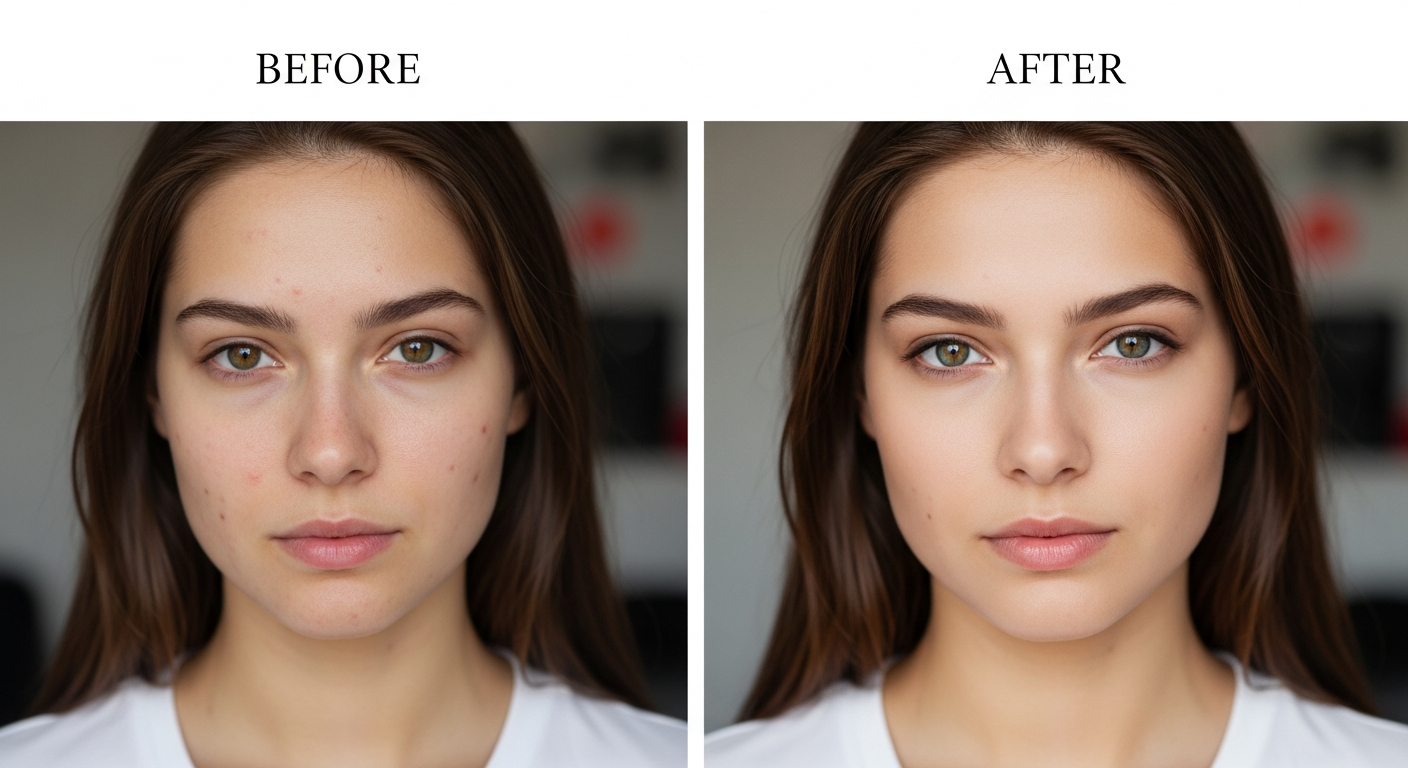
Want results like this? Try Seedream 5.0 Edit free →
Cost Scenarios
| Workload | Clipdrop Pro (year) | Seedream 5.0 Edit (year) | |---|---|---| | 30 edits/month | $143.88 | $25.20 | | 100 edits/month | $143.88 | $84 | | 300 edits/month | $143.88 | $252 | | 500 edits/month | $143.88 | $420 |
Breakeven is around 170 edits/month. For 90% of freelancers and small teams, Seedream 5.0 Edit is dramatically cheaper over a year.
One prompt. Every edit.
Stop clicking between tools. Describe the change in plain English — the model handles selection, blending, everything.
Start Editing FreeWhen to Pick Which
Pick Clipdrop if:
- You need high-resolution upscaling (4k+)
- You prefer clicking specialized tools over writing prompts
- You're already deep in the Stability AI ecosystem
- You need brush-based precise cleanup
Pick Seedream 5.0 Edit if:
- You want one tool that handles everything
- You prefer natural language over UI buttons
- You're editing at variable volume (pay-per-use wins)
- You want advanced style transfer
- You need API access for batch work
- You're doing product photos, portraits, or real estate
Pricing Details
Clipdrop Pro: $11.99/month ($143.88/year) — unlimited standard use, 1500 image generations/month.
Seedream 5.0 Edit: 7 credits ($0.07) per edit. Credit packs:
| Pack | Credits | Price | Edits | |---|---|---|---| | Starter | 1,050 | $10 | ~150 | | Popular | 2,750 | $25 | ~390 | | Pro | 5,750 | $50 | ~820 | | Max | 12,000 | $100 | ~1,710 |
Credits never expire. See all pricing.
The Verdict
Clipdrop is a sharp toolbox. Seedream 5.0 Edit is a Swiss Army knife that happens to be sharper. For most people — especially anyone editing at variable volume or doing more than pure background removal — Seedream 5.0 Edit delivers better results at a fraction of the long-term cost.
Try Seedream 5.0 Edit with 50 free credits →