How to Edit Images with AI for $0.06 per Edit
A step-by-step tutorial on using Seedream v4.0 Edit — the cheapest AI image editor — to fix photos for 6 credits apiece. Everything from prompt tips to cost math.

How much should one AI photo edit cost? If your answer is "less than a gumball," Seedream v4.0 Edit is built for you. It runs $0.06 per edit — 6 credits apiece — and does everything most people need an AI editor for. This is a hands-on walkthrough.
TL;DR
- Seedream v4.0 Edit = 6 credits ($0.06) per image
- Handles object removal, background swaps, color changes, style transfer
- Typical edit takes 20-40 seconds
- $10 bundle buys 175 edits, credits never expire
- Start free with 50 credits at seedance.it.com
Step 1: Sign Up and Grab Free Credits
Go to seedance.it.com and create an account. No credit card needed. You get 50 free credits on signup, which is enough for 8 edits at 6 credits each — plenty to test the model before buying a bundle.
If you like it, the starter bundle is $10 for 1,050 credits (175 edits). The popular bundle is $25 for 2,750 credits (458 edits). Credits never expire, so there's no rush to burn them.
Step 2: Open the Seedream v4.0 Edit Playground
From the dashboard, navigate to the Seedream v4.0 Edit page. You'll see a simple interface: an image upload zone, a prompt box, and a generate button. That's the whole tool.
Upload your source image. JPG, PNG, and WebP all work. Higher resolution gives better results — aim for at least 1024×1024 if you can.
Try Seedream v4.0 Edit — budget AI image editing
The cheapest AI image editor at just $0.06 per edit. 50 free credits, no card needed.
Try Seedream v4.0 Edit FreeStep 3: Write a Good Prompt
This is where most first-time users trip up. The model works best with short, specific, concrete instructions. Describe the result you want, not the process to get there.
Good prompts:
"Remove the red car on the right"
"Change the sky to a clear sunny afternoon"
"Make the dress emerald green"
"Turn this photo into an oil painting"
"Replace the background with a clean white studio"
Bad prompts:
"Improve this"
"Make it better"
"Apply some filters"
"Fix the colors somehow"
"Edit the background I guess"
Keep prompts under 25 words. If you need multiple changes, sometimes it's cheaper to run two sequential edits ($0.12 total) than to confuse the model with a long multi-task instruction.
Step 4: Generate and Wait
Click generate. Seedream v4.0 Edit takes 20-40 seconds per image. Slower than v4.5 or v5.0, but fast enough that you don't lose focus. Use the time to decide on your next edit.
The output appears in the preview panel. Download it straight to your device — no watermarks, no quality reduction, no upsell modal.
Step 5: Iterate Cheaply
At $0.06 per edit, iteration is essentially free. If the first result isn't perfect, rephrase the prompt and regenerate. Three tries is still cheaper than a small coffee.
Common iteration patterns:
- Too subtle? Add "dramatically" or "strongly" to the prompt
- Too aggressive? Add "subtle" or "slight"
- Wrong location? Specify the side — "left side," "background," "foreground"
- Wrong element? Be more specific — "the red car" instead of "the car"
Real Cost Math
Let's say you edit 20 photos for a blog post. At $0.06 each, that's $1.20 total. Here's how that scales:
| Edits per month | Monthly cost | |-----------------|-------------| | 10 | $0.60 | | 50 | $3.00 | | 100 | $6.00 | | 250 | $15.00 | | 500 | $30.00 | | 1,000 | $60.00 |
Compare that to a monthly Photoshop subscription ($22.99/mo) or a Canva Pro plan ($15/mo), where you pay even if you don't edit anything. Seedream v4.0 Edit only charges when you actually use it.
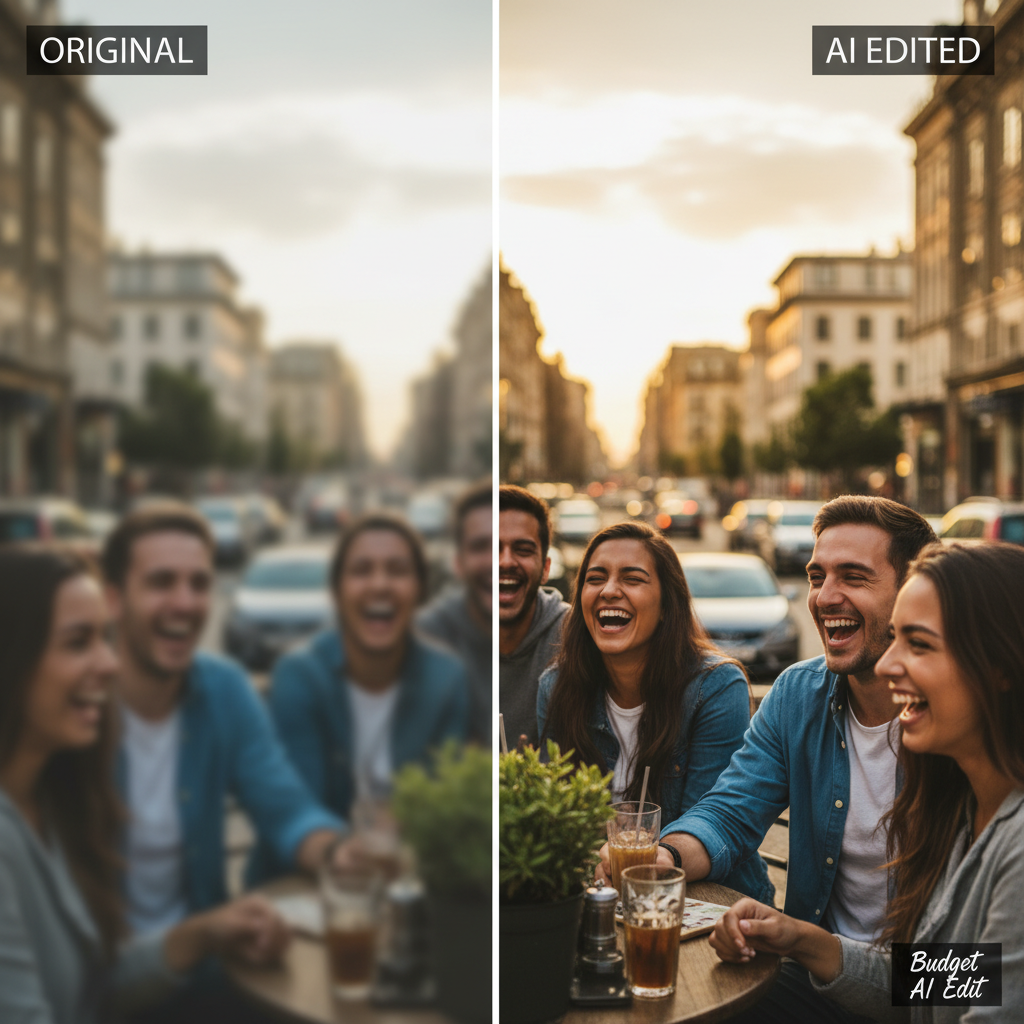
Start editing for 6 credits. Open the Seedream v4.0 Edit playground now.
Example Workflow: Fixing a Product Photo
Let's walk through a real edit. You have a product shot with a messy background and want it clean.
Step 1: Upload the image.
Step 2: First prompt:
"Replace the background with a clean solid white studio backdrop"
Wait 30 seconds. Output: clean white background, product preserved.
Step 3: Second prompt on the same image:
"Add a subtle soft shadow under the product"
Wait 30 seconds. Output: natural shadow added.
Total time: ~1.5 minutes. Total cost: $0.12. Two professional-looking edits for less than buying bread on a slice basis.
Tips to Save Even More
- Pick your source carefully. Good originals need fewer iterations.
- Use clear prompts. Rework prompts instead of re-uploading.
- Stack bundles wisely. The $25 popular bundle has the best credits-per-dollar ratio.
- Don't chain models. Finish your edit in v4.0 before reaching for v4.5 or v5.0.
- Build a prompt library. Save instructions that work — reuse them on similar photos.
What v4.0 Edit Can't Do
Honest caveats. Seedream v4.0 Edit is the budget model, so there are things it doesn't do as well as the premium tiers:
- Microscopic detail like individual hair strands or jewelry facets
- Very complex multi-object edits in one prompt
- Text rendering inside images (use dedicated tools)
- Heavy retouching for professional portrait work
For those, step up to Seedream 5.0 Edit or compare in v4.0 vs v4.5.
Common Questions
Does it work on old photos? Yes, but old photos often need upscaling first. Seedream v4.0 Edit preserves existing quality but doesn't dramatically improve low-resolution inputs.
Are my photos private? Yes. Uploads are processed and deleted. Seedance does not train on your images.
Can I use edits commercially? Yes. Output is yours to use, sell, and publish.
Do credits expire? No. Buy once, use whenever.
Try editing your first image
50 free credits = 8 free edits. See Seedream v4.0 Edit in action at the lowest price in the family.
Start Editing FreeNext Steps
You've got enough to start. Grab your free credits, upload your first photo, and type a prompt. In under a minute you'll have a finished edit.
For deeper dives, check the complete Seedream v4.0 Edit guide and the beginners guide. For volume workflows, see batch quick edits.